24 Chapter 2: Hardware installation
Connecting SDI digital display devices
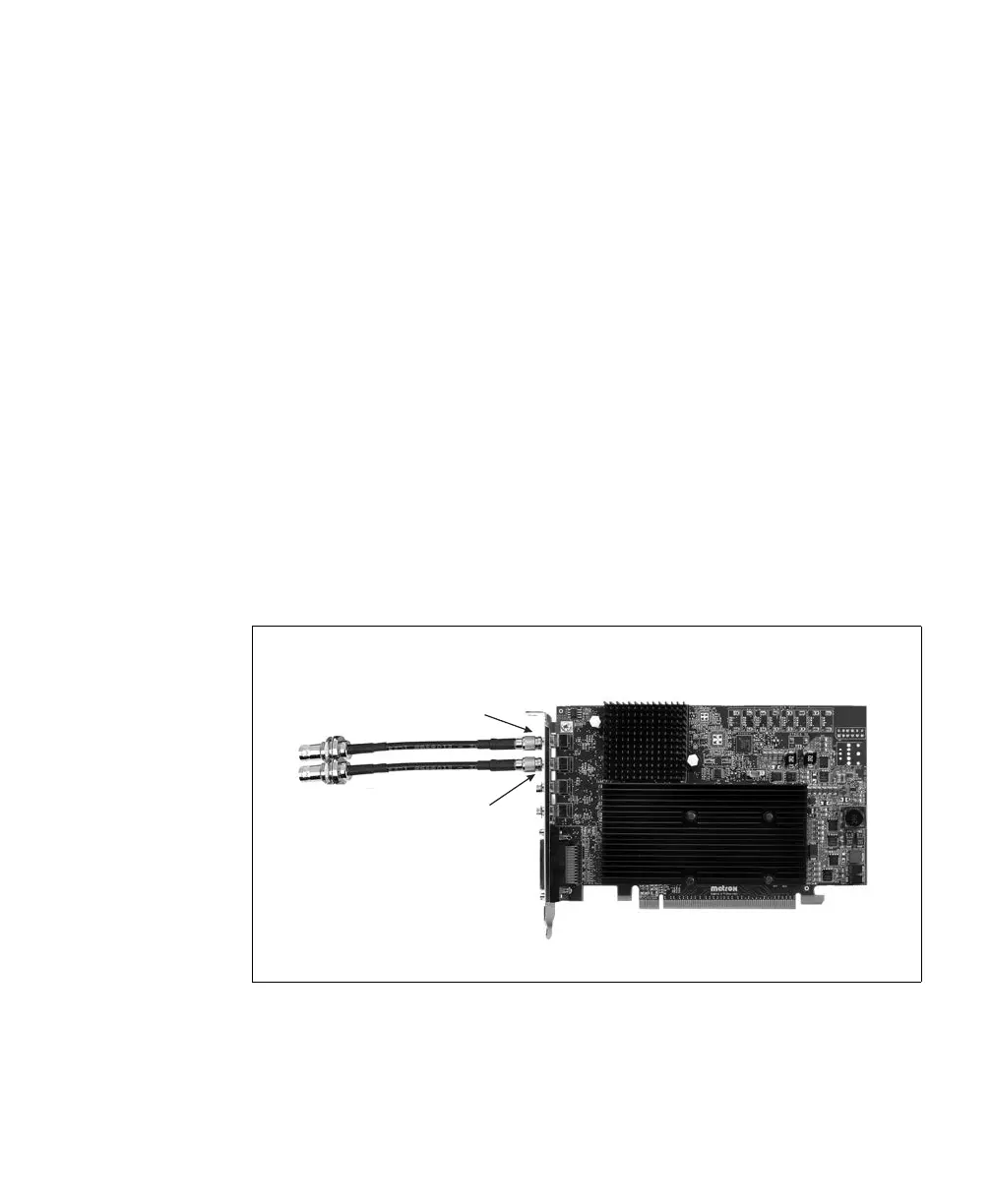
To connect SDI digital display devices to the SDI video output connectors:
1. Attach the SMB end of the supplied SMB to BNC cable adapter(s) to SDI video
output connector(s) 1 and/or 2 on the Matrox Orion HD board. Make sure that
the connector on the Matrox Orion HD board is completely inserted in the SMB
end of the adapter.
❖ Note that if you need to remove the SMB to BNC cable adapter from the SDI
video output connector, you need to pull back on the metal ring of the adapter’s
SMB connector to release its locking mechanism. Keep the metal ring of the
SMB connector pulled back as you pull the cable adapter out.
2. Attach a standard video cable to your display device. As the data rate increases,
you should use a shorter cable for a clear signal. This cable is not available from
Matrox.
3. Attach your display device’s cable to the BNC end of the SMB to BNC cable
adapter.
SDI video output
connector 2
SDI video output
connector 1











 To Next Page