Connecting external devices 27
Connecting SDI digital video sources
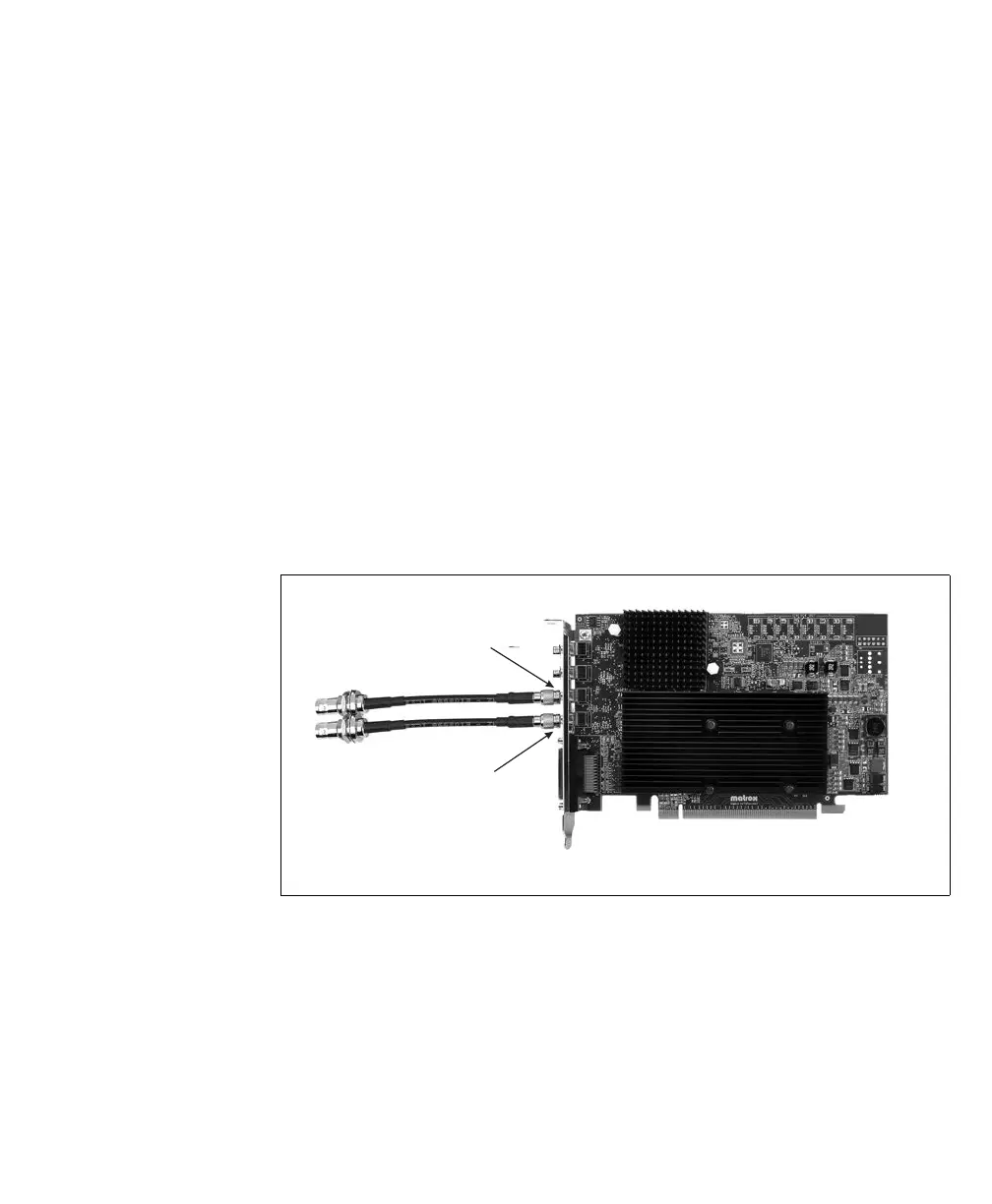
To connect SDI digital video sources to the SDI video input connectors:
1. Attach the SMB end of the supplied SMB to BNC cable adapter(s) to SDI video
input connector(s) 1 and/or 2 on the Matrox Orion HD board. Make sure that
the connector on the Matrox Orion HD board is completely inserted in the SMB
end of the adapter.
❖ Note that if you need to remove the SMB to BNC cable adapter from the SDI
video input connector, you need to pull back on the metal ring of the adapter’s
SMB connector to release its locking mechanism. Keep the metal ring of the
SMB connector pulled back as you pull the cable adapter out.
2. Attach a standard video cable to your video source. This cable is not available from
Matrox.
3. Attach your video source’s cable to the BNC end of the SMB to BNC cable adapter.
Note that although you can attach more than one video source to
Matrox Orion HD, you can only grab from two video sources at a time.
SDI video input
connector 1
SDI video input
connector 2











 To Next Page