Chapter 3 Installation
- 20 -
Step
Item Task
2 The confirmation of
the device state
Please check before the main body of the integrated dehumidifier is
lifted.
• Please make sure that no drying material is in the drying hopper.
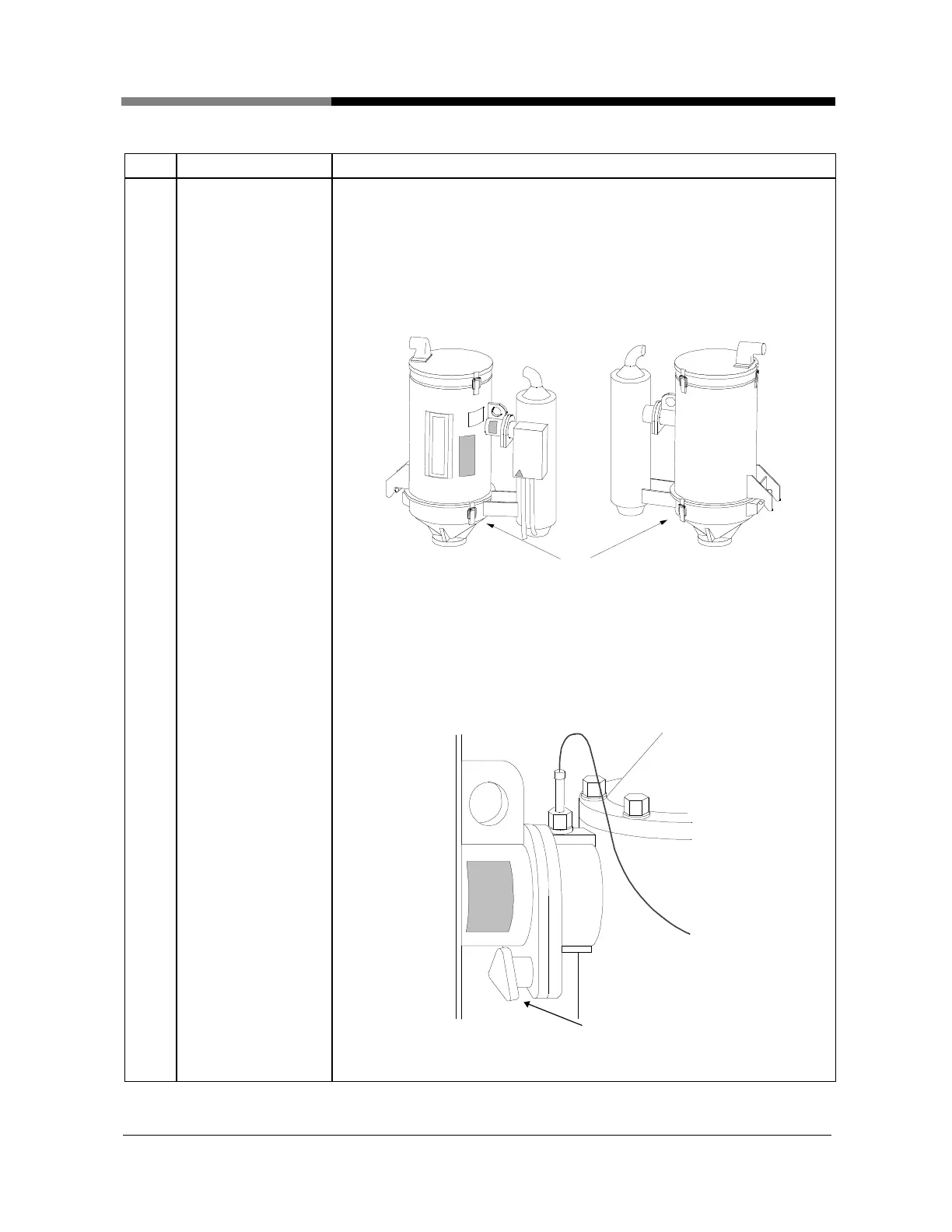
• Make sure if, shown as picture18, the catchclips
with the cylindrical section and conical section of drying hopper
whole sets.
• (Only for HD-10~50 type)
Catchclips
Picture 18
Shows as picture 19, Please make sure that U-bolt of
the cylindrical section of the drying hopper and hot air pipe
fastened.
(Only for HD-10~50 type)
U- bolt
HD-10~50
Picture 19


 To Next Page