9
Volume
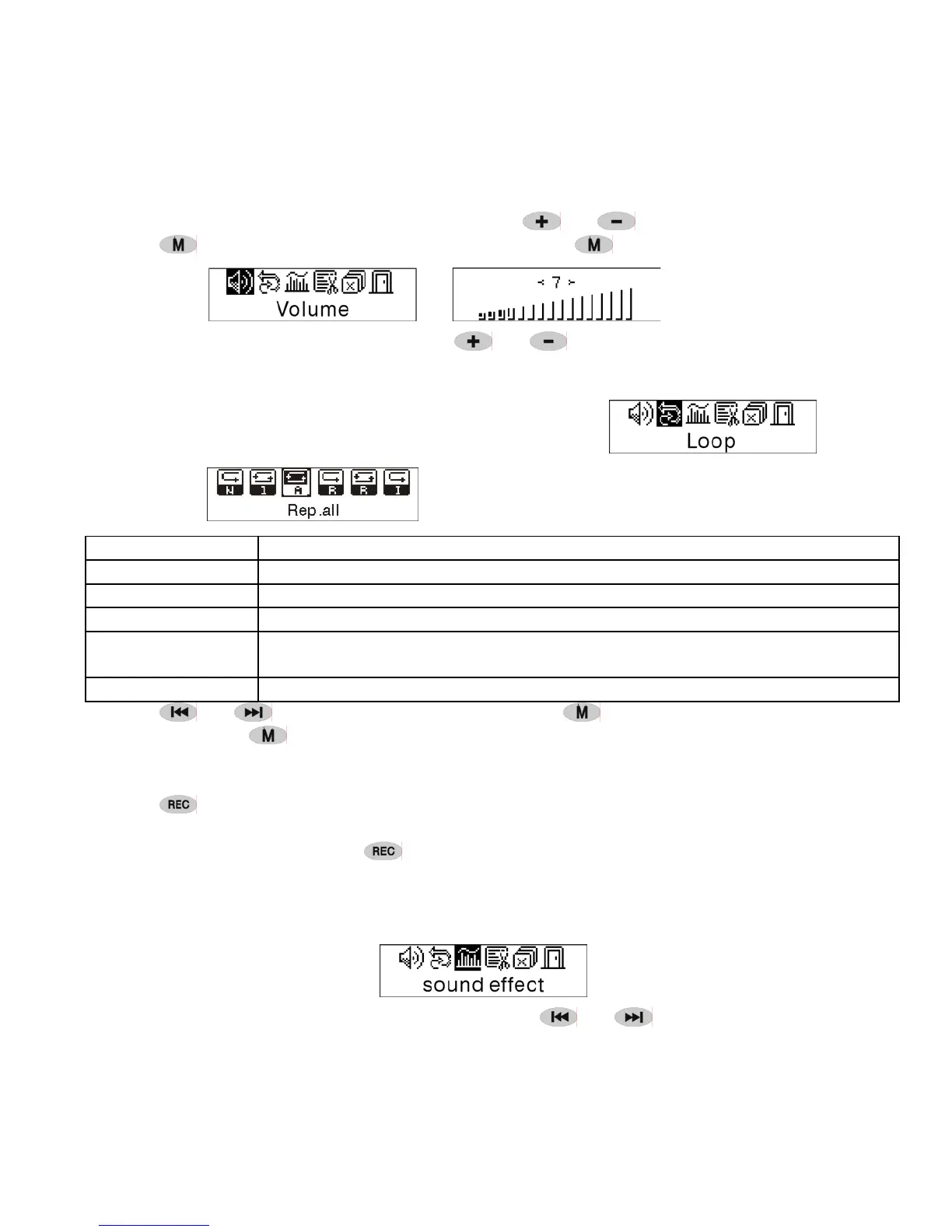
Enter the interface of 'Volume adjusting', press
or to adjust the volume.
Press
to return to Play mode.(Press and hold to return to the Main Menu.)
To change Volume value directly press or while playing.
Loop
Enter the interface of 'Loop 'mode, as the picture shows:
Six modes:
Normal Stop playing after the current file finished.
Rep one repeat playing a single music
Rep all repeat playing all the music
Random playing the music in current file folder randomly
Shuffle
playing the music in current file folder randomly. It will not stop if you are
not press the key.
Intro Play the first 15 seconds of all the music in current file folder
Press or to select the right mode. Press to return to the Playmode.
(Press and hold
to return to the Main Menu.)
A-B loop
Press
(A-B) to set a start point, then press the same key to set an end point in the
course of playing or recording. The machine will be in A-B mode and Start A-B play
track. Cancel it by pressing
(A-B) again.
Sound effect mode
Enter the interface of 'Sound effect mode', as the picture under:
Five kinds of sound effects can be chosen.Press or to select a mode.


 To Next Page