13
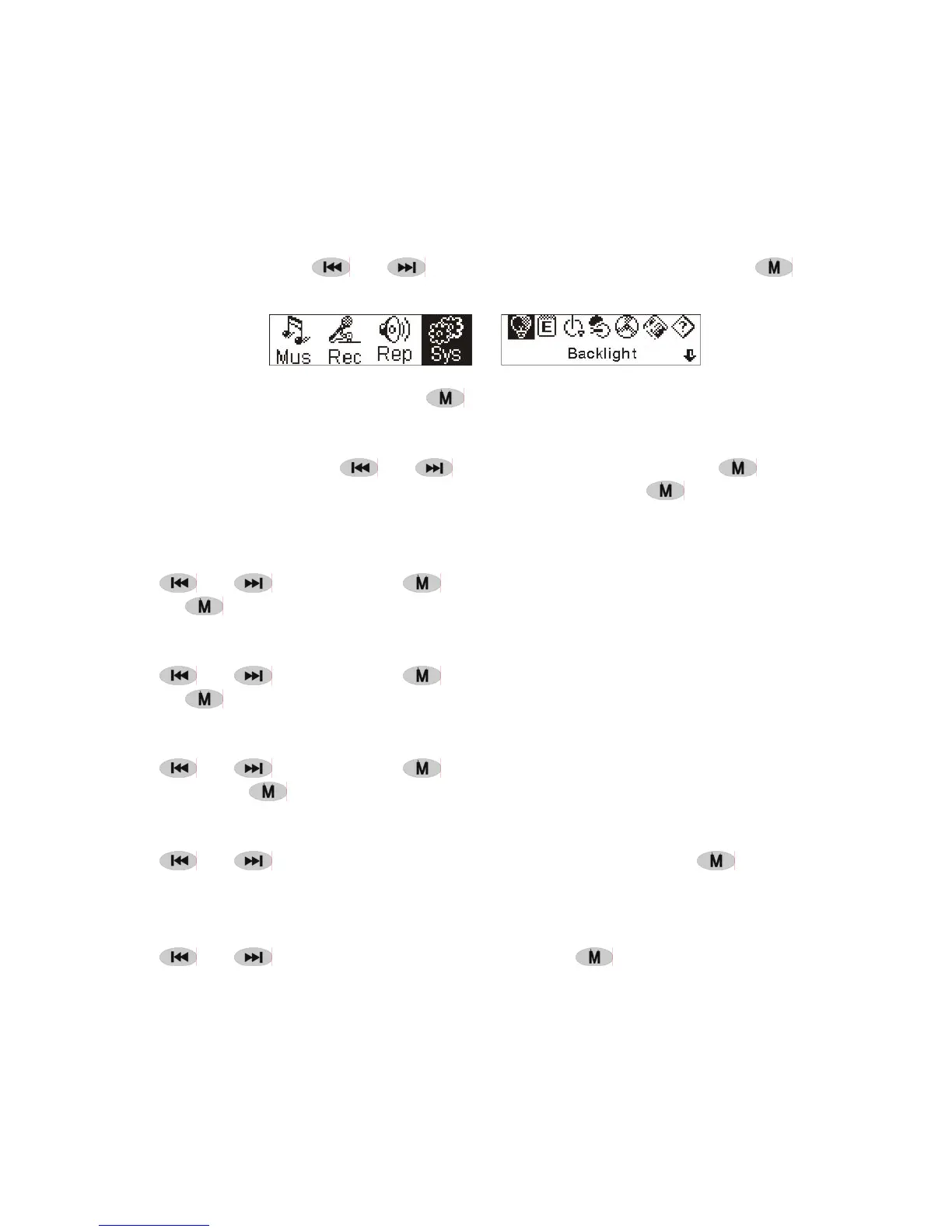
● System
1. Enter
At Main Menu, press
or to select'System' or press and hold to enter
the 'System' menu.
At 'System' menu, press and hold
to return to the Main Menu.
2. Select & enter each options
At 'system' menu, press
or to select menu items. Press to enter the
setting interface. (for example: Choosing 'Exit' , then press
to exit 'System'
menu and return to the Main Menu.)
Backlight time
Press
or to set. Press to save and return to the 'system setting'. (Press
and hold
to save and return to the Main Menu.)
Languages
Press
or to set. Press to save and return to the 'system setting'. (Press
and hold
to save and return to the Main Menu.)
Power off setting
Press
or to set. Press key to save and return to the 'system setting'.
(Press and hold
to save and return to the Main Menu.)
Contrast
Press
or to set the contrast level of the screen. Press key to save
and return to 'system setting'.
Record file types
Press or to set the types of record. Press to save and return to 'system
setting'.


 To Next Page