10
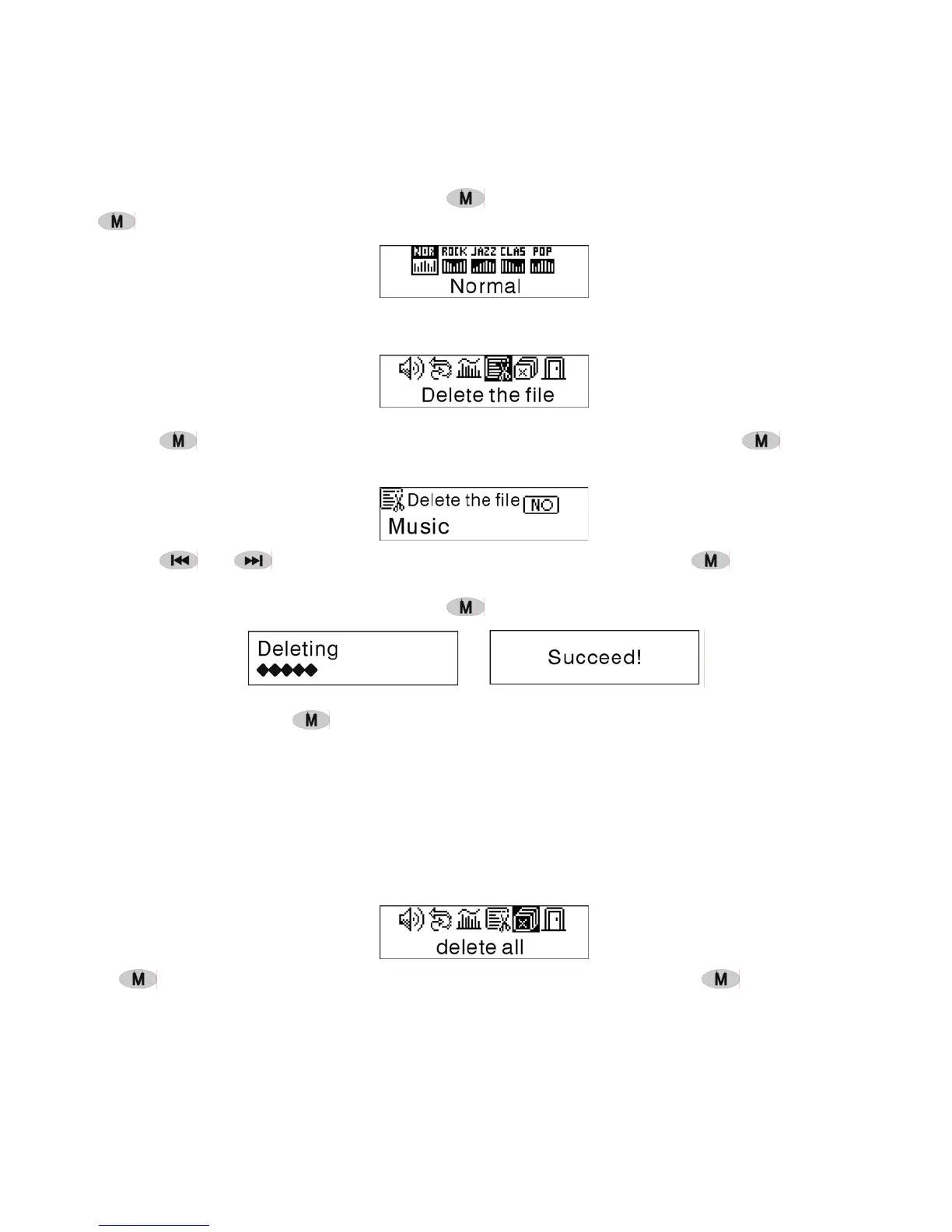
Normal,.Rock,Jazz,Clasic, .Pop,Press to return to the Playmode. (Press and hold
to return to the Main Menu.)
File Delete
Select the ' Delete the file', as the picture under:
Press
to enter the interface as the picture shows. (Press and hold to return
to the Main Menu.)
Press or to select'YES' or 'NO'. Choosing 'YES', press to ensure deleting
the selected file and then return to the Playmode. (It will not delete the file and return to
the Main Menu if you press and hold
.)
Choosing 'No', press
, the machine will not delete the selected current file and
then return to the Playmode.
Delete All
Note: Deleting files will only delete the MP3/WMA files the unit can find. It will not
delete the folder or files in folders that exceed the file limitation. To delete these
file/folders you will need to use Windows Explorer delete function.
Select the 'Delete All', as the picture under:
Press to enter the interface as the picture shows. (Press and hold to return to the
Main Menu.)


 To Next Page