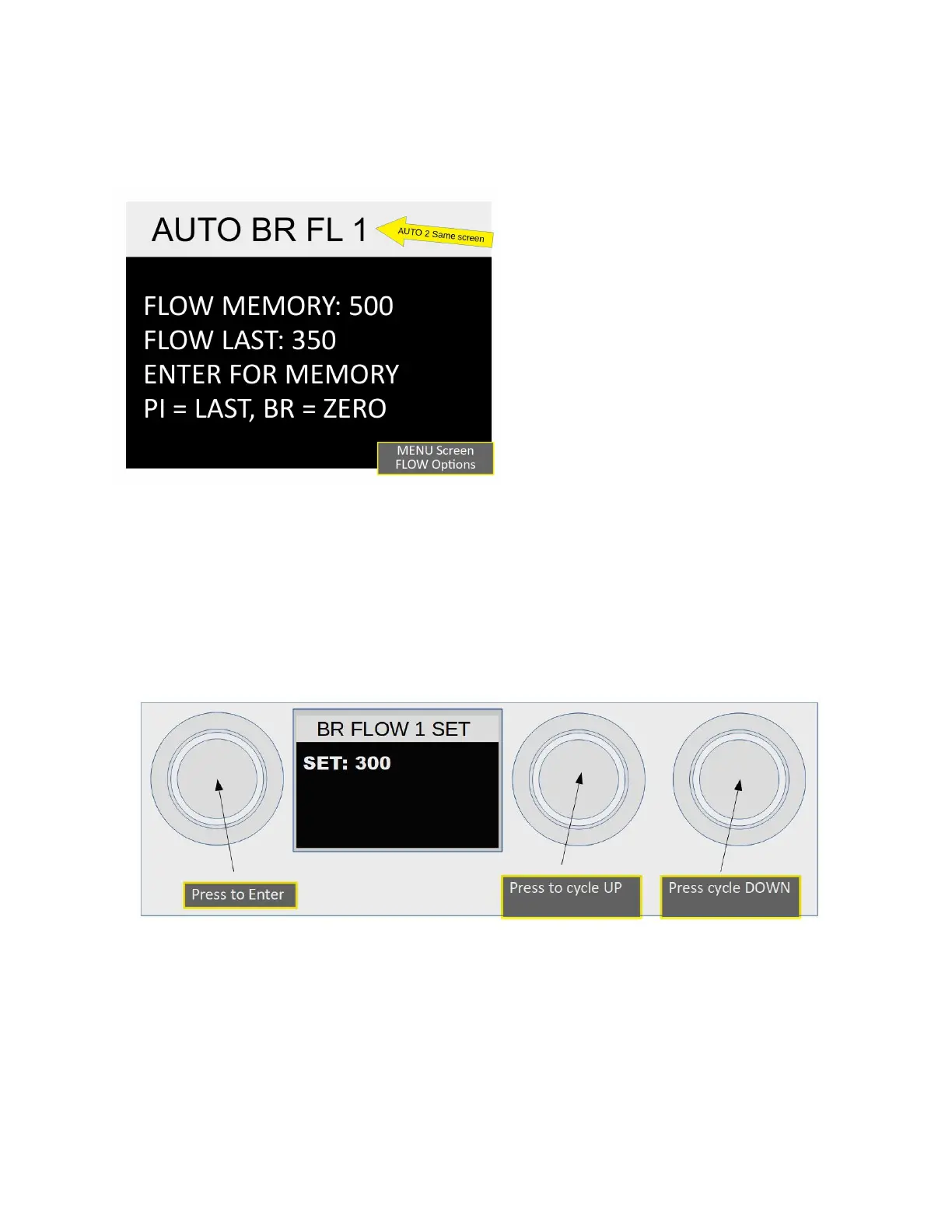
Menu Item 6, Setting Automatic Brew Time:1
This is the second of four Automatic time settings.
Before setting flow for the BREW cycle the
pre-select screen will be shown. There
are three options to “preset” flow. Each
[button] selects one of the options.
FLOW MEMORY: [ENTER] this is the
setting currently in memory.
FLOW LAST: [Pre-Infusion] this is the last
shot pulled. When dialing in a shot using
Manual Mode this is the pre-set you
would want.
ZERO: [Brew] resets flow to zero.
Setting flow to 0, (zero), will skip the Brew phase for that brew cycle. This would possibly be
used if the Pre-Infusion has been set for pour over and a Brew cycle is not wanted. It is useful
to know what volume is desired for the Brew cycle before setting this. Running some shots in
manual mode to get close to the desired volume. Pulses are incremented and decremented in
fives if over a setting of thirty. Once set to the desired flow Enter will save the setting and move
to Item 7.
Menu Item 7, 8, Setting Automatic Pre-Infusion and Brew Time:2
This is the third and fourth of four Automatic time settings. Function is the same as 5 and 6
above except this sets Automatic 2. When finished with Item 8, pressing Enter will exit the
menu and return to the Idle screen.
NOTE: After no activity for thirty seconds the Menu will exit and return to the Idle screen. If you
have entered a setting or do not wish to record that setting just let the menu sit idle and it will
exit without saving that setting.
2023 Mavam User Manual V4.53 UC/F Page 26 of 28


 To Next Page