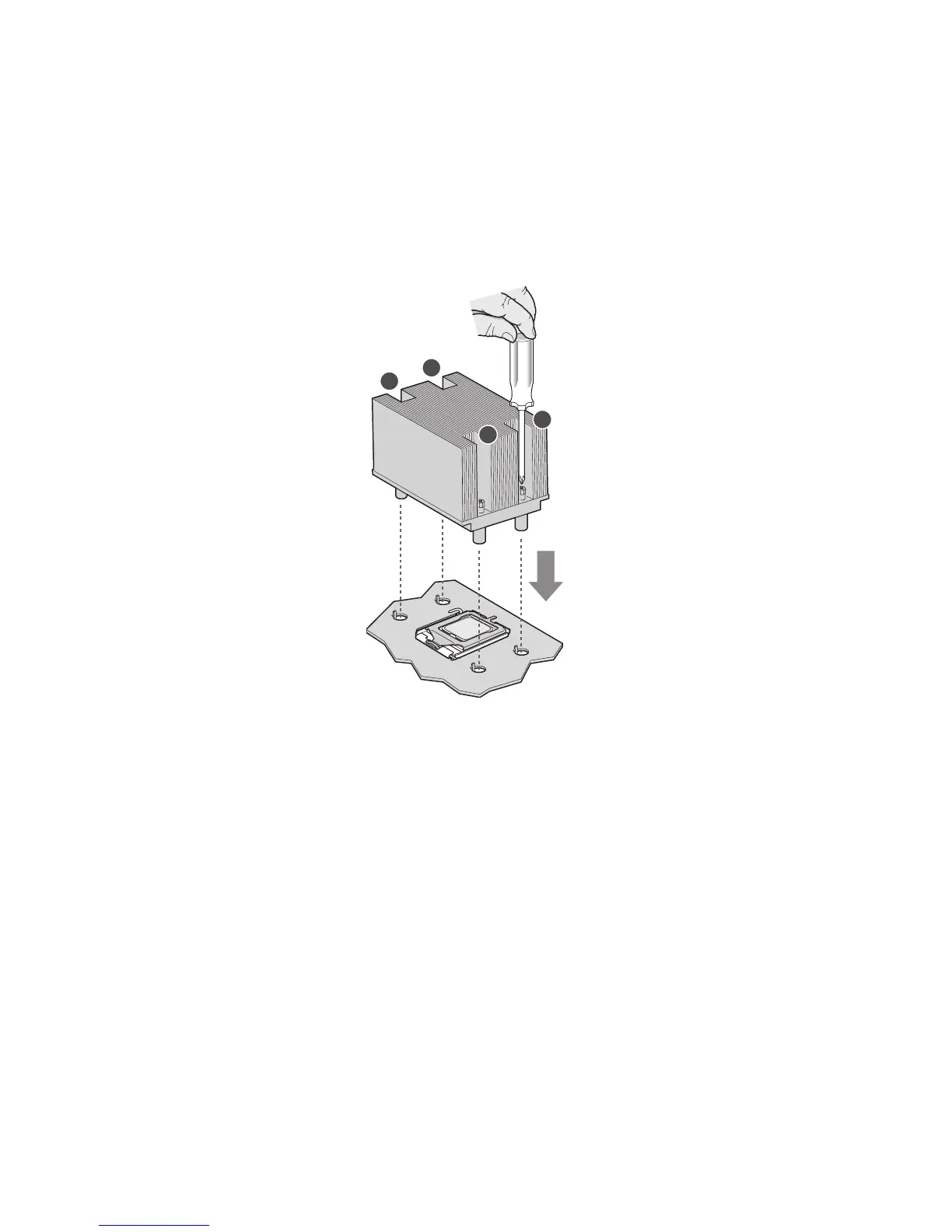
Installing the Heat Sink
The heat sink has Thermal Interface Material (TIM) located on the bottom of it. Use caution when
you unpack the heat sink so you do not damage the TIM.
1. Set the heat sink over the processor, lining up the four captive screws with the four posts
surrounding the processor.
2. Loosely screw in the captive screws on the heat sink corners in a diagonal manner.
Do no fully tighten one screw before tightening another.
3. Gradually and equally tighten each captive screw until each is firmly tightened.
Figure 11. Installing the Heat Sink
4.
Reinstall and reconnect any parts you removed or disconnected to reach the processor sockets.
5. Replace the server‘s cover and reconnect the AC power cord.



 To Next Page