Getting Connected
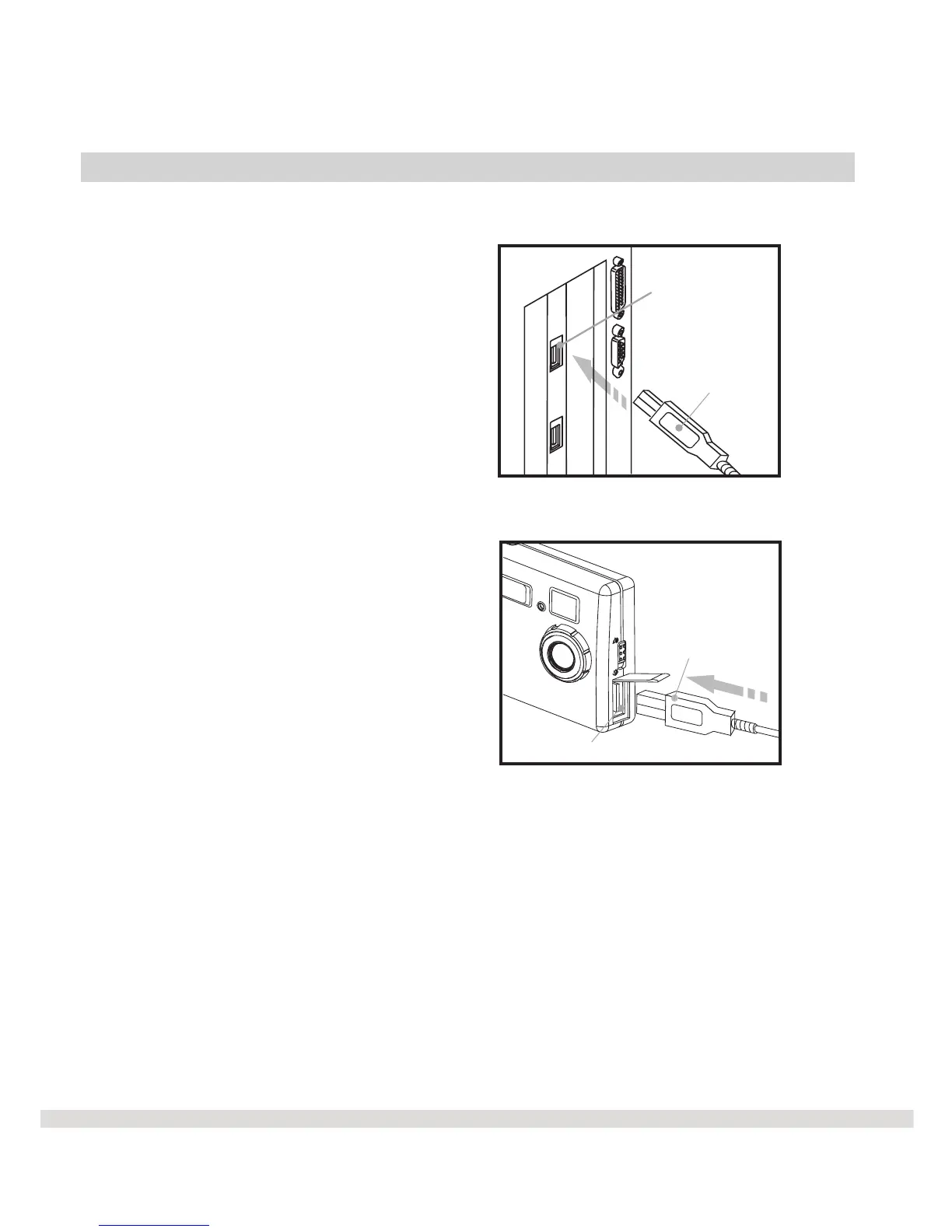
To connect the camera to the computer.
l Step 1 Connect the USB
cable to the USB port on
your computer.
l Step 2 Connect the other end
of the USB cable to your
camera USB connector.
The MAXELL WS30 SLIM Digital Camera has three operating modes:
Digital, Video, and PC.
Digital = Take digital pictures with the WS30 SLIM. No need for film.
Download them to your computer.
Video = Create a mini video with the WS30 SLIM's live video feature.
When connected via the USB cable, you now have a video camera.
PC = The WS30 SLIM camera can be used for video conferences.
20
USB connector
USB cable
USB cable
Computer's
USB port



 To Next Page