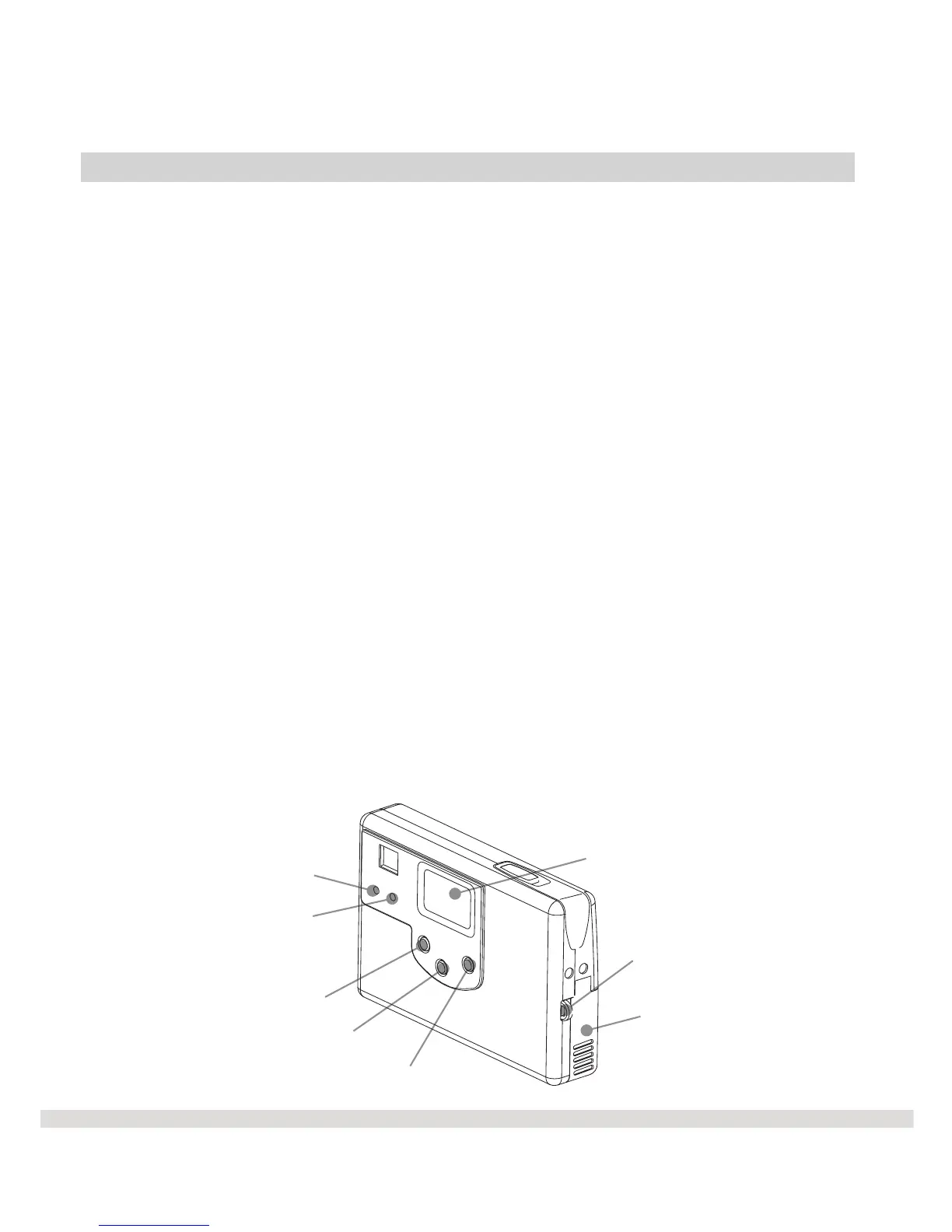
Battery Cover
Busy Signal
Macro Mode Signal
DSC On/Off
Select
Mode
Menu Panel
For Strap
l Battery Cover
The battery cover secures the batteries in place.
l Macro Mode Signal
The Macro Mode signal becomes lit when you switch from standard
mode to macro mode.
l Busy Signal
The Busy Signal will blink if the camera is not ready to take a picture.
l Menu Panel
The menu or control panel displays the various menu options.
l Mode Button
Press the mode button to switch between the camera's six modes.
L DSC On/OFF Button
Press the DSC On/OFF button to turn the WS30 SLIM on and off.
€ Select Button
Press the Select button to select a menu function.
Features & Functions
Back of WS30 SLIM
5



 To Next Page