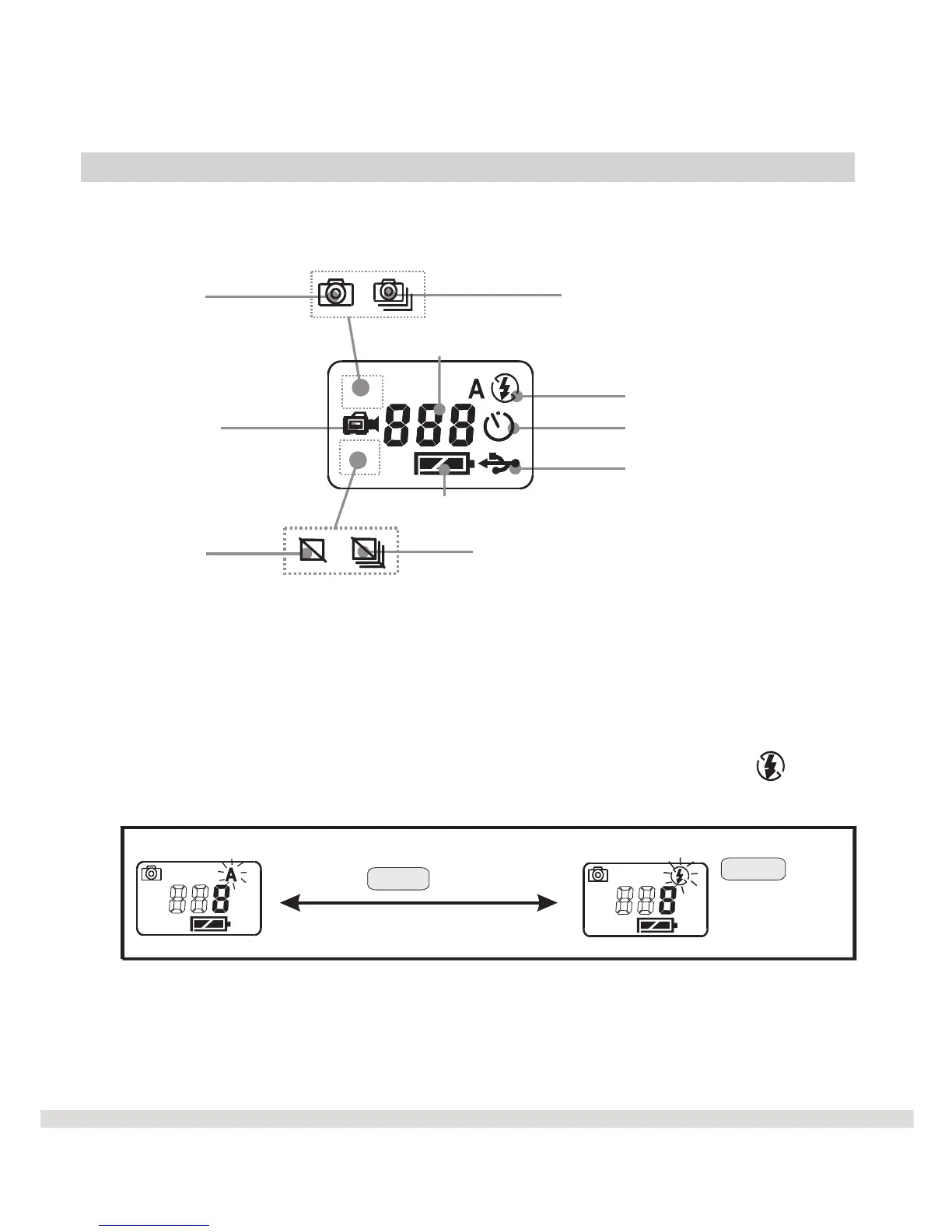
LCD Control Panel
Now that you are familiar with the basic steps to taking a picture, let's take
a closer look at the menu or control panel.
The WS30 SLIM has six functional modes.
€ Mode 1: Flash - The Flash mode is used to add extra light to your
image. Press the Mode button until "A" is blinking. This is the default
Auto flash mode. The LCD displays "A" to turn the flash on. If
is displayed, the flash is turned off.
8
/
Continuous snap shots
Single snap shots
/
Delete all
Delete last
Flash status
Photo number
Battery Volume(disappeared if USB is plugged)
Video Recording
Self-timer
PCC Mode
Shutter
to root
Select
(Beep)



 To Next Page