Taking Pictures
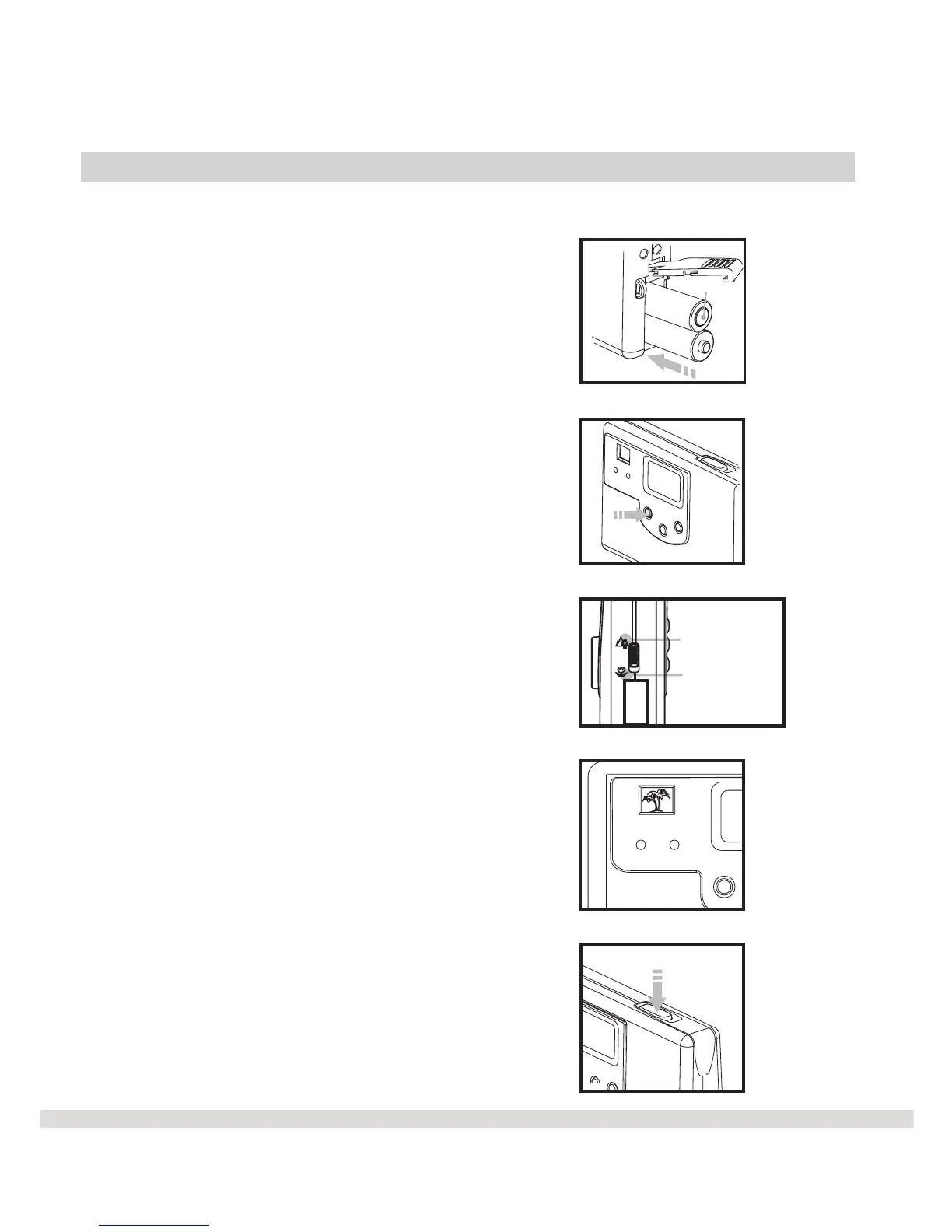
Now that the camera has batteries, let's take a few pictures to get started.
Step 1 Make sure the batteries
are properly inserted into the camera.
Step 2 Press the DSC On button.
The camera will beep.
Step 3
Step 4
Step 5
Wait for the beep to complete
the picture.
l
l
l
l
L
Select macro mode or
standard mode.
Use the optical finder to
compose the picture.
Press Shutter button to take
the picture.
press
Standard mode /
0.6 m (2ft) ~ infinity
Macro mode /
0.2 m (8 inch)
press
7
Battery



 To Next Page