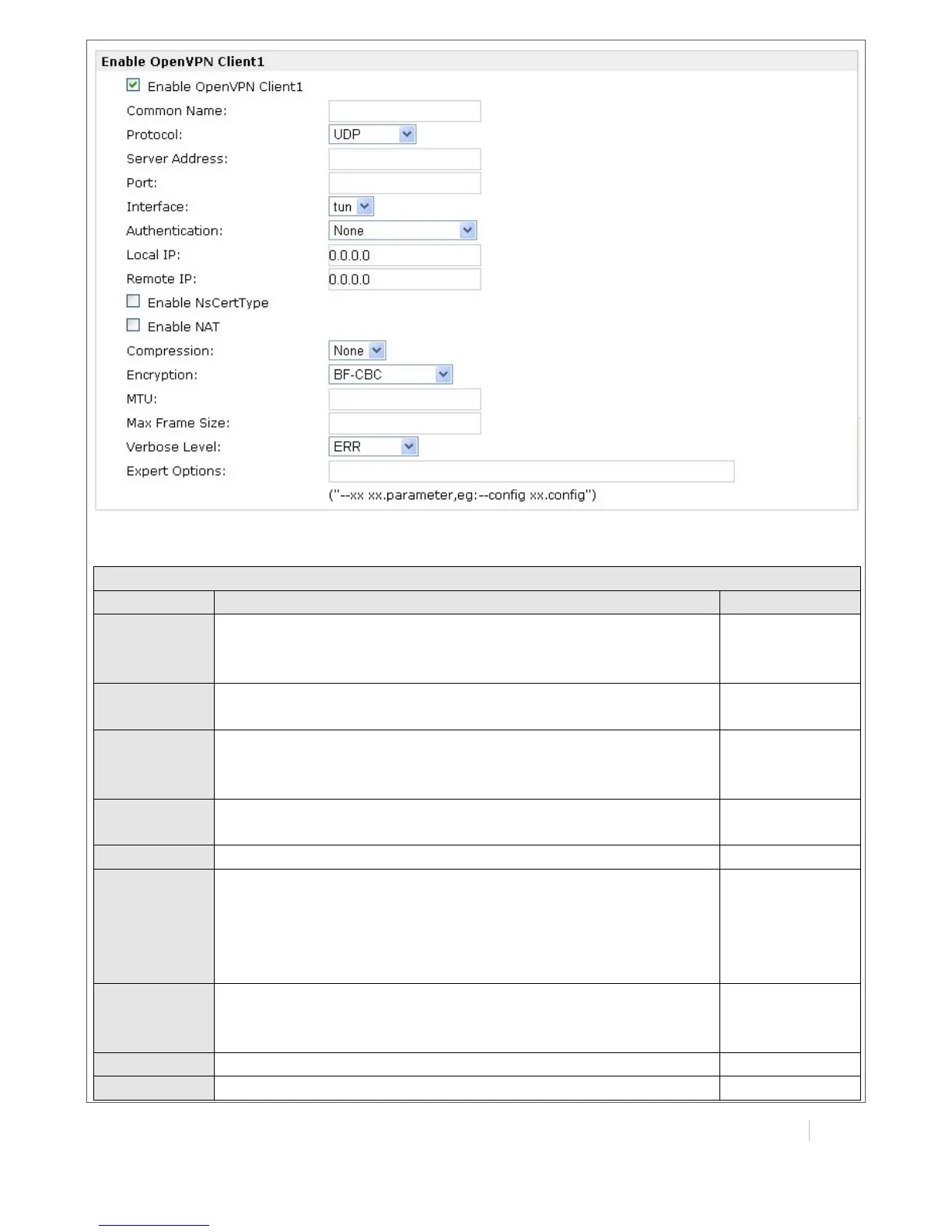
Tick to enable OpenVPN server tunnel.
Name the OpenVPN server tunnel.
You can enter the IP address of cellular WAN, Ethernet WAN or
Ethernet LAN. Null or 0.0.0.0 stands for using the active WAN link
currently-cellular WAN or Ethernet WAN.
Select from “UDP” and “TCP Client” which depends on the
application.
Set the local listening port
Select from “tun” and “tap” which are two different kinds of
device interface for OpenVPN.
The difference between a tun and tap device is this: a tun
device is a virtual IP point-to-point device and a tap device is a
virtual Ethernet device.
Select from four different kinds of authentication ways:
“Pre-shared”, “Username/Password”, “X.509 cert” and “X.509
cert+user”.
Define the local IP address of OpenVPN tunnel.
Define the remote IP address of OpenVPN tunnel.


 To Next Page