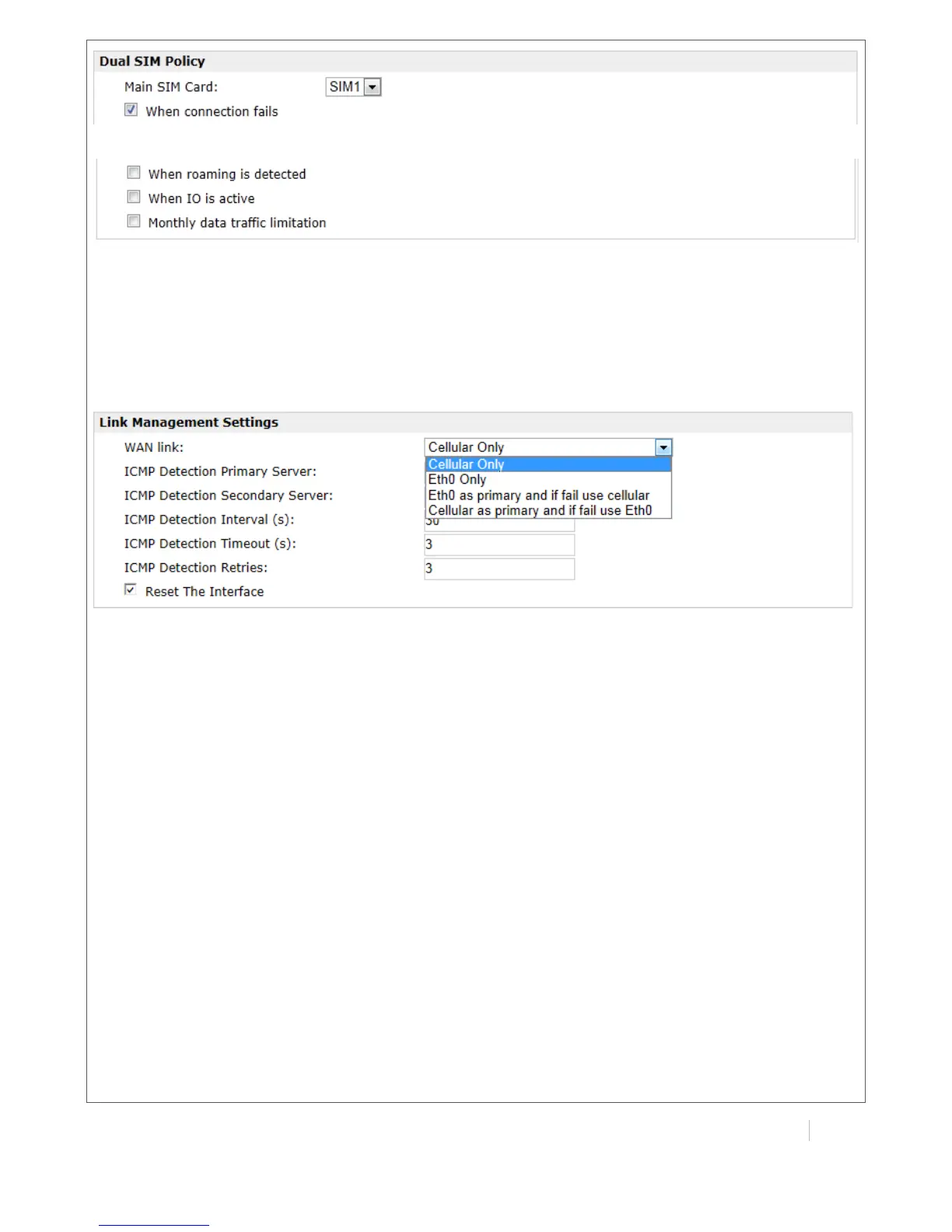
!
The modifications will take effect after click “Apply” button.
If a customized SIM card is using, please select “Custom” instead of “Auto” in “Network Provider
Type”, and some relative settings should be filled in manually.
4.1.2 Connect on Demand:
Configuration-->Link Management-->Cellular Only
The modifications will take effect after click “Apply” button.
Note: This section will be hidden if user selects “Cellular as primary and if fail use Eth0” in
“Configuration ->Link Management”.


 To Next Page