19
After Sales Support
UK/N.IRELAND HELPLINE N
O
:
REP.IRELAND HELPLINE N
O
:
WEBSITE:
EMAIL:
01270 508538
1800 995 036
www.quesh.co.uk
enquiries@quesh.co.uk
System
Turning The Alarm On/Off
The alarm can only be set or disabled with the last option when
setting the alarm (See page 18, Setting The Alarm).
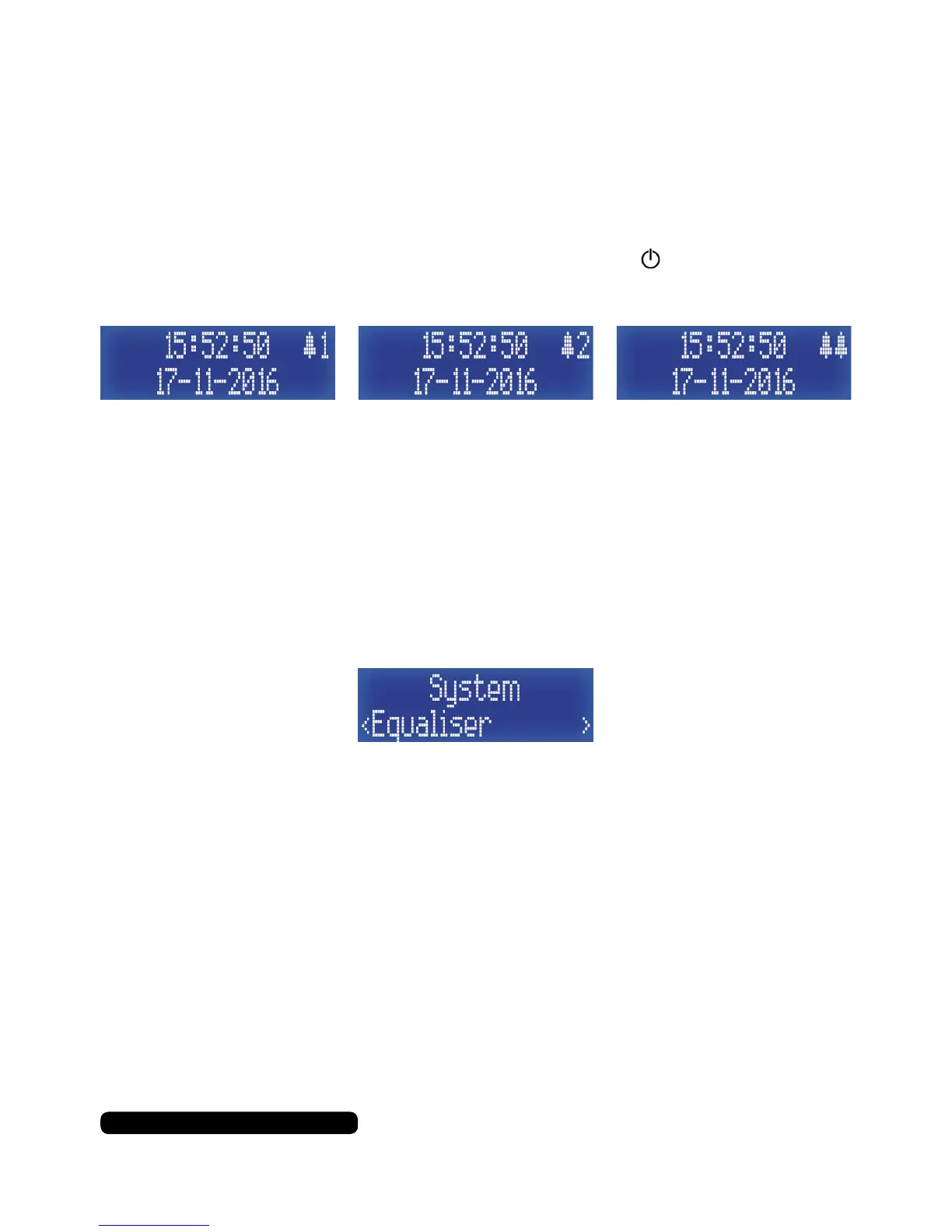
To check which alarm(s) have been set press the button to put the
radio into standby mode and check the display.
The bell icon and number indicate alarm 1 or 2 is active and the
double bell icon indicates that both alarms are active.
Equaliser
Set output tone of the radio with this feature.
Once in the system menu list, press the ‘Tune+’ button repeatedly
until you get to ‘Equaliser’ and then press the ‘Select/Snooze’ to set
this feature.
The process is controlled by using the ‘Tune+’ and ‘Tune-’ to cycle
through the available options/values and use the ‘Select/Snooze’
button to conrm the option/value selected.
Normal > Classic > Jazz > Pop > Rock > Speech > My EQ*
*You can customise the EQ by using the sub menu under ‘My EQ’
Here you can change the following:
Loudness Y/N
Treble +/-7
Bass +/-7



 To Next Page