Maxtor OneTouch IV 19
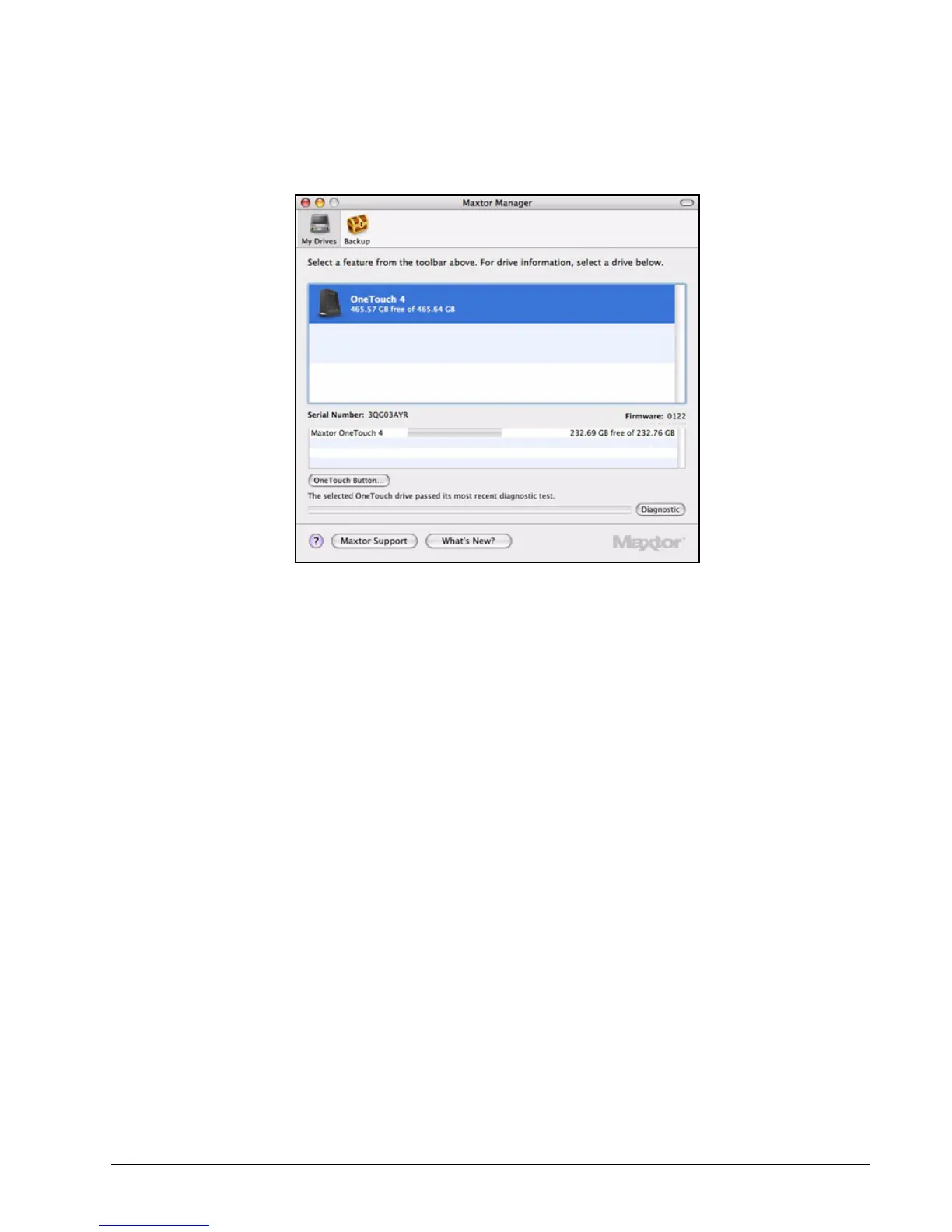
The drive pictured above is functioning normally. If the diagnostic encounters an
error during testing, the serial number of the bad device is displayed with
instructions to contact Seagate for service and support.
Updating Your Software
The Software Update feature automatically informs you each month of whether your
software is up to date. However, you can manually check to see if an update is available or
you can turn off the Software Update feature.
Note: You can check manually for software updates or turn off Software Update from any view.
To manually check for updates or turn off Software Update,
Step 1: In the menu bar, go to Help > Software Update.
Figure 6: Diagnostics Complete





 To Next Page