Maxtor OneTouch IV 41
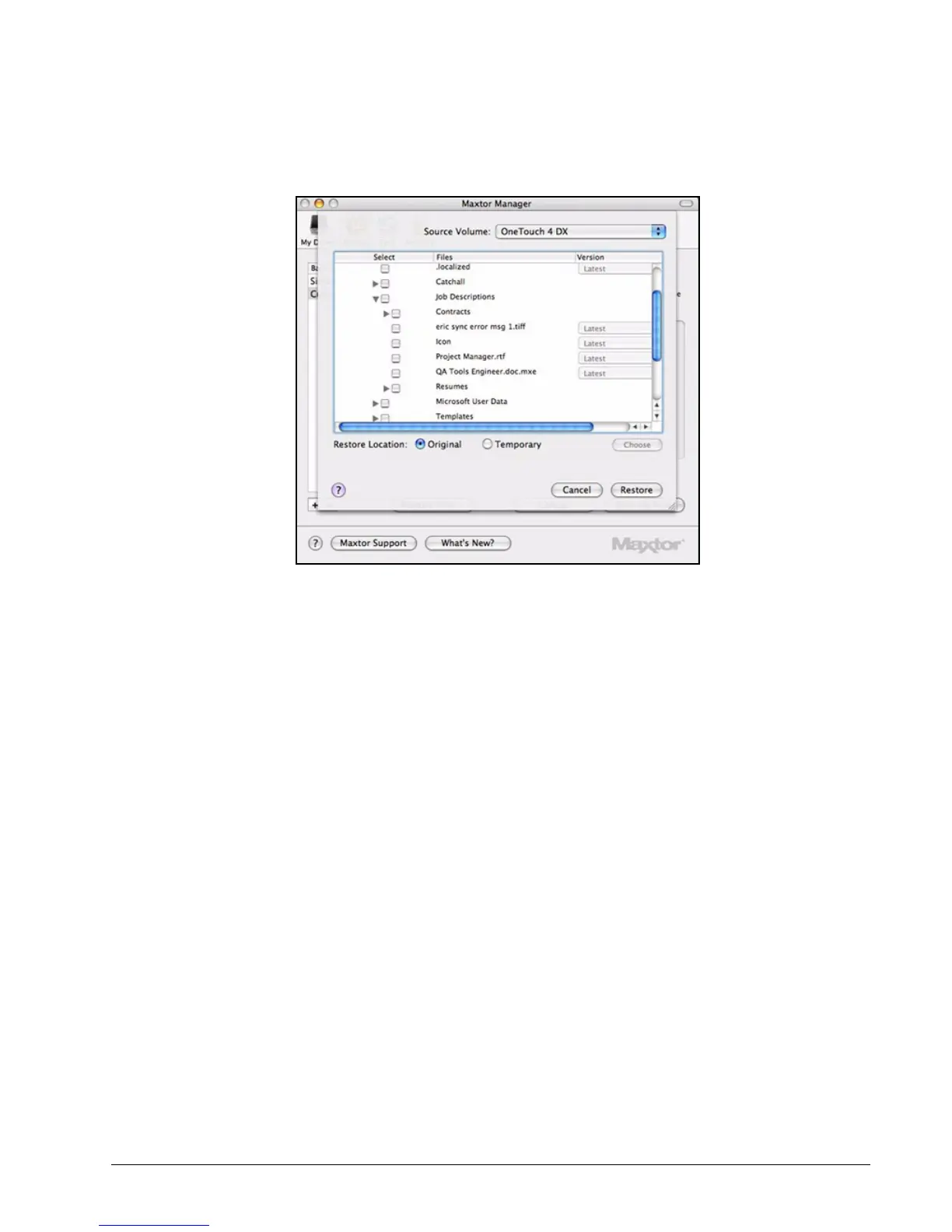
Listed are the contents of the backed up folder.
Step 4: Select the files and, if relevant, the file versions to be restored.
Step 5: Select a location at which to restore the files:
(a) Select Original to restore the files to their original location on your computer.
(b) Select Temporary to restore the files to a temporary Maxtor Restore folder.
(c) Click Choose to browse to and choose another location on your computer.
Step 6: Click Restore.
Figure 24: Restore Options











 To Next Page