Maxtor OneTouch IV 2
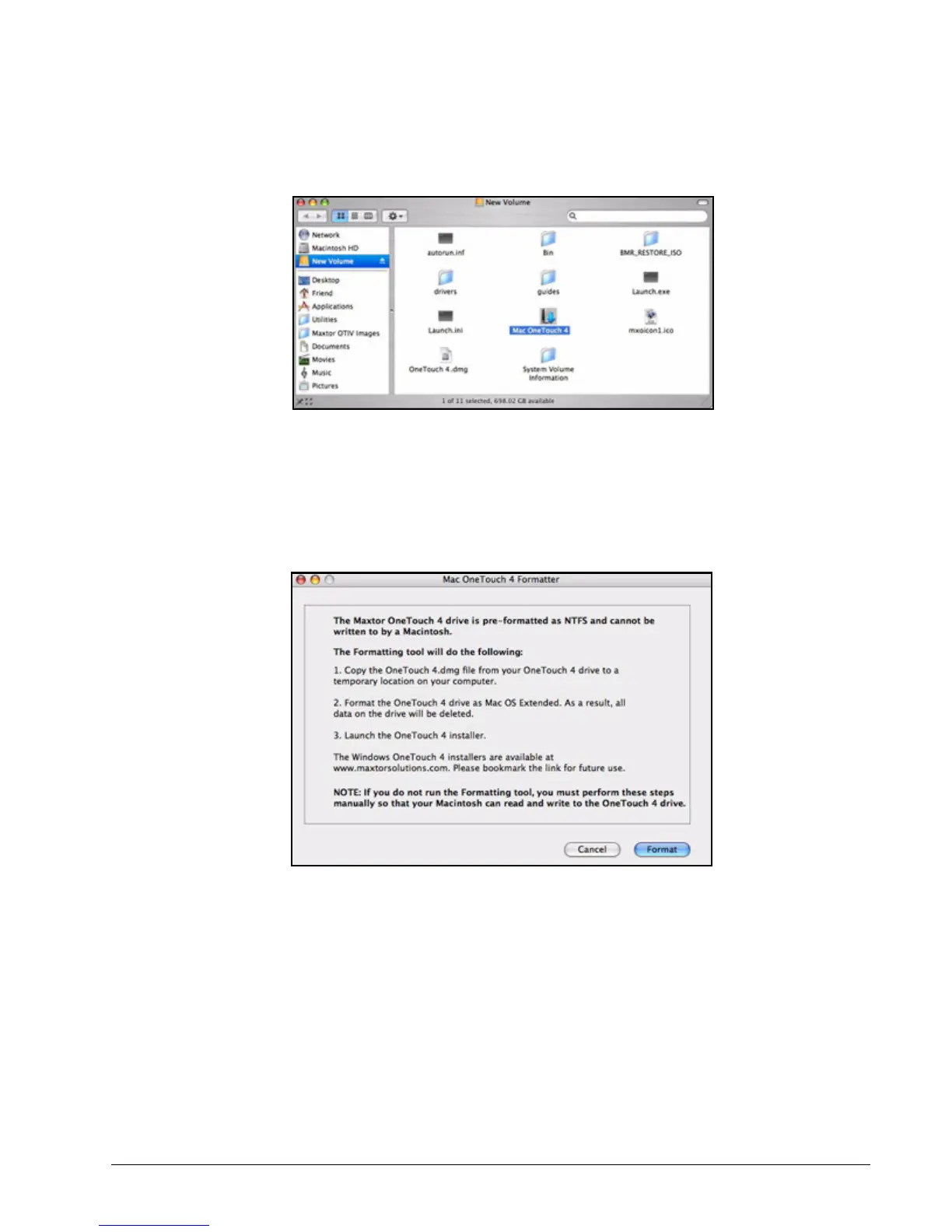
The New Volume Finder window contains the Mac OneTouch 4 Formatting Tool.
Step 3: Double-click the Mac OneTouch 4 Plus icon.
The Mac OneTouch 4 Formatter window opens:
Step 4: After you’ve read the description of what the Formatting tool does, click Format to
format your OneTouch 4 Plus drive for a Macintosh.
The remainder of the software preparation is automatic. Here’s what you see:
• The New Volume drive is dismounted and reformatted:
Figure 1: New Volume
Figure 2: Mac OneTouch 4 Formatter











 To Next Page