Maxtor OneTouch IV 62
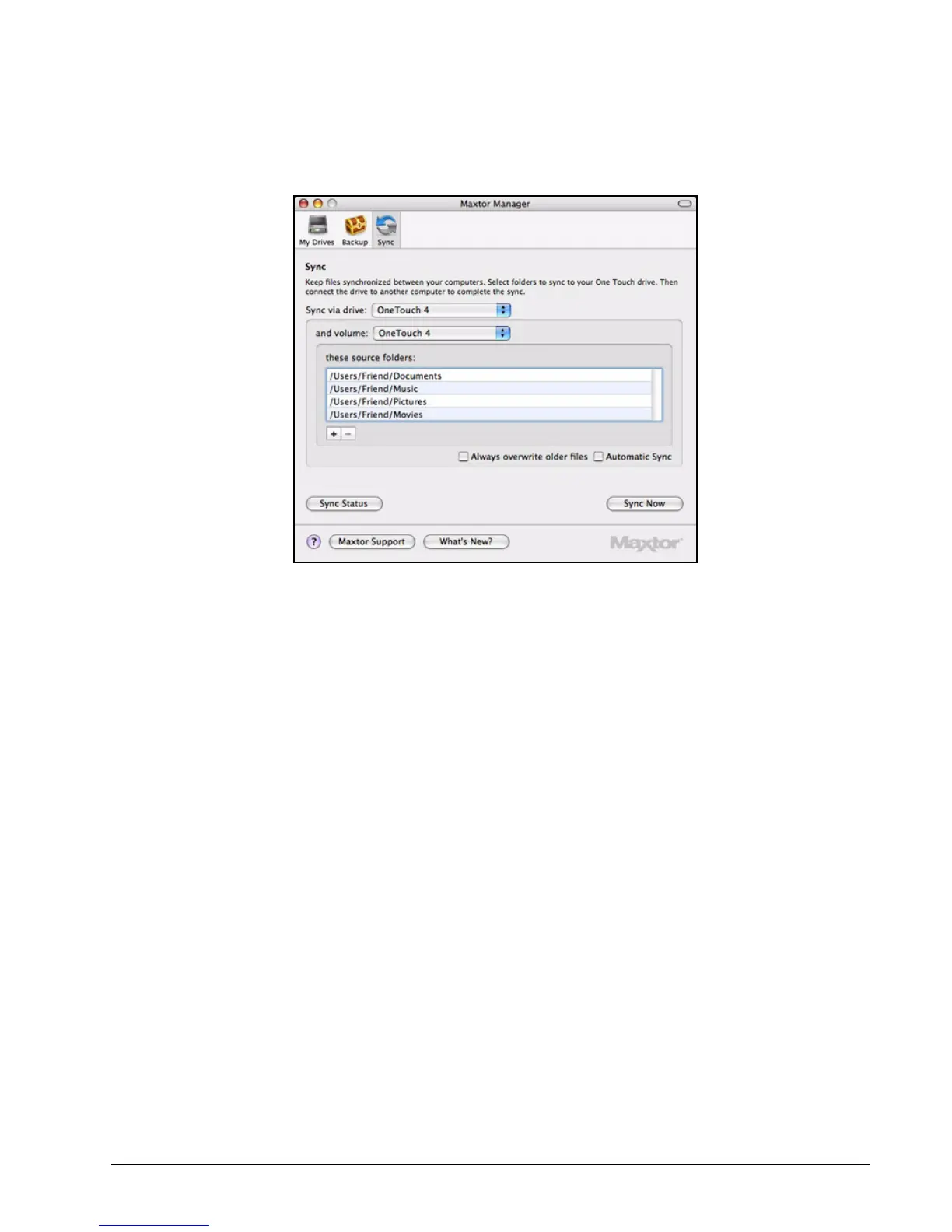
Step 2: Select the drive and volume on which to sync folders.
The Documents, Music, Pictures, and Movies folders have been pre-selected
for Sync and Always overwrite older files and Automatic Sync are checked.
Step 3: Click – to remove a folder from sync.
Step 4: Click
+ to select folders to be synchronized.
The Select folders to sync window opens:
Figure 30: Sync





 To Next Page