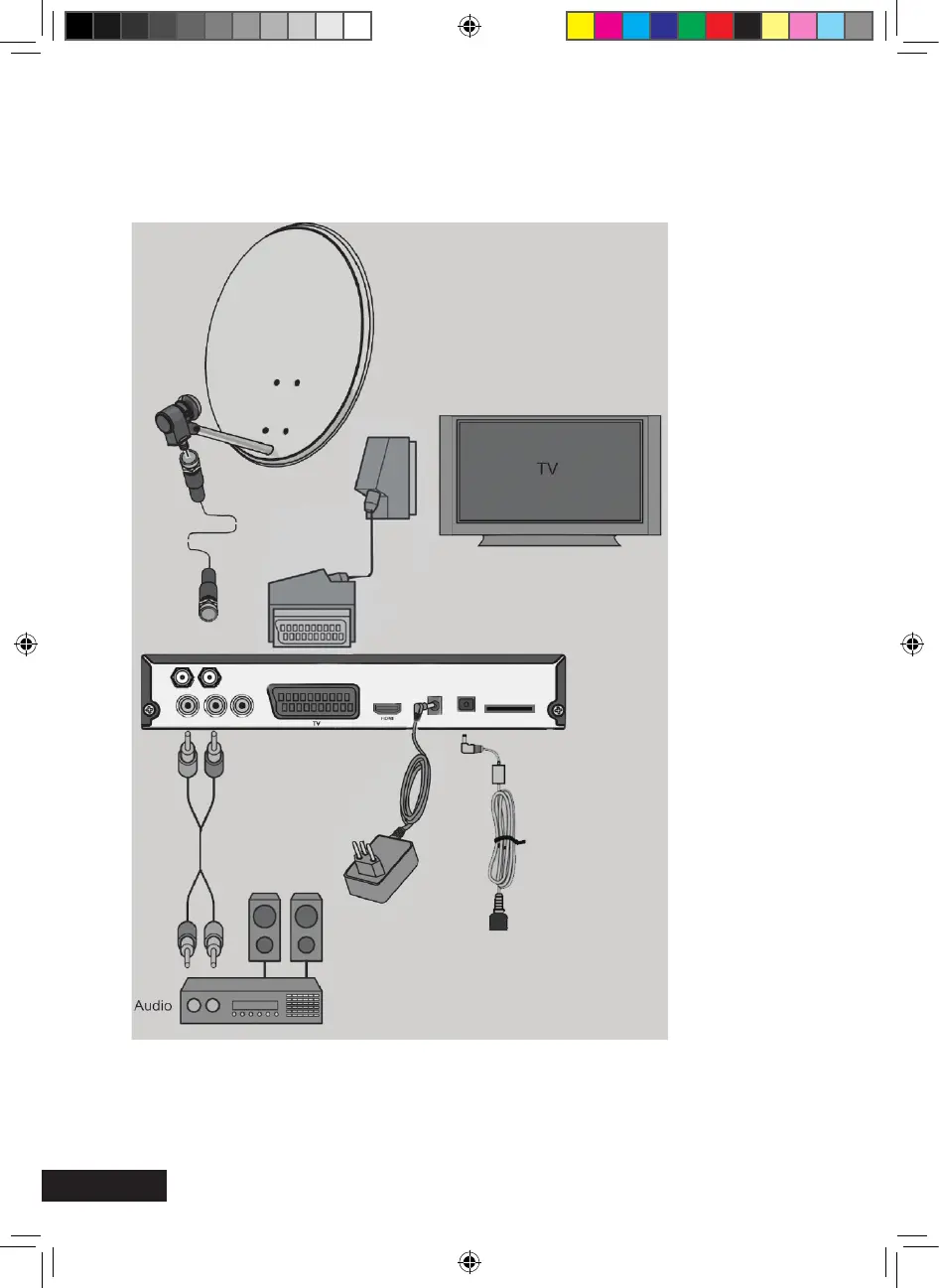
Connection with a Scart cable
Insert the Scart cable in the Scart socket of the receiver.
Connect the Scart cable to the TV set. Follow the operating manual of the TV set.
Please note that the Scart and the HDMI cable are not included in this pack
It is impossible to operate the receiver simultaneously via the Scart and the HDMI
connection. You will have a signal either at the Scart or the HDMI output. The operation of a
video device connected to a VCR Scart connection is not possible via the HDMI connection.
IR eye
MXL020HD INSTRUCTIONS REVISION.indd 10 15/05/2013 14:12


 To Next Page