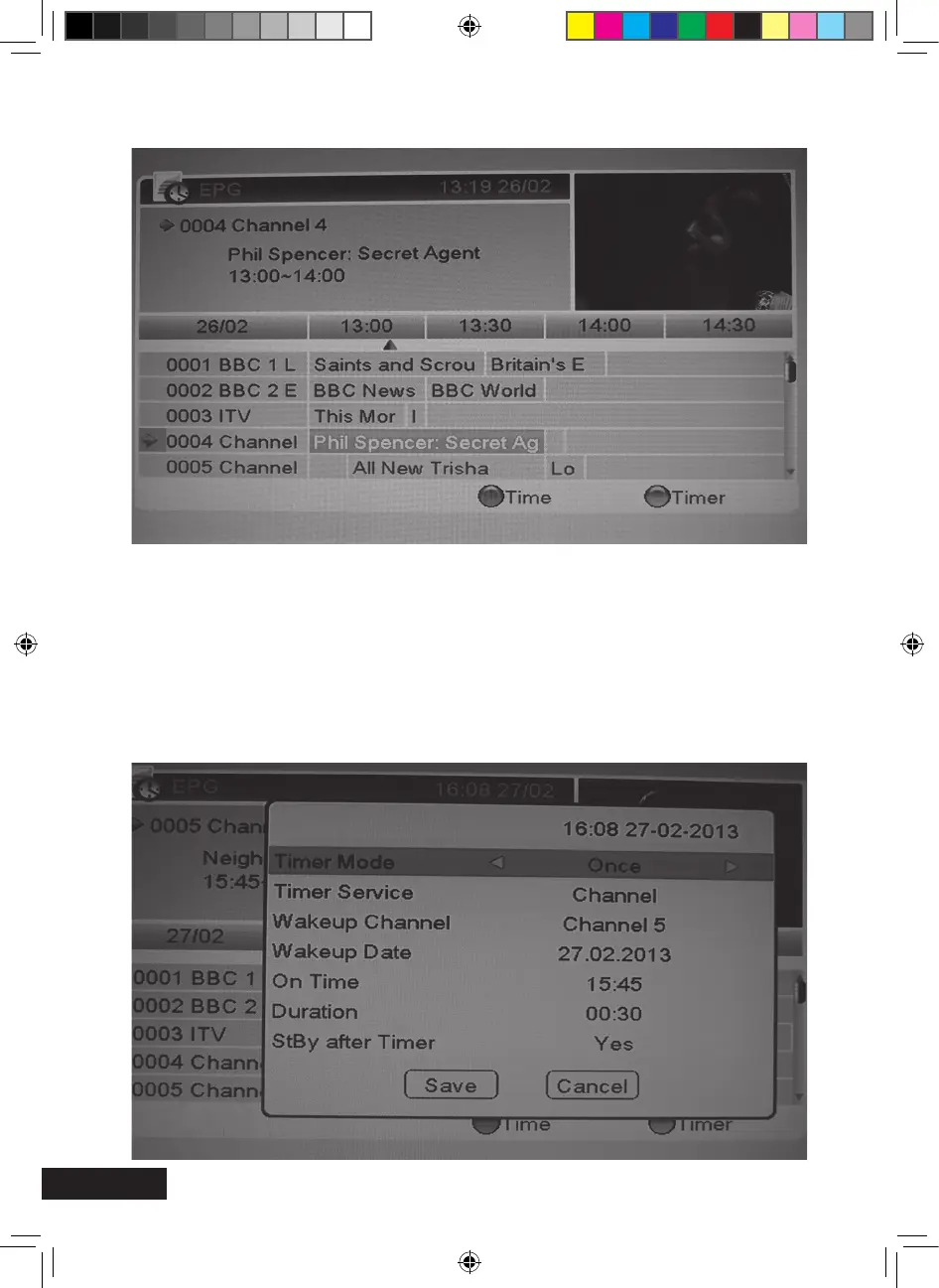
EPG (Electronic Program Guide)
The EPG provides programme information in table form, if provided by the
broadcasting station. It shows information on broadcasting times and programmes.
With the keys you can move the marking in the EPG table.
You will get additional information on an event/programme by marking it and confirming
with the OK key. An information window opens. With the green function key “Timer”, you
can take over the marked event directly to the timer. The timer is explained in menu item
“System Setup – Timer Setting”. With the red function key “Time” you will get information
on programmes broadcasted during the next days.
MXL020HD INSTRUCTIONS REVISION.indd 40 15/05/2013 14:12


 To Next Page