Page 37
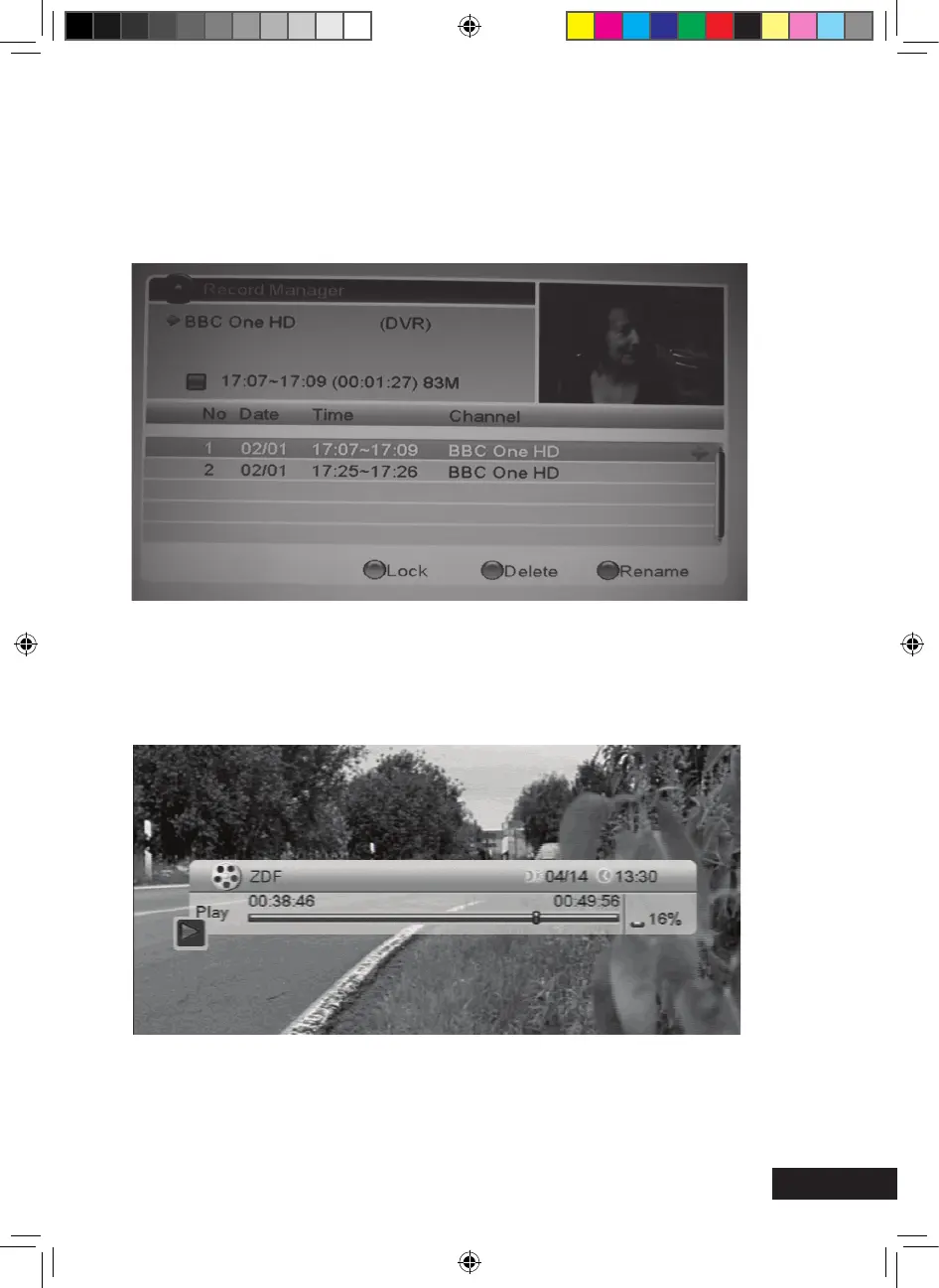
Recorder Manager (optional)
Here, recorded programmes can be:
> Renamed by pressing the red function key
> locked by pressing the green function key (requires password input).
> deleted by pressing the blue function key
The functions Lock and Delete will only become active after confirming the prompt when
exiting the submenu item. The marked programme will be reproduced by pressing the OK
key.
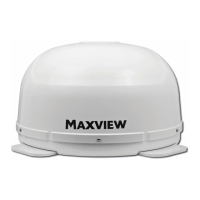
The following information bar appears: see right
The headline of the bar shows the name of the programme on the left and the current date
and time on the right. The bar shows the progress of the reproduction. The time indicated
on the left shows the elapsed time of the programme, the time indicated on the right shows
the total time of the programme. The symbol on the left indicates the reproduction state.
The percentage value refers to the disk space needed by the USB storage medium.
MXL020HD INSTRUCTIONS REVISION.indd 37 15/05/2013 14:12


 To Next Page