5-2
If at the end of the cycle the safety
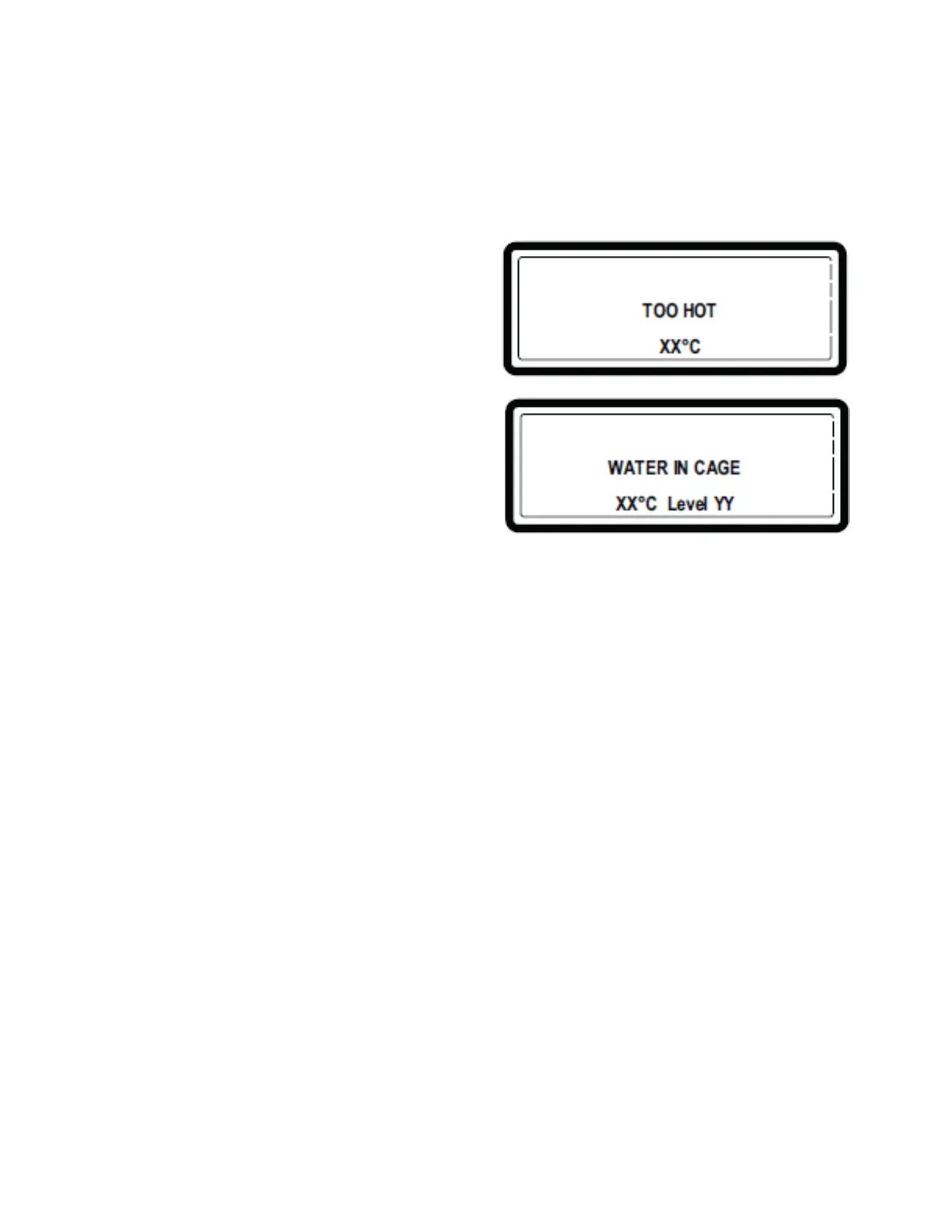
conditions are not met, the display will show
TOO HOT or WATER IN CAGE.
n If the cause has corrected itself, for
example, the water has dropped below
the required level for spin or the water
temperature has dropped below 131°F
(55°C) the error messages TOO HOT
or WATER IN CAGE will disappear
automatically.
IMPORTANT:
n If the drain valve does not function and
if there is still hot water in the tub at the
end of the wash cycle, the actual water
temperature and level will be shown on the
display. Wait until the water drains and is
cooled before any intervention is performed
because hot water can cause severe burns.
n The error message “TOO HOT” can also
appear at the end of a cycle even if no
failure occurred in the cycle. This signal will
continue until the drum temperature drops
below 131°F (55°C).
HOW TO HANDLE FAULT MESSAGES
n Check the failure code information in this
section to determine the nature of the
problem.
n Ask for an experienced technician’s
assistance to solve the problem.
n All relevant safety messages must be
followed before proceeding.
How to override and erase Fault
Messages:
n Pressing SERVICE
n Pressing STOP or ENTER in the Program
Mode
n Switching the power off/on
n Opening the door (faults 4 and 41)
For safety reasons, the door will not be
unlocked if:
– There is still water in the drum
– The water temperature is above 131°F
(55°C)
– The drum is still turning (for safety
reasons, the door will not unlock until
the drum comes to a complete stop)
– There is a problem with the door lock
system
n At the end of the cycle, the washer
computer will perform a safety test
sequence.



 To Next Page