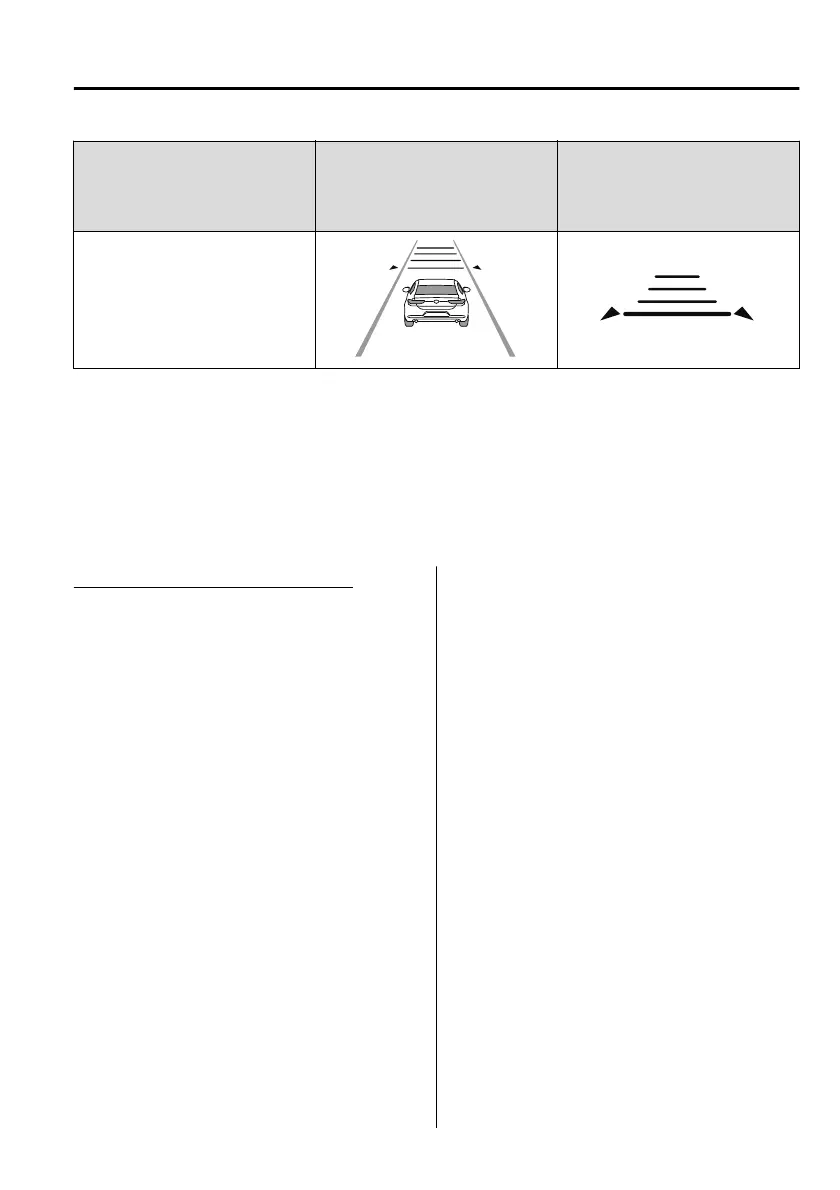
Distance-between-vehicles
guideline
(at 80 km/h (50 mph) vehicle
speed)
Indication on multi-information
display
Indication on active driving dis-
play
*1
Extremely short (about 25 m (82
ft))
*
1 Displays a pop-up image in the active driving display only when the driver operates the switch.
NOTE
The distance-between-vehicles diers depending on the vehicle speed, and the
slower the vehicle speed, the shorter the distance.
When the ignition is switched to ACC or OFF and then the engine is started again,
the system automatically sets the distance-between-vehicles to the previous
setting.
Changing the Set Vehicle Speed
(To accelerate/decelerate using the
RES switch)
When the RES switch is pressed up
(SET+), the vehicle accelerates and
when the RES switch is pressed down
(SET),
it decelerates.
Press and release immediately: 1
km/h (1 mph)
Press and hold: 10 km/h (5 mph)
(To increase speed using accelerator
pedal)
Depress the accelerator pedal and
press the RES switch up (SET+) or
down (SET) at the desired speed. If
the switch is not operated, the system
returns to the set speed after you
release your foot from the accelerator
pedal.
NOTE
The warnings and brake control do
not operate while the accelerator
pedal is depressed.
When Driving
i-ACTIVSENSE
4-145
Mazda3_8HS5-EE19I_Edition1_new 2019-7-1 10:56:36



 To Next Page