▼
Cruising & Trac Support (CTS)
Display Indication
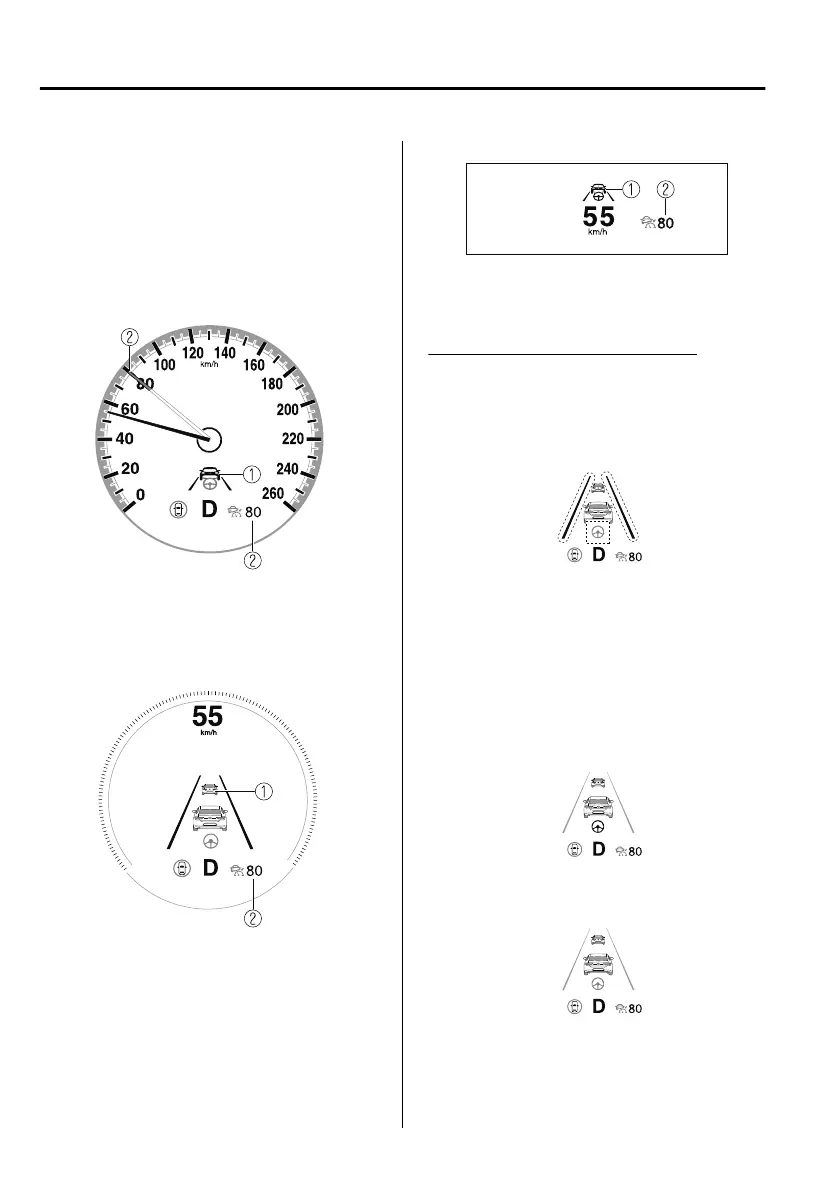
The CTS setting status and operation
conditions are indicated on the
multi-information display or the active
driving display.
Multi-information display (Basic
display)
1. Vehicle ahead display
2. CTS set vehicle speed
Multi-information display
(i-ACTIVSENSE display)
1. Vehicle ahead display
2. CTS set vehicle speed
Active driving display
1. Vehicle ahead display
2. CTS set vehicle speed
Steering assist function display
When the steering assist function
operates, the steering assist operation
display on the display changes from
white to green.
NOTE
You can view the multi-information
display to check whether the steering
assist is performing controls in
conjunction with the trac lane lines
or a vehicle ahead.
Inactive
Active (vehicle ahead)
When Driving
i-ACTIVSENSE
4-162
Mazda3_8HS5-EE19I_Edition1_new 2019-7-1 10:56:36



 To Next Page