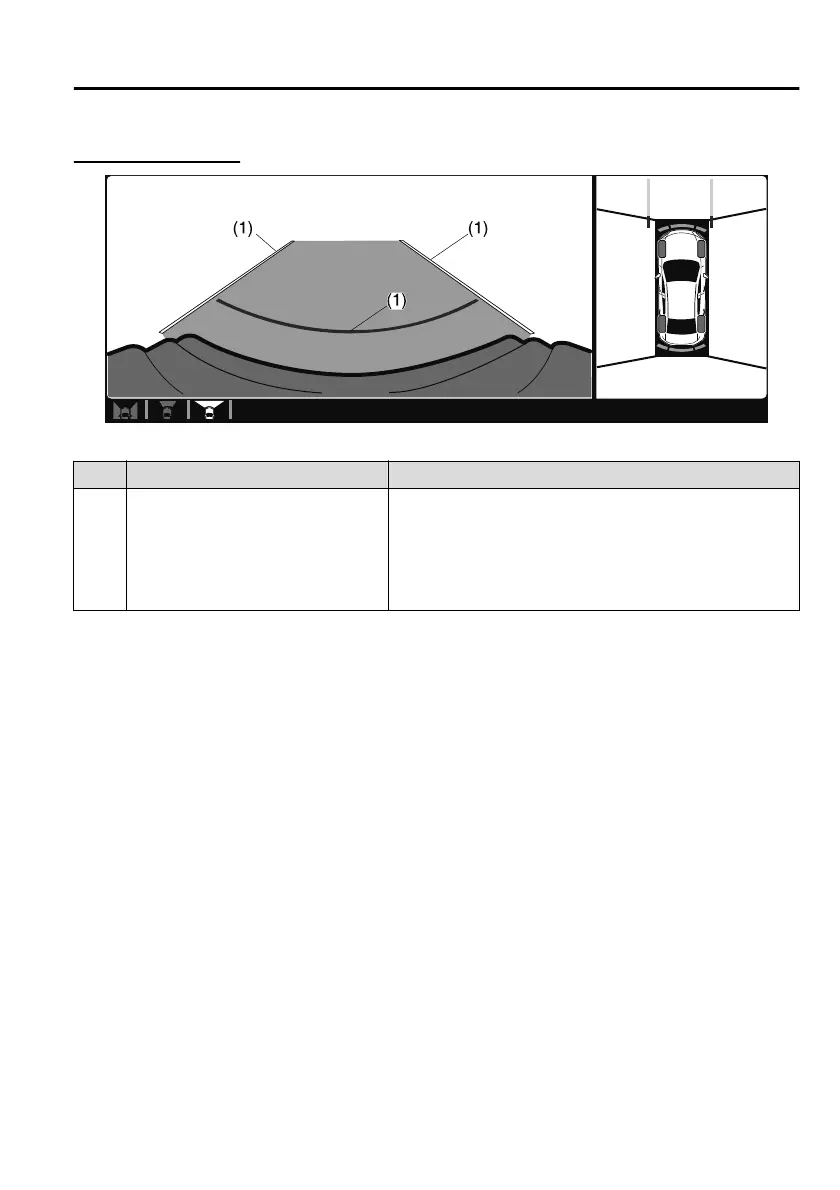
Viewing the screen
Display/Icon Content
(1) Extended vehicle width lines and
distance guide lines (blue & red)
Indicates the approximate width of the vehicle and the
distance (from front end of bumper) in front of the vehi-
cle.
The red lines indicate the points up to about 0.5 m (19
in) from the front end of the bumper.
NOTE
The front wide view screen displays the image in front of the vehicle at a wide angle
and corrects the image to help detect approaching obstructions from the side.
Therefore, it diers from the actual view.
▼
Side View
Use the side view to assist in checking the safety of the surrounding area when
accelerating from a stop, parking, or stopping the vehicle.
When Driving
i-ACTIVSENSE
4-213
Mazda3_8HS5-EE19I_Edition1_new 2019-7-1 10:56:36



 To Next Page