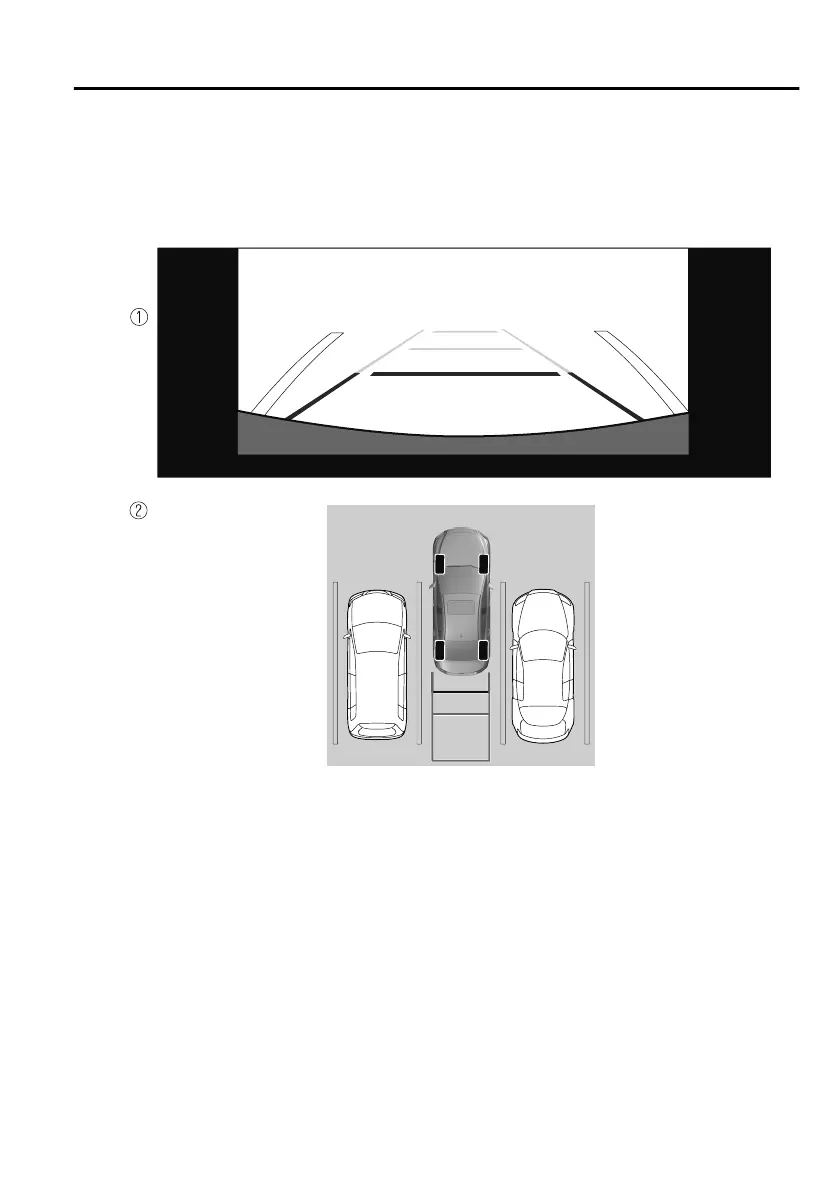
5. Once they are parallel, straighten the wheels and back your vehicle slowly into
the parking space. Continue checking the vehicle's surroundings and then stop
the vehicle in the best possible position. (If the parking space has division lines,
check whether the vehicle width guide lines are parallel to them.)
1. (Display condition)
2. (Vehicle condition)
6. When the shift lever (manual transmission) or the selector lever (automatic
transmission) is shifted from reverse (R) position to another shift lever (manual
transmission) or the selector lever (automatic transmission) position, the screen
returns to the previous display.
NOTE
Because there may be a dierence between the displayed image, such as indicated
below, and the actual conditions when parking, always verify the safety at the rear of
the vehicle and the surrounding area directly with your eyes.
In the image of the parking space (or garage) displayed on the screen, the back
end and distance guide lines may appear aligned in the monitor, but they may not
actually be aligned on the ground.
When Driving
Rear View Monitor
4-263
Mazda3_8HS5-EE19I_Edition1_new 2019-7-1 10:56:36



 To Next Page