Display
Distance between vehicle and obstruc-
tion
Without 360° view monitor
With 360° view
monitor
Front ultrasonic
sensor
*
/Front cor-
ner ultrasonic sen-
sor
*
Rear ultrasonic sen-
sor/Rear corner ul-
trasonic sensor/
Rear side ultrasonic
sensor
*
Without front ul-
trasonic sensor
and front corner
ultrasonic sensor
With front ultra-
sonic sensor and
front corner ultra-
sonic sensor
Red
Front ultrasonic sen-
sor:
Within approx. 35.0
cm (13.7 in)
Front corner ultra-
sonic sensor:
Within approx. 25
cm (9.8 in)
Rear ultrasonic sen-
sor:
Within approx. 35.0
cm (13.7 in)
Rear corner ultra-
sonic sensor/Rear
side ultrasonic sen-
sor:
Within approx. 25
cm (9.8 in)
▼
Park Assist Sensor System
Operation
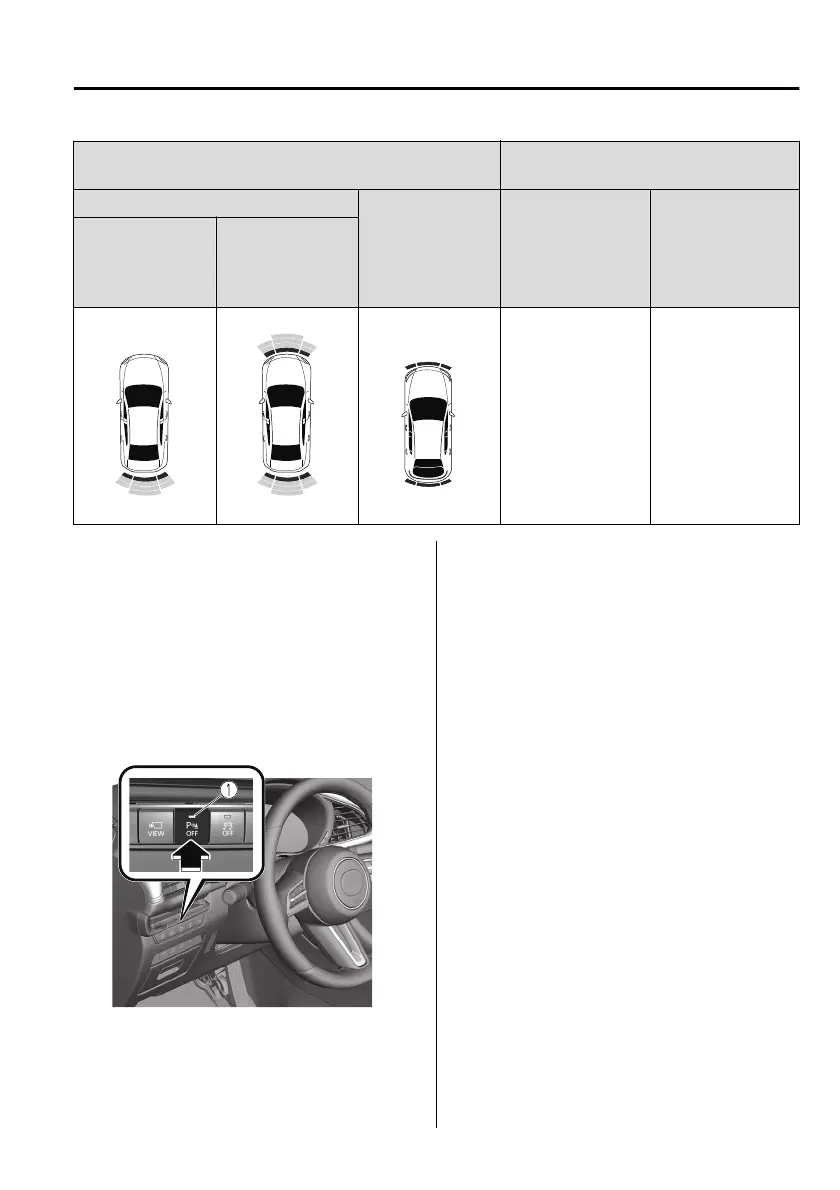
When the parking sensor switch is
pressed with the ignition switched ON,
the indicator light turns on.
When the ignition is switched ON with
the parking sensor activated, the
indicator light turns on.
Press the switch again to stop the
operation.
1. Indicator light
NOTE
When the ignition is switched OFF, the
system status before it was turned o is
maintained. For example, if the
ignition is switched OFF while the
parking sensor is activated, the system
will be activated when the ignition is
switched ON the next time.
Operation conditions
The parking sensor system can be used
when all of the following conditions
are met:
The ignition is switched ON.
The parking sensor switch is turned
on.
When Driving
Parking Sensor System
*Some models.
4-271
Mazda3_8HS5-EE19I_Edition1_new 2019-7-1 10:56:36



 To Next Page