23
When Driving
Front view screen
Top view screen
Rear view screen
Top view screen
For details, refer to Section 4, “i-ACTIVSENSE”.
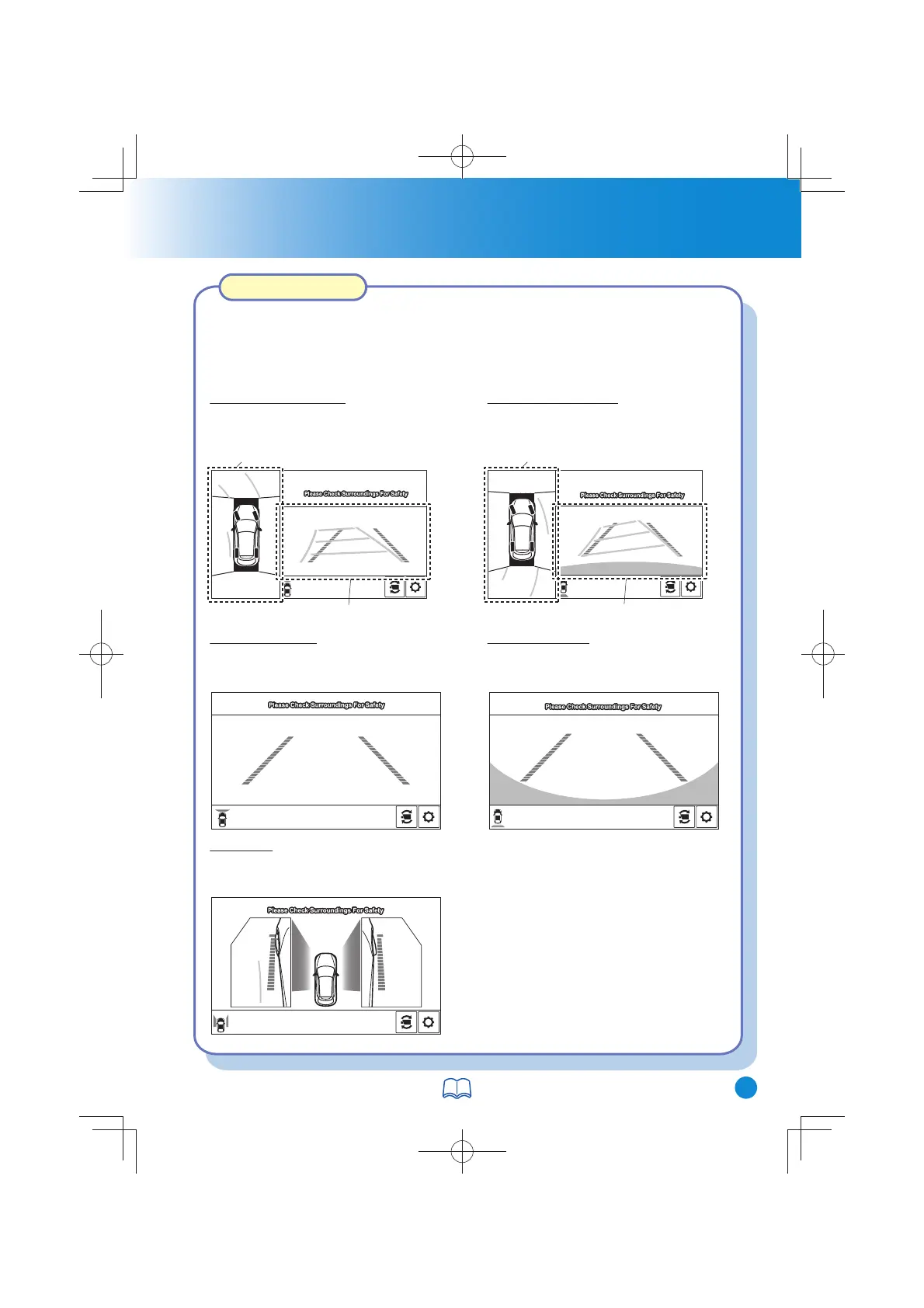
360°View Monitor
The 360° View Monitor consists of the following functions which assist the driver
in checking the area surrounding the vehicle using various indications in the centre
display and a warning sound while the vehicle is being driven at low speeds or
while parking.
Displays the image of the area around
the vehicle and the vehicle front.
Top view/Front view
Displays the image of the front of the
vehicle (wide-area).
Front wide view
Displays the image of the left and
right sides of the vehicle.
Side view
Displays the image of the area around
the vehicle and the rear of the vehicle.
Top view/Rear view
Displays the image of the rear of the
vehicle (wide-area).
Rear wide view
CX-38GT4EE18DEdition8QuickGuide.indb25CX-38GT4EE18DEdition8QuickGuide.indb25 2019/11/229:08:012019/11/229:08:01



 To Next Page