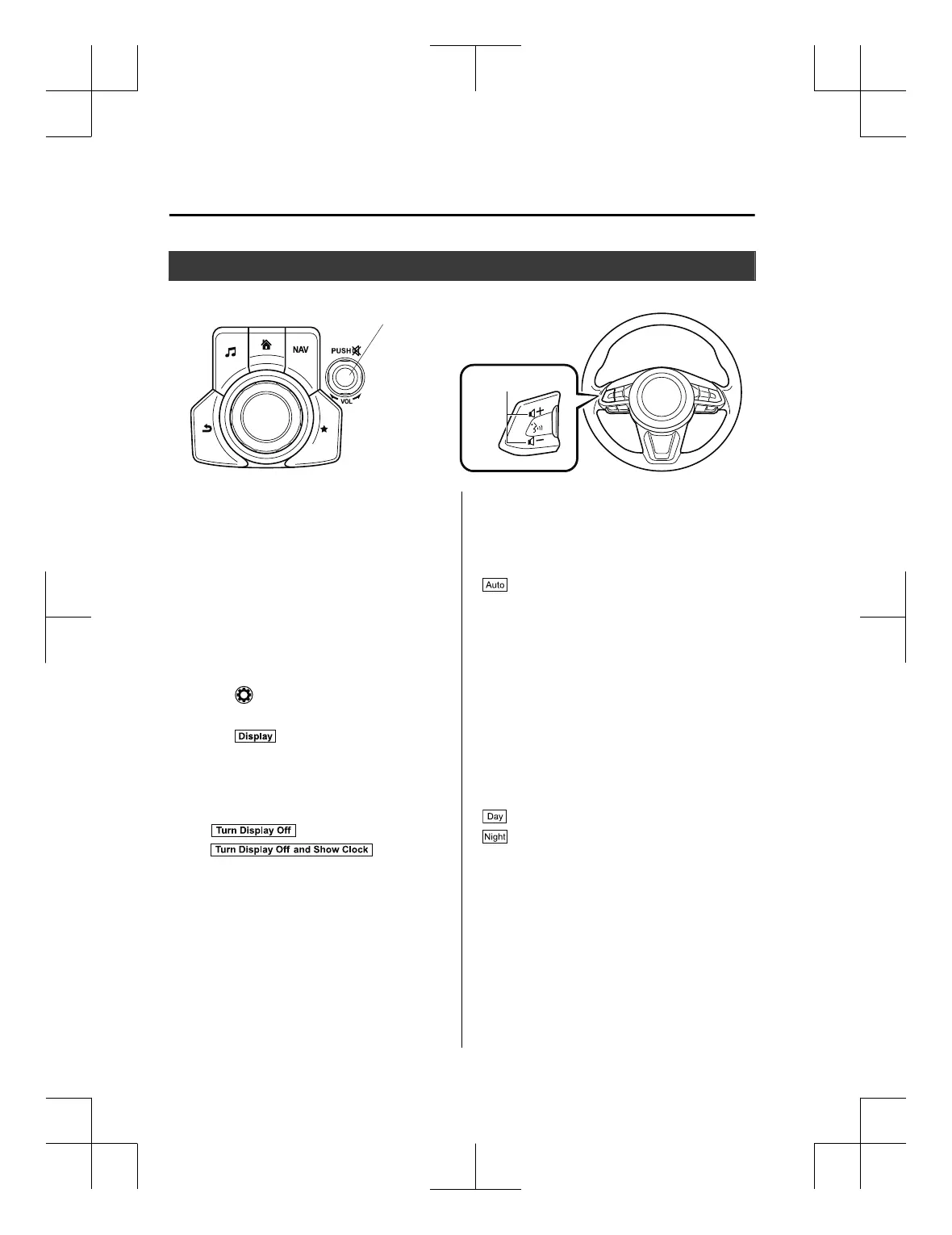
Volume/Display/Sound Controls
Commander switch
Audio control switch
Volume switch
Volume dial
▼
Volume adjus tme nt
Turn the commander switch volume dial.
The volume switch on the steering switch
can also be pressed.
NOTE
Press the volume dial to switch the audio
MUTE on and off.
▼
Display setting
Select the icon on the home screen to
display the Settings screen.
Select the
tab to select the item you
would like to change.
Display OFF/Clock
The centre display can be turned off.
Select
to turn the display off.
When
is
selected the centre display turns off and
the clock is displayed.
The centre display can be turned back on
as follows:
x
Touch the centre display.
x
Operate the commander switch.
Daytime/nighttime (Mode) screen
setting
The daytime or nighttime screen can be
selected.
:
(With auto-light control)
Switches screen automatically according
to position lights illumination condition.
However, when the light sensor detects
that the surrounding area is bright such as
when the position lights are turned on in
the daytime, the screen is switched to the
daytime screen
*1
(Without auto-light control)
Switches screen automatically according
to position lights illumination condition.
*1
: Daytime screen setting
: Nighttime screen setting
*
1The display is constantly on daytime
screen when the illumination dimmer
is cancelled.
Brightness adjustment
Adjust the centre display brightness using
the slider.
Interior Features
Audio Set [Type B (touchscreen)]
5-78
CX-3_8GT4-EE-18D_Edition8_old 2019-11-14 12:53:52



 To Next Page