NOTE
x
If a vehicle ahead is detected while travelling at a constant speed, the vehicle-ahead
indication is displayed and headway control is performed. Additionally, when a vehicle
ahead is no longer detected, the vehicle-ahead indication turns off and the system
switches back to travel at constant speed.
x
The lowest possible speed which can be set on the MRCC system is 30 km/h (19 mph).
x
Headway control is not possible if the vehicle ahead is driving faster than your vehicle's
set speed. Adjust the system to the desired vehicle speed using the accelerator pedal.
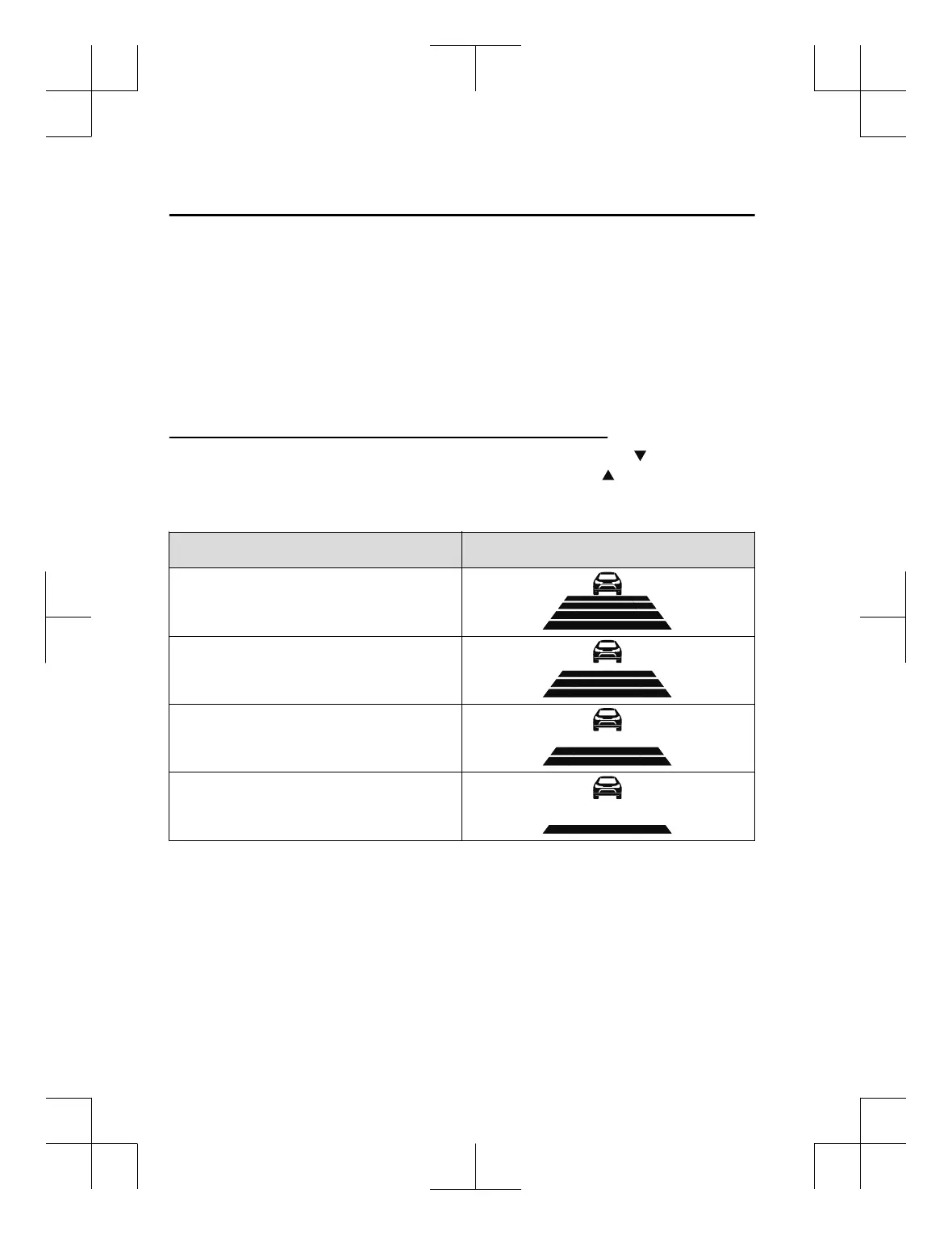
How to set the distance-between-vehicles during headway control
The distance-between-vehicles is set to a shorter distance by pressing the switch. The
distance-between-vehicles is set to a longer distance by pressing the
switch. The
distance-between-vehicles can be set to 4 levels; Long, medium, short, and extremely short
distance.
Distance-between-vehicles guideline
(at 80 km/h (50 mph) vehicle speed)
Display
Long (about 50 m (164 ft))
Medium (about 40 m (131 ft))
Short (about 30 m (98 ft))
Extremely short (about 25 m (82 ft))
NOTE
x
The distance-between-vehicles differs depending on the vehicle speed, and the slower the
vehicle speed, the shorter the distance.
x
When the ignition is switched to ACC or OFF and then the engine is started again, the
system automatically sets the distance-between-vehicles to the previous setting.
When Driving
i-ACTIVSENSE
4-146
CX-3_8GT4-EE-18D_Edition8_old 2019-11-14 12:53:52



 To Next Page