Top view / Rea r vi ew, Re a r wi d e vi ew
The top view/rear view, rear wide view displays when all of the following conditions are
met.
x
The ignition is switched ON.
x
Shift lever/selector lever is in R position.
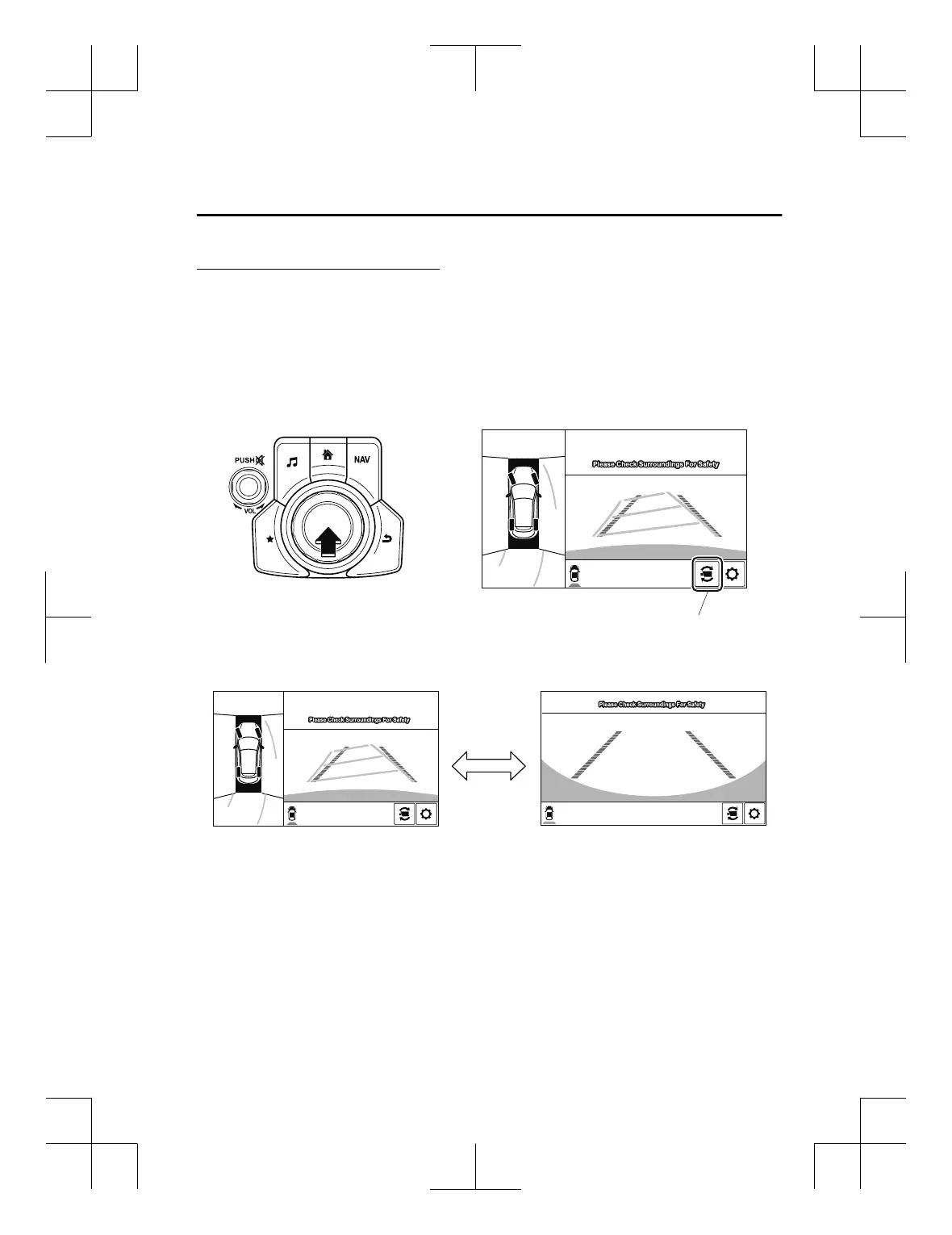
Display switching
The displayed screen can be switched by pressing the commander knob or by touching the
switch camera icon on the screen while the top view/rear view, rear wide view is displayed.
Top view/Rear view Rear wide view
Switch camera icon
NOTE
x
The top view/rear view and rear wide view automatically display whether or not the 360°
View Monitor switch is turned on or off when shifting the shift lever/selector lever to R
position.
x
The setting can be changed to display the top view/front view when shifting from reverse
to a forward gear without operating the 360°View Monitor switch to check the front of the
vehicle while parallel parking.
Refer to Personalisation Features on page 9-13.
When Driving
i-ACTIVSENSE
4-195
CX-3_8GT4-EE-18D_Edition8_old 2019-11-14 12:53:52



 To Next Page