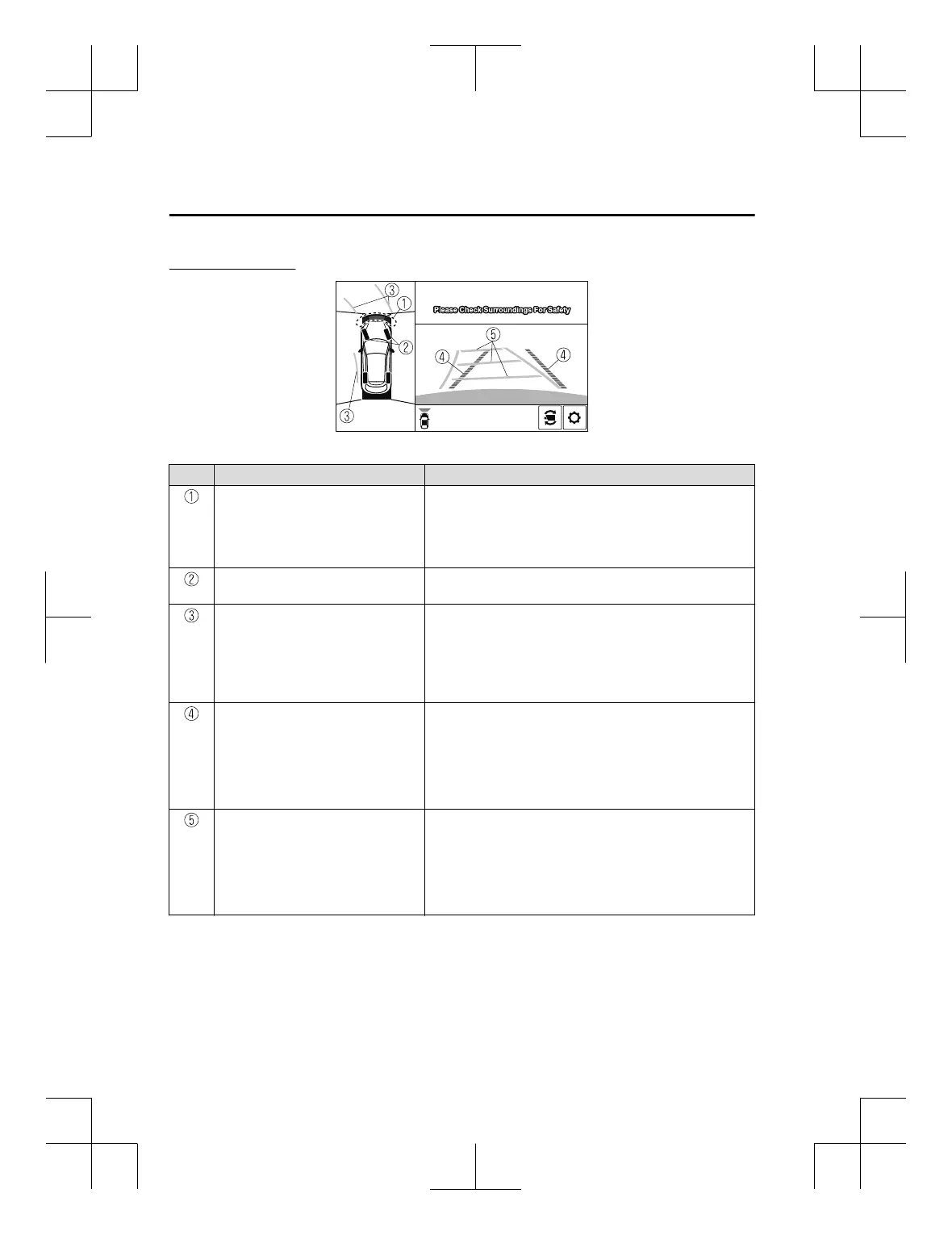
Viewing the screen
-b
-a
Display/Icon Content
Parking sensor view Displays the parking sensor detection condition when the
parking sensor is activated.
For details, refer to the parking sensor obstruction detection
indication and warning sound.
Refer to Parking Sensor System on page 4-242.
Tyre icon Indicates the tyre direction. Moves in conjunction with the
steering wheel operation.
Projected vehicle path lines (amber) Indicates the approximate projected path of the vehicle.
Moves in conjunction with the steering wheel operation.
a) Indicates the path where the edge of the front bumper is ex‐
pected to travel.
b) Indicates the path where the inner side of the vehicle is ex‐
pected to travel.
Extended vehicle width lines and dis‐
tance guide lines (red/blue)
Indicates the approximate width of the vehicle and the dis‐
tance (from front end of bumper) in front of the vehicle.
x
The red lines indicate the points up to about 0.5 m (20 in)
from the front end of the bumper.
x
The blue lines indicate the points from about 0.5 m (20 in)
and up to 2 m (79 in) from the front end of the bumper.
Projected vehicle path distance guide
lines (red/amber)
Indicates the distance (from front end of bumper) in front of
the vehicle.
x
The red line indicates the point about 0.5 m (20 in) from the
front end of the bumper.
x
The orange lines indicate the points about 1 m (39 in) and 2
m (79 in) from the front end of the bumper.
When Driving
i-ACTIVSENSE
4-198
CX-3_8GT4-EE-18D_Edition8_old 2019-11-14 12:53:52



 To Next Page