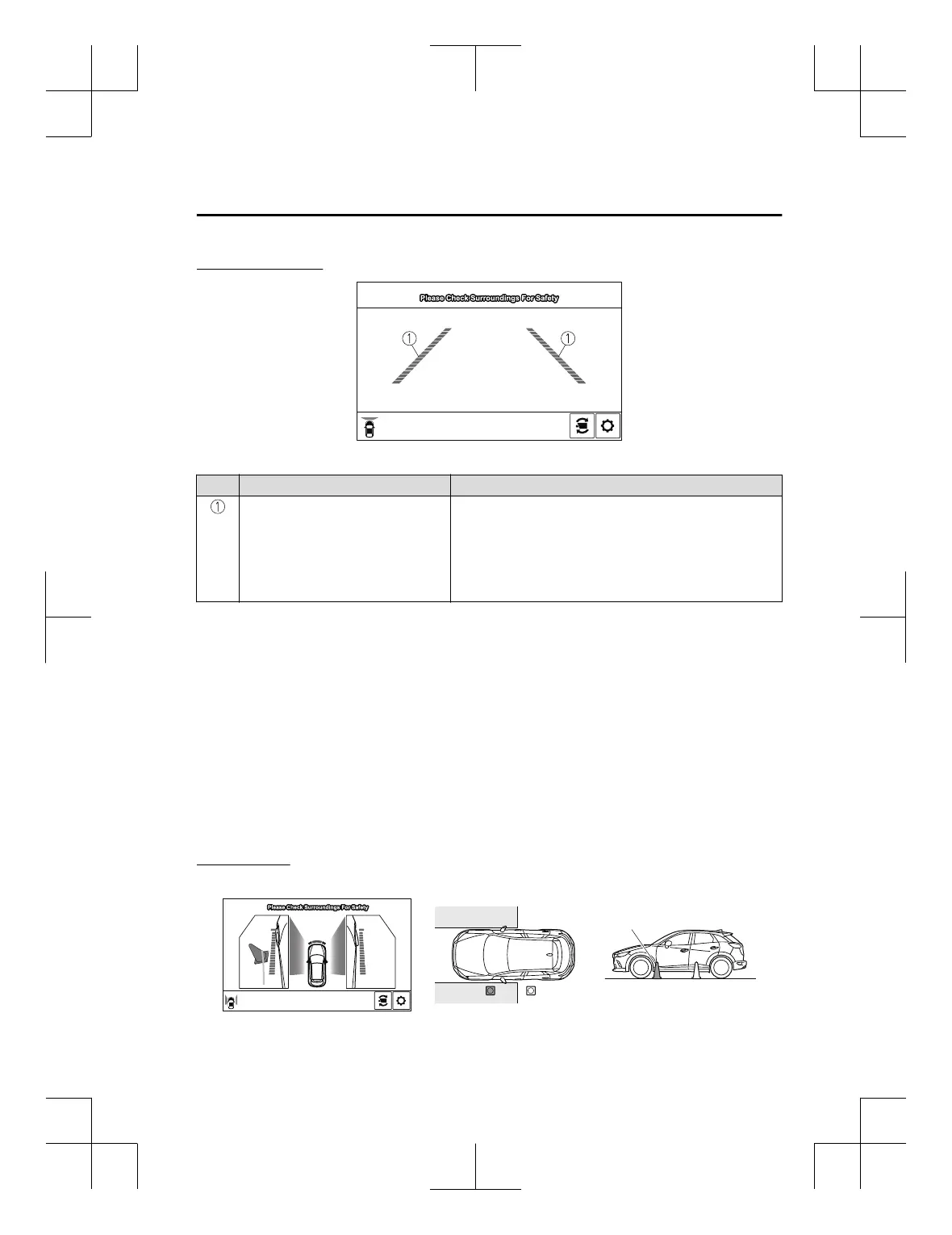
Viewing the screen
Display/Icon Content
Extended vehicle width lines and dis‐
tance guide lines (red/blue)
Indicates the approximate width of the vehicle and the distance
(from front end of bumper) in front of the vehicle.
x
The red lines indicate the points up to about 0.5 m (20 in)
from the front end of the bumper.
x
The blue lines indicate the points from about 0.5 m (20 in)
and up to 2 m (79 in) from the front end of the bumper.
NOTE
x
The parking sensor obstruction detection indication does not display. Switch the screen
display to the top view/front view or side view display if the parking sensor warning sound
is activated.
x
The front wide view screen displays the image in front of the vehicle at a wide angle and
corrects the image to help detect approaching obstructions from the side. Therefore, it
differs from the actual view.
▼
Side View
Use the side view to assist in checking the safety of the surrounding area when accelerating
from a stop, parking, or stopping the vehicle.
Display range
(Actual condition)(Screen display)
Target object
When Driving
i-ACTIVSENSE
4-201
CX-3_8GT4-EE-18D_Edition8_old 2019-11-14 12:53:52



 To Next Page