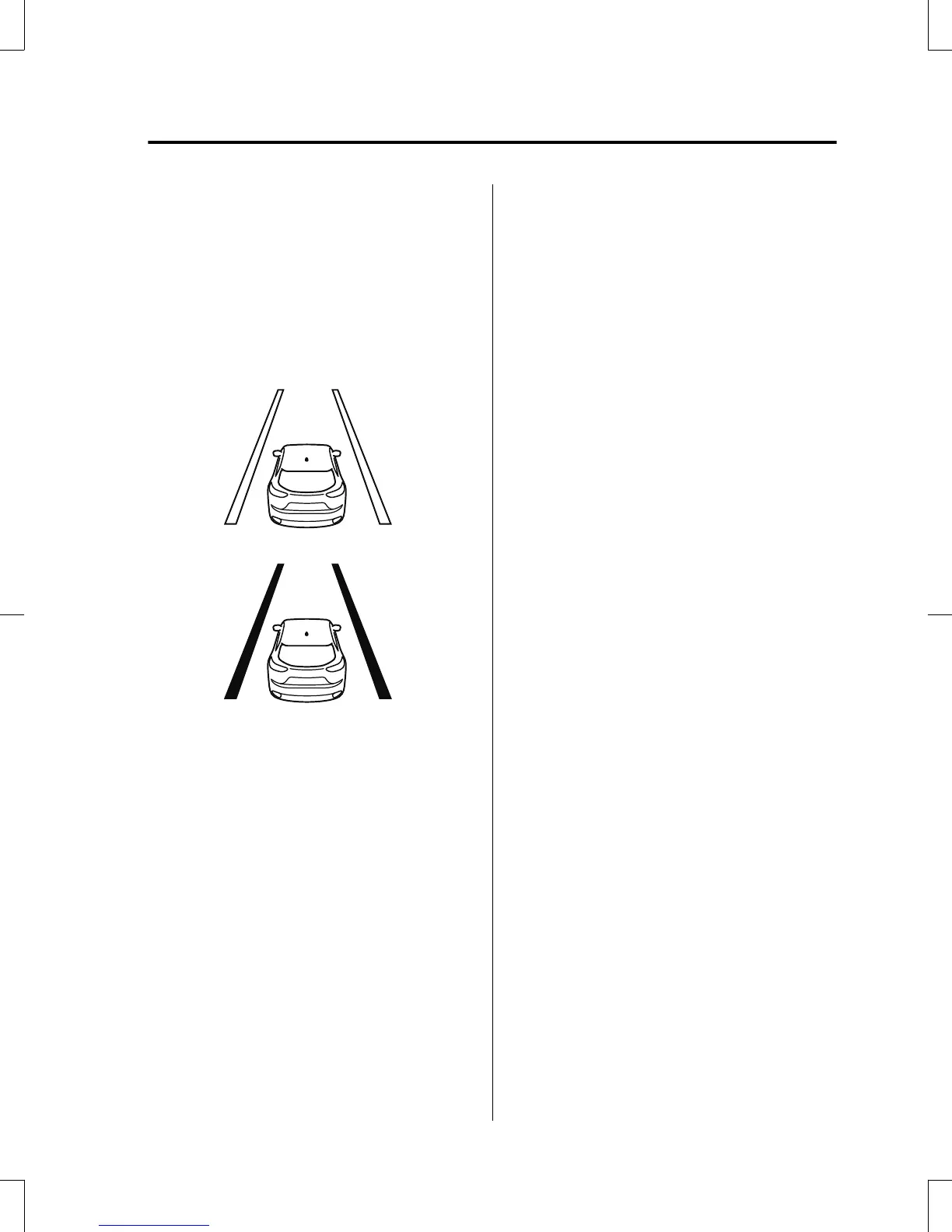
Vehicle lane line display
When the LAS&LDWS becomes
operational while on standby, the vehicle
lane lines are displayed in the
multi-information display. The system
changes to operational status display when
the system detects a white (yellow) line on
either the left or right.
(Stand-by status)
(Operational status)
Auto cancel
In the following cases, the LAS&LDWS is
automatically canceled, the LAS&LDWS
warning indication (amber) turns on, and
an alert is displayed. When the
LAS&LDWS become operational, the
system turns back on automatically.
•
The temperature inside the camera is
high or low.
•
The windshield around the camera is
foggy.
•
The windshield around the camera is
blocked by an obstruction, causing poor
forward visibility.
(Auto cancel of warnings)
When the following operations are
performed, the LAS&LDWS determines
that the driver intends to make a lane
change and the system operation is
canceled automatically. The LAS&LDWS
resumes automatically after the operation.
•
The steering wheel is operated abruptly.
•
The brake pedal is depressed.
•
The accelerator pedal is depressed.
(To cancel the automatic sensitivity
cancel function, deselect “Warning
sensitivity” in the personalization
features setting.)
•
The turn signal lever is operated.
•
The vehicle crosses a lane line.
When Driving
i-ACTIVSENSE
4-139
CX-5_8GB6-EA-17G_Edition1 2017-5-18 10:43:27



 To Next Page