134
Before
Use
Getting
started
Routing
Address
Book
Voice
Recognition
Navigation
Set Up
RDM-TMC
Bluetooth Hands-Free
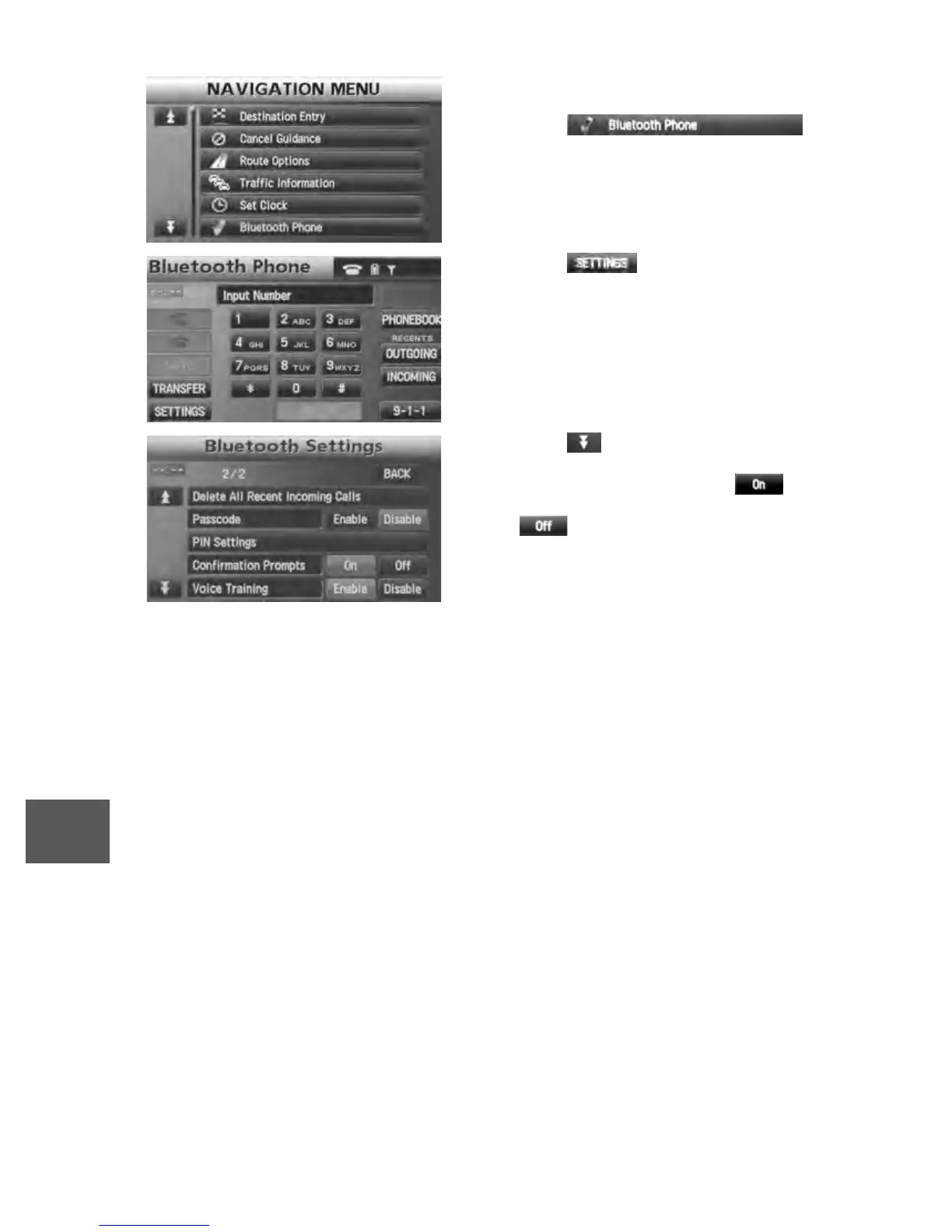
n Activating the confirmation prompts function
1. Press the MENU button.
2. The NAVIGATION MENU screen is displayed.
Press the on-
screen button to switch to the Bluetooth
Phone screen.
3. Press the on-screen button to
switch to the Bluetooth Setting screen.
4. Press the on-screen button to scroll
down the menu.
Press the Confirmation Prompts on-
screen button to activate the function. Press
the on-screen button to cancel the
function.


 To Next Page
 Loading...





