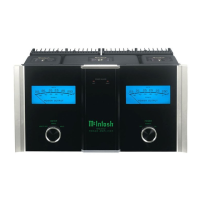
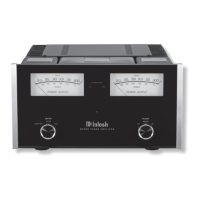
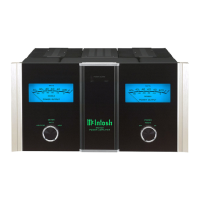
MSA5500
Thank You from All of Us at McIntosh
with the features and instructions to get the
service.
McIntosh Laboratory, Inc.
2 Chambers Street
Technical Assistance
Customer Service
Email support@mcintoshlabs.com
Website www.mcintoshlabs.com
Please Take A Moment
serial number and purchase information here. We
if the occasion should arise:
Serial Number: __________________________
Purchase Date: ___________________________
Dealer Name: ___________________________
Table of Contents
General Information .. .. .. .. .. .. .. .. .. .. 4
Trademark and License Information .. .. .. 4
Performance Features.. .. .. .. .. .. .. .. .. .. 5
Connectors and Cable Information .. .. .. .. 6
Connecting a Loudspeaker.. .. .. .. .. .. .. .. 7
Dimensions .. .. .. .. .. .. .. .. .. .. .. .. .. .. 8
Front Panel Displays and Switches. .. .. .. .. 9
Rear Panel Connections and Switches .. .. ..10
Using Your MSA5500 .. .. .. .. .. .. .. .. .. .. 11
Quick Start: Bluetooth. .. .. .. .. .. .. .. .. ..11
Quick Start: Network Connections .. .. .. ..12
Network Connections .. .. .. .. .. .. .. .. .. ..13
Other Connections .. .. .. .. .. .. .. .. .. .. ..13
Setup Menus . .. .. .. .. .. .. .. .. .. .. .. .. .. 14
System Setup Menu.. .. .. .. .. .. .. .. .. .14 -15
Digital Setup Menu .. .. .. .. .. .. .. .. .. .16 -17
Network Setup Menu .. .. .. .. .. .. .. .. .. .. 17
Inputs Setup Menu .. .. .. .. .. .. .. .. .. .. .. 18
Data Out Setup Menu .. .. .. .. .. .. .. .. .. .. 18
External Control Setup Menu. .. .. .. .. .. ..19
Browser Interface. .. .. .. .. .. .. .. .. .. .. ..20
Passthru Connection Diagram .. .. .. .. .. .. 21
Bi-Amplification Connection Diagram.. .. ..22
Navigating the Remote Control .. .. .. .. .. ..23
How to use the Remote Control .. .. .. .. .. ..24
Trim Functions Menu .. .. .. .. .. .. .. .. 24-25
General Specifications . .. .. .. .. .. .. .. .. ..26
Amplifier Specifications . .. .. .. .. .. .. .. ..26
Digital Audio Specifications .. .. .. .. .. .. .. 27
Packing Instructions .. .. .. .. .. .. .. .. .. ..27
Introduction
performance.
-
convenience.
-
is The Sound of the Music Itself.
Safety First


 To Next Page