SimStep Manual - 3400 Iss. D 7
th
June 2004 page 6
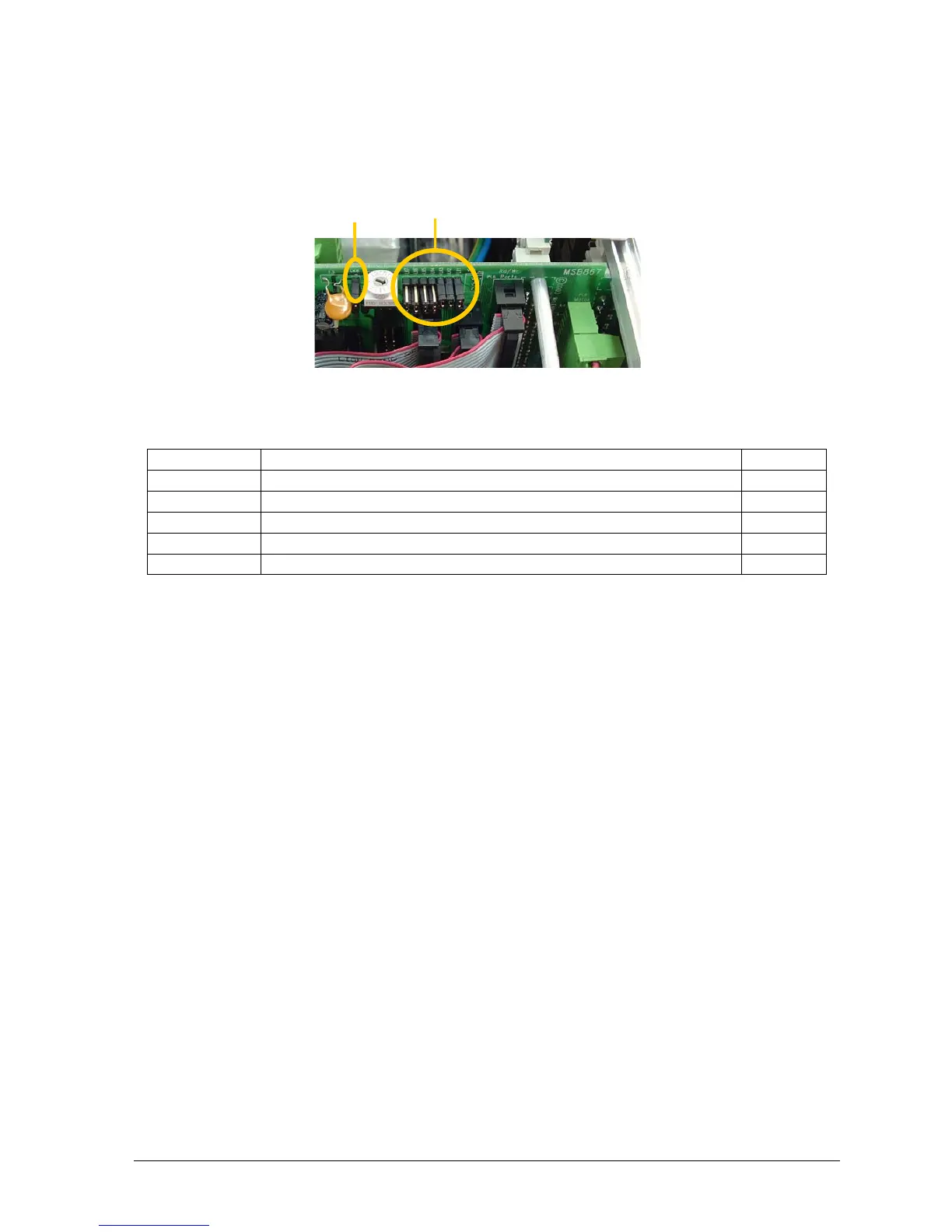
1.2 Link Settings
The control operation of the SimStep can be configured by means of links fitted to the
MSE867. The links can be accessed by removing the rear top cover of the unit.
Fig. 1 Link Location
Link Action Default
LK1 Select automatic current reduction from PM600 idle output On
LK2 Drive over-temperature activates PM600
abort stop
input On
LK3 Drive overload activates PM600
abort stop
input On
LK4 to LK7 1-2 selects RS485, 2-3 selects RS232 RS232
LK8 Select internal (on) or external (off)
abort stop
Internal
LK1 If LK1 is on, the current to the motor will be reduced to about 25% of the current
set on the drive when the motor has finished its move and the controller returns to
Idle
. The primary use of this function is to reduce the heating effect caused by the
motor. It is not intended to produce a precise holding-torque.
If LK1 is removed, the motor current will remain at the current set on the drive.
This setting is usually only needed when a high holding-torque is required. E.g.
when driving a mechanism with an offset load.
LK2 If LK2 is on, an over-temperature fault detected on the drive output stage will
cause the controller
abort stop
input to be activated.
LK3 Likewise if LK3 is on, an overload fault detected on the drive output stage will
cause the controller
abort stop
input to be activated.
LK4-7 These two position links select either the RS232 or RS485 communication
interfaces. When the links LK4 to LK7 are all in the 1-2 position, RS485 is selected
and when all in the 2-3 position, RS232 is selected.
If using RS485 communication, The last SimStep in the line should have SW3-8
on the PM600 switched to the ON position. This selects a 100Ω terminating
resistor. See figs 8.2 and 8.3 in section 8.3.
LK8 If LK8 is removed (off) the external ‘Abort Stop’ input selected. Pins 7 and 14 on
the Limits/Datum connector must be linked (via a normally-closed contact or
switch) to enable moves.
LK8 LK7 to LK1


 To Next Page