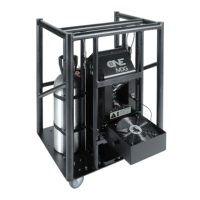
ATMe, Haze Generator
User Guide, Rev: C/e, March 2023 22 / 33
Troubleshooting
Contact MDG if symptoms are not listed, or if the provided solutions fail to resolve the issue.
Table 2: Symptoms and Solutions
Symptoms Probable Causes and Suggested Actions
The haze generator does not switch on
•
Verify that AC power cord is properly connected
on both ends.
•
Check the fuse or the breakers of your VAC
entry. The wattage of the generator is between
550-1400 W.
•
Verify the AC voltage on the power cord.
100~240 VAC.
The generator does not produce haze
• Verify that the Unit is ON
«CONTROLUNITON»
• Verify that the UNIT is READY
«STATUSSTATE = READY»
The generator requires
eight (7 to 8) minutes to be ready.
heating module is warming up
must vary.
• Verify that the Unit is not in a FAIL state
«STATUSSTATE = FAIL»
If Yes, check the symptoms below
• Verify the communication mode.
«MODE»
You cannot control the generator locally if you
are in DMX mode, and vice-versa.
• If you are in DMX mode:
• Verify the cable
• Verify the DMX Start address and the patch
… ∕…


 To Next Page