EasyManua.ls Logo

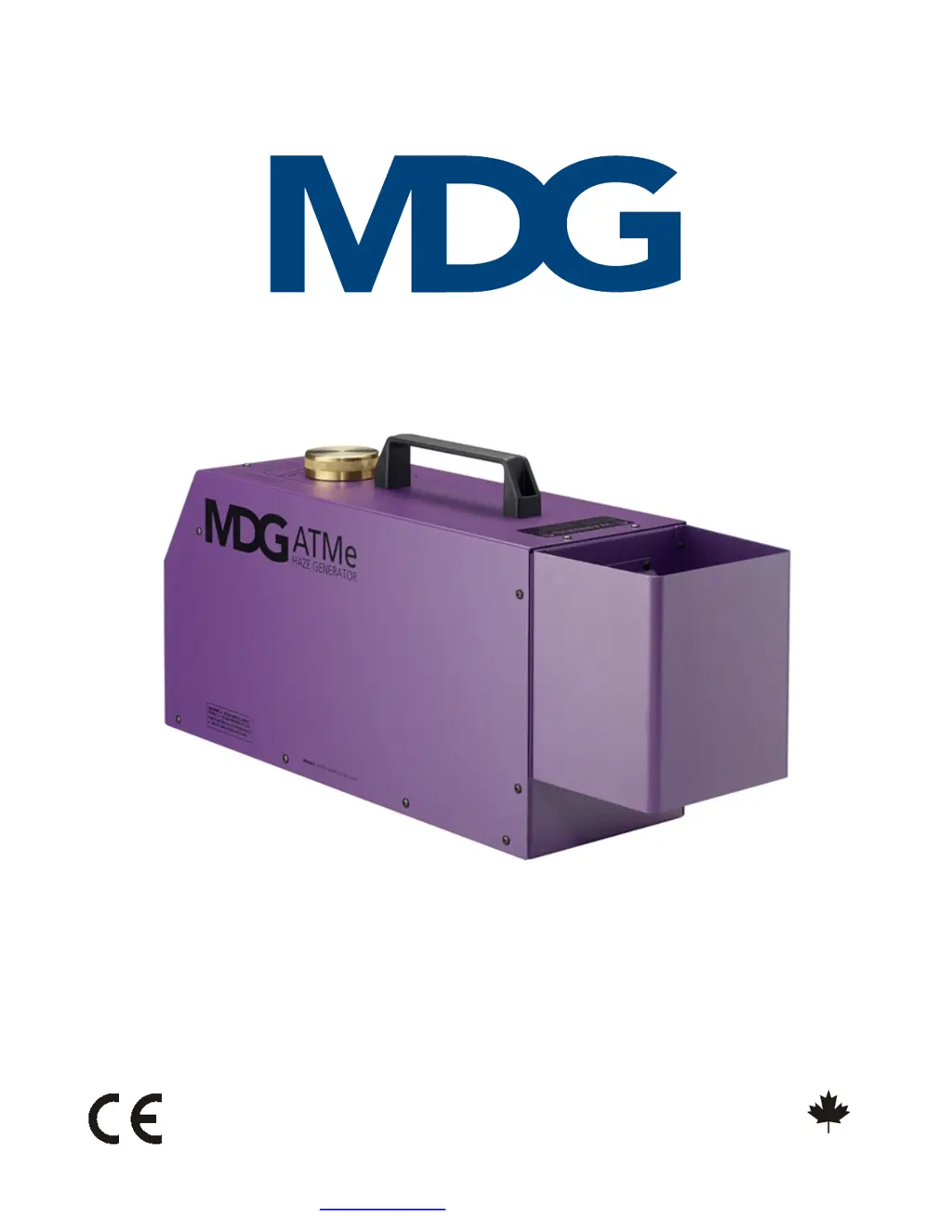
MDG ATMe - User Manual

MDG ATMe
33 pages
Print Icon
To Next Page IconTo Next Page
Loading...
Les Générateurs de Brouillard MDG Ltée / MDG Fog Generators Ltd
M
A
D
E
I
N
C
A
N
A
D
A
F
A
B
R
I
Q
U
É
A
U
C
A
N
A
D
A
10301 avenue Pelletier, Montréal, Québec, Canada H1H 3R2
Tel. 514-272-6040 / 800-663-3020 - Fax 514-722-3229
www.mdgfog.com e-mail : info@mdgfog.com
User Guide
ATMe, Haze Generator
(Revision C/e, March 2023, © MDG Fog Generators Ltd)

Questions and Answers

  • S
    Steven FranklinJul 29, 2025
    What to do if MDG ATMe shows « STATE = FAIL»?
    • R
      robertnealJul 30, 2025
      If the MDG Portable Generator displays a «STATE = FAIL» error, begin by checking the error messages. If the error is 'P. LOW', ensure the gas bottle is open. If using a CO bottle, check that the regulator isn't frozen and that the set pressure on the regulator is at 60 psi, 4.1 bar, or 410 kPa. Also, inspect the gas line and verify the reading of the pressure transducer «STATUS?PRESSURE». If the error is 'P. HIGH', verify the pressure transducer reading «STATUS?PRESSURE», ensure you're not using a Siphon CO bottle or liquid CO2, and restart the generator in case of a solenoid valve malfunction. If the error is 'HEATER', restart the generator and check the heating status «STATUS?STATE = xx% HEAT». If the heating value isn't progressing, check the fuses on the heater board and the voltage.
  • M
    Mary BensonAug 6, 2025
    Why is my MDG ATMe Portable Generator not producing haze?
    • J
      Jessica SmithAug 6, 2025
      If your MDG Portable Generator isn't producing haze, make sure the unit is turned ON «CONTROL?UNIT?ON» and is in READY state «STATUS?STATE = READY», which typically takes about 7 to 8 minutes while the heating module warms up, and the % HEAT must vary. Also, ensure the unit isn't in a FAIL state «STATUS?STATE = FAIL». Check the communication mode «MODE»; local control is disabled in DMX mode, and vice versa. Verify the cable, DMX Start address, and the patch.
  • E
    Eileen WatkinsAug 14, 2025
    What to do if LCD displays strange letters on MDG ATMe?
    • L
      Lucas TylerAug 14, 2025
      If the MDG Portable Generator's LCD displays strange letters or doesn't work normally, wait 30 seconds without pressing any key to see if the LCD saver starts. If it doesn't, press any key. If the menu still doesn't reappear, try restarting the generator.
  • K
    Kimberly WhiteAug 21, 2025
    How to fix MDG Portable Generator that does not switch on?
    • K
      Kiara PachecoAug 21, 2025
      If the MDG Portable Generator doesn't switch on, verify that the AC power cord is properly connected at both ends. Check the fuse or breakers of your VAC entry and confirm the AC voltage on the power cord is within the range of 100~240 VAC.

Summary

Qualified Personnel

Basic Description

ATMe Haze Generator Overview

Introduces the ATMe Haze Generator, its features, and non-stop operation.

Safety Systems and Operation

Details the fail-safe systems, heating module control, and pressure relief.

Operational Warnings

Crucial safety warnings for installation and operation, including placement and ventilation.

Installing the ATMe

Location and Clearance Requirements

Guidelines for selecting the installation location and necessary clearance space around the unit.

Working with the ATMe

The Keyboard

Menu Tree

Menu Navigation and States

DMX;RDM Menu Parameters

Timer Menu Parameters

Operating Instructions

Starting Procedures

Steps for powering on, heating cycle, and reaching the ready state.

Haze Production Control

How to activate haze emission, adjust output, and use Theater mode.

Shut Down Warning

Critical warning against powering off the generator while producing haze.

Shut Down Procedure

FAIL State

Additional FAIL State Errors

DMX Control

Timer Control

RDM Control

RDM Supported Parameters

Haze Fluid

Filling the Fluid Reservoir

Instructions and warnings for filling the fluid reservoir safely.

Troubleshooting

Generator Not Switching On

Solutions for issues where the generator does not power on.

Generator Not Producing Haze

Steps to diagnose and resolve issues with haze production.

Troubleshooting FAIL State Errors

Pressure and Heater Errors

Solutions for P. LOW, P. HIGH, and HEATER error states.

Troubleshooting Other Errors

Temperature, Watchdog, and LCD Issues

Addresses T. HIGH, T. SAF, PCB HIGH, WD RESET, and LCD display problems.

Cable Requirements

Technical Specifications

Dimensions

Warranty

MDG ATMe Specifications

General IconGeneral
BrandMDG
ModelATMe
CategoryPortable Generator
LanguageEnglish

Related product manuals