30
Attaching Your Accessories
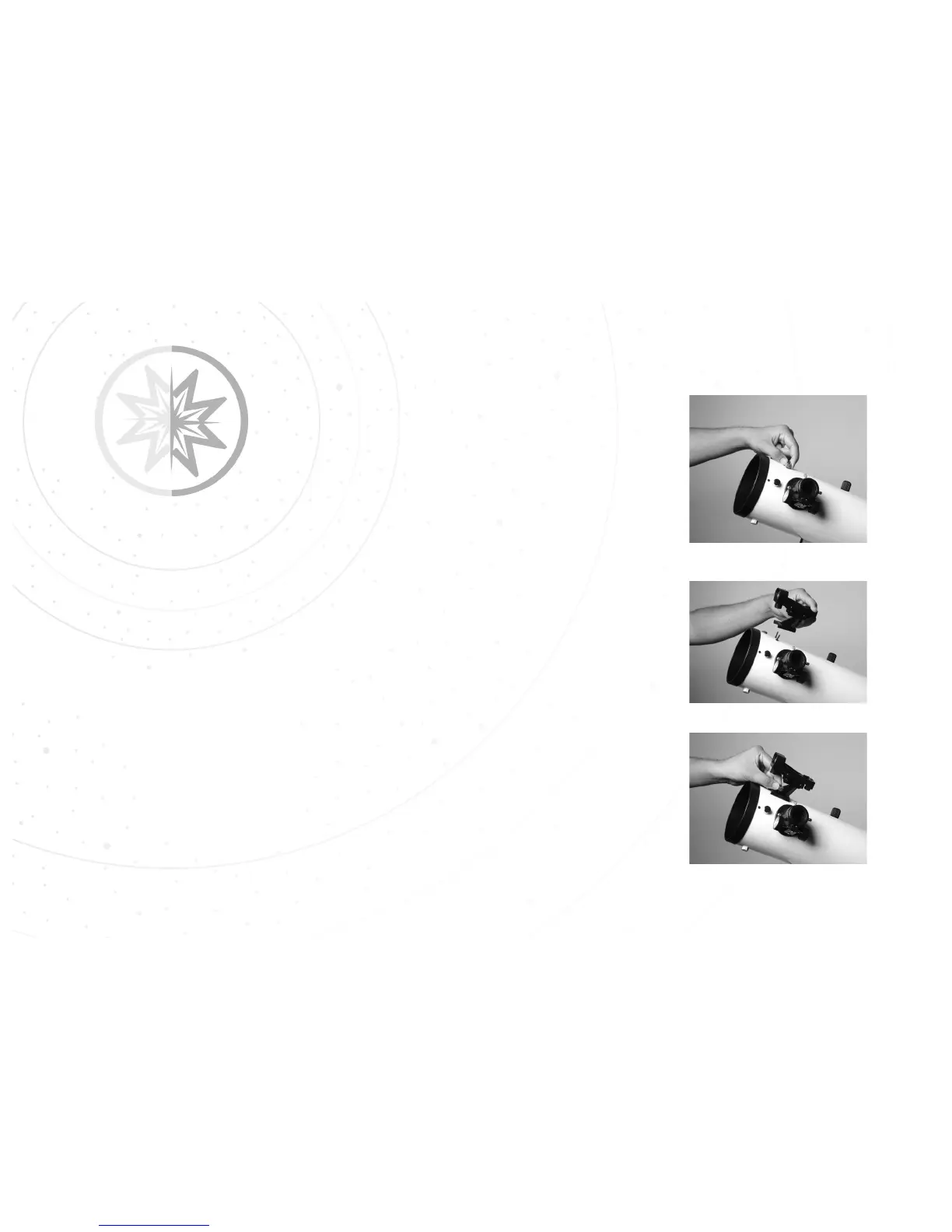
Installing the Red-dot Finder
An eyepiece has a narrow field of view. A red-dot viewfinder has a wider
field of view, which makes it easier to locate objects. Once the red-dot
viewfinder is aligned to the optical tube, the red-dot can be used to locate
and place objects more easily in the telescope’s eyepiece.
STEP 1: Remove the two thumbscrews from the optical tube.
STEP 2: Take the red-dot viewfinder and place the bracket onto the
threaded screws, with the viewfinder lens forward towards the front of the
telescope.
STEP 3: Use the two thumbscrews to secure the red-dot viewfinder
bracket to the optical tube. Tighten to a firm feel.
Step 1.
Step 2.
Step 3.
29



 To Next Page