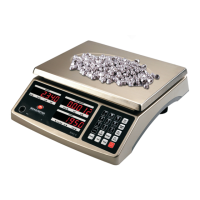
EHC-C www.easthigh.com.cn 6
Storing Piece Weights and Tares into Memory
This scale can store up to 256 piece weights and tares, allowing the user to quickly recall stored values when switching
between products.
1. From normal weighing mode, press the ST.PLU key to enter this mode. The WEIGHT window will display “Prog” and
the COUNT window will display “Addr.”. The PIECE WEIGHT window will display the input address data to be entered.
2. Use the number keys to select an address for the piece weight and tare that you will input. Addresses between
1-256 are valid. Press the Enter key to confirm or press the ZERO/ON/OFF key to exit this mode without storing the
address.
3. The COUNT window will display “nAmE” and the PIECE WEIGHT window will display the last 6 characters of any
previously stored address name. Use the number keys to input the address name (max length of 16 characters).
Press the Enter key to confirm and go to the next step, or press the ZERO/ON/OFF key to exit this mode without
storing the address name.
Example: Address 001 can be “Apples”.
Note: See page 11 for display and character key entry definitions. Pressing a key multiple times quickly will cycle
through the available characters for that key. Pausing will select that character and advance to the next.
4. The PIECE WEIGHT window will display “g Lb” and the COUNT window will display “Unit.0” or “Unit.1”. Use the Unit
key to select Unit.0 for grams or Unit.1 for pounds as the stored piece weight unit of measure. Press the Enter key
to confirm or press the ZERO/ON/OFF key to exit this mode.
5. The COUNT window will display “tArE.0” or “tArE.1” and the PIECE WEIGHT window will show any previously stored
tare weight. Use the 0 key to select “Tare.0” for an unknown tare weight (to be measured) or use the 1 key to
select “Tare.1“ for a known tare weight. Press the Enter key to confirm or press the ZERO/ON/OFF key to exit this
mode.
a. If you selected“Tare.0 “to measure the tare weight, empty the weighing platter; the Zero light should be lit.
Place an empty container on the platter. The container weight will display in the PIECE WEIGHT window.
Press the Enter key to store the tare into memory.
b. If you selected“Tare.1 ” to enter a known tare weight, any previously stored tare weight for this address will
be shown in PIECE WEIGHT window. Use the number keys to enter the new tare and press the Enter key to
confirm, or press the ZERO/ON/OFF key to exit this mode.
6. The COUNT window will display “PCt.0” or “PCt.1”. Use the 0 key to select “PCT.0”for an unknown piece count (to
be calculated) or use the 1 key to select“PCT.1” for a known piece count. Press the Enter key to confirm or press
the ZERO/ON/OFF key to exit this mode.
a. If you selected“PCT.0 ”to calculate the piece weight, the COUNT window will show “SPL” (SAMPLE). Place
samples on platter and the PIECE WEIGHT window will show the sample’s net weight. Press the Enter key.
The COUNT window will then show “PCS” (PIECES) and the PIECE WEIGHT window will show any previously
stored piece count for that address. Use the number keys to enter the new piece count and press the Enter
key to confirm, or press the ZERO/ON/OFF key to exit this mode.
b. If you selected“PCT.1 ” to enter a known piece weight, the COUNT window will show “PCt”(piece weight)
and any previously stored piece weight for this address will be shown in PIECE WEIGHT window. Use the
number keys to enter the new piece weight and press the Enter key to confirm, or press the ZERO/ON/OFF
key to exit this mode.
Note: The piece weight must be greater than the minimum piece weight (see Specifications) or a “Lo.SP.t” error


 To Next Page