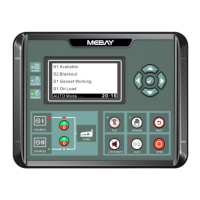
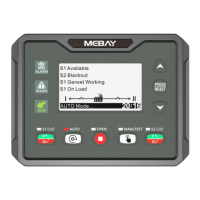
DC32D GENSET CONTROLLER USER MANUAL
13
Pressing “Page” and “Stop” simultaneously to come into
setting mode.
Manual closing operation details
Press “Manual key ” to start the unit manually and execute the starting process.
When the unit enters rated operation normally, press and hold down “Manual key
” for 3 seconds, the controller will enter the following manual closing interface,
refer to the following:
Press the “Manual key ” to close or open the mains, and press the “Auto key ”
to close or open the Gens;
When the Mains has been loaded, press the Gens load, first the mains open, after
the delay is over,press the Gens load again, then the Gens closes;
When the Gens has been loaded, press the Mains load, first the Gens open, after the
the delay is over, press the Mains load again,then the Mains close.
Refer to the following diagram for the display of the closing state (left: Mains closes
the gate, Gens splits the gate; right: Mains splits the gate, Gens closes the gate)
When you want to exit the interface after manual closing, press the “Confirm
button ” to exit the manual closing page;
Engine flywheel teeth automatic adjustment
1) Crank disconnect must be set to “RPM/Frequency”.
2) In manual mode, Start the generator set.
3) At the same time, press and for more than 0.5 seconds, the controller will
automatically calculate and save the number of flywheel teeth according to the
generation frequency and generator poles.


 To Next Page