Page 31 1330SE - Service & Parts Manual
November 2019Section 10 - Control System
Parameter Adjustment
PARAMETERS SHOULD BE ADJUSTED ONLY IF THE FUNCTION IS
OPERATING OUTSIDE OF MACHINE SPECIFICATIONS, OR IF WRITTEN
APPROVAL IS OBTAINED FROM MEC PRIOR TO MAKING THE CHANGE.
Main Screen Display
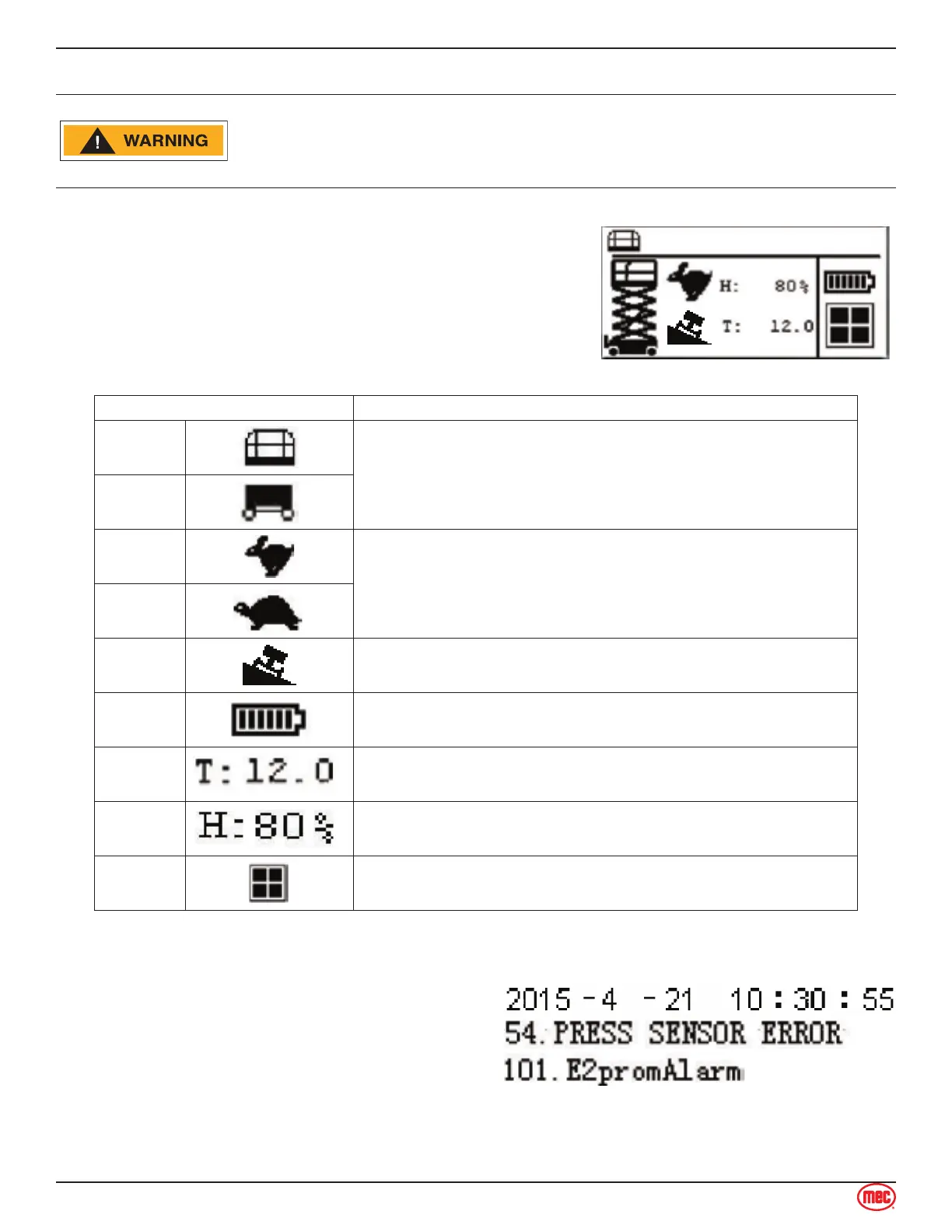
The following screen is displayed during normal machine
operation at the Base Controls station. Not all of the icons
shown appear all of the time.
Icon Description
Platform
Operation
The upper left corner will indicate either Platform or Base operation,
depending on the position of the Key Switch.
Base
Operation
High
Speed
The High or Low Speed drive icon display the drive speed selected
at the Platform Controls.
Low Speed is automatically selected when the platform is elevated.
Low
Speed
Tilt
This icon is displayed when the angle of the ground exceeds the
allowable tilt angle with the platform elevated.
Battery
This icon displays the current charge state of the battery pack.
Hour
Meter
Hour Meter indicates total elapsed time of machine operation.
Height
Indicator
Displays the lift height by percentage. 0% indicates the stowed
position, while 100% indicates that the platform is fully elevated.
Menu
Press the Menu button to reach additional menus.
The top line of the Main Display Screen is normally
blank but will display the date and time when
touched.
This area automatically displays fault, alarm and
machine-state codes when present.
The touch screen does not work when a warning or
alarm is displayed.



 To Next Page