89
4.7 Description of the
remote control
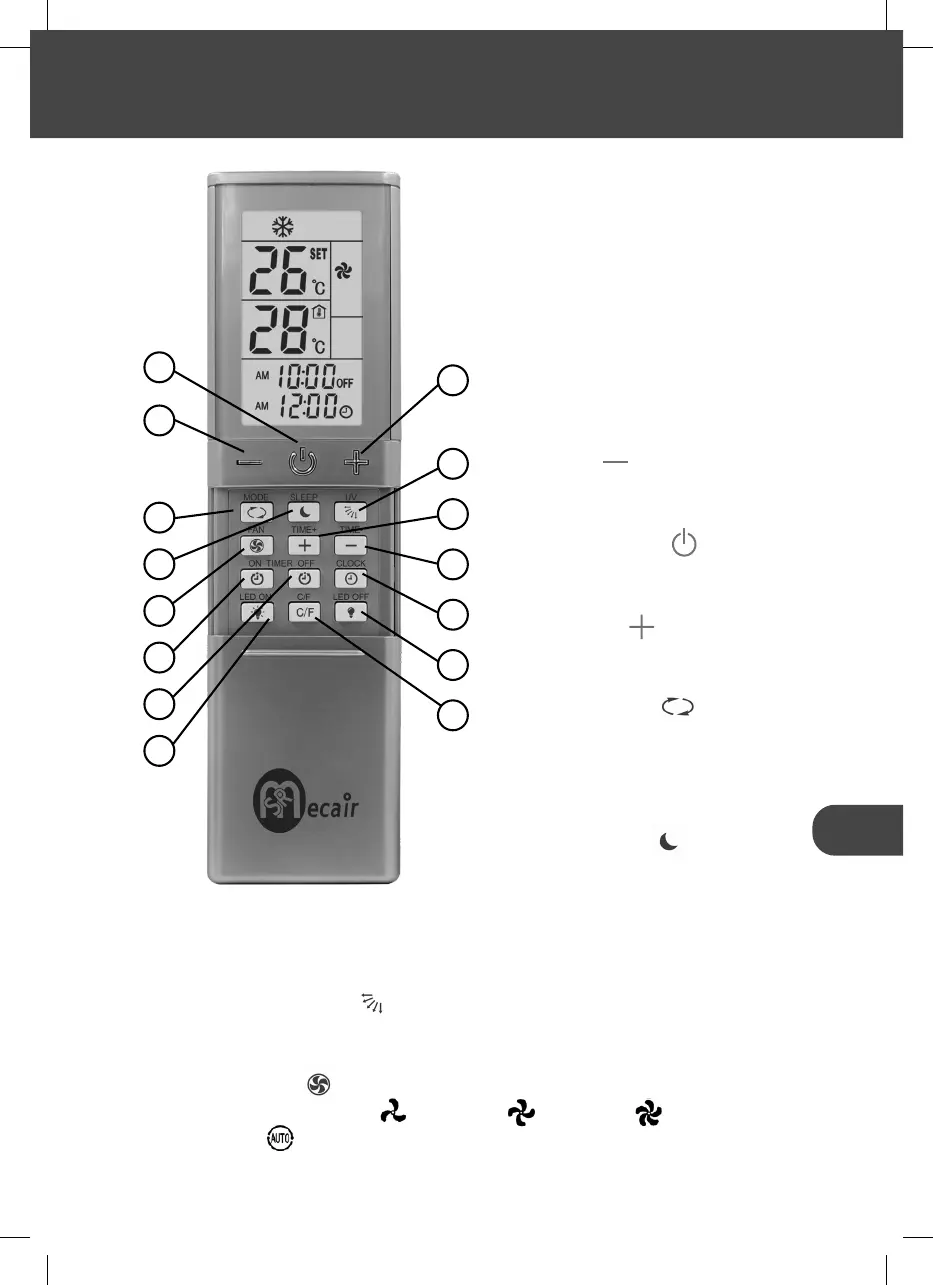
All appliance settings (e.g. tempera-
ture control, timer programming) are
transmitted to the rooftop air condi-
tioner via the remote control.The re-
mote control features the following
operating and display elements:
1. - button ( ): this button adju-
sts the desired temperature by
decreasing it;
2. ON/OFF button ( ): this but-
ton switches the air conditioner
on and off;
3. + button ( ): this button
adjusts the desired temperatu-
re by increasing it;
4. MODE button ( ): this but-
ton selects one of the following
modes: automatic/cooling/
dehumidifying/ventilation/hea-
ting (if included);
5. SLEEP button ( ): this button
puts the system in silent mode
(fan speed 1) and turns off the
system 8 hours after activation.
3
6
5
8
9
12
13
15
14
1
2
4
7
10
11
The SLEEP function can be activated with the Automatic, Cooling, Heating
and Dehumidifying functions;
6. UV ON/OF button ( ): this button turns the air conditioner’s UVC
LED lights on and off to activate the room sanitising function (only on
the PREMIUM versions);
7. FAN button ( ): this button changes the fan speed to 4 diffe-
rent speeds (Speed 1 , Speed 2 , Speed 3 and Speed 4
Automatic );
4 USE


 To Next Page