Volume Pedal
You can step on the volume pedal to adjust the sound volume.
Sustain Pedal (Assignable)
You can assign other pedal functions to the sustain pedal. Please refer
to Other Functions.
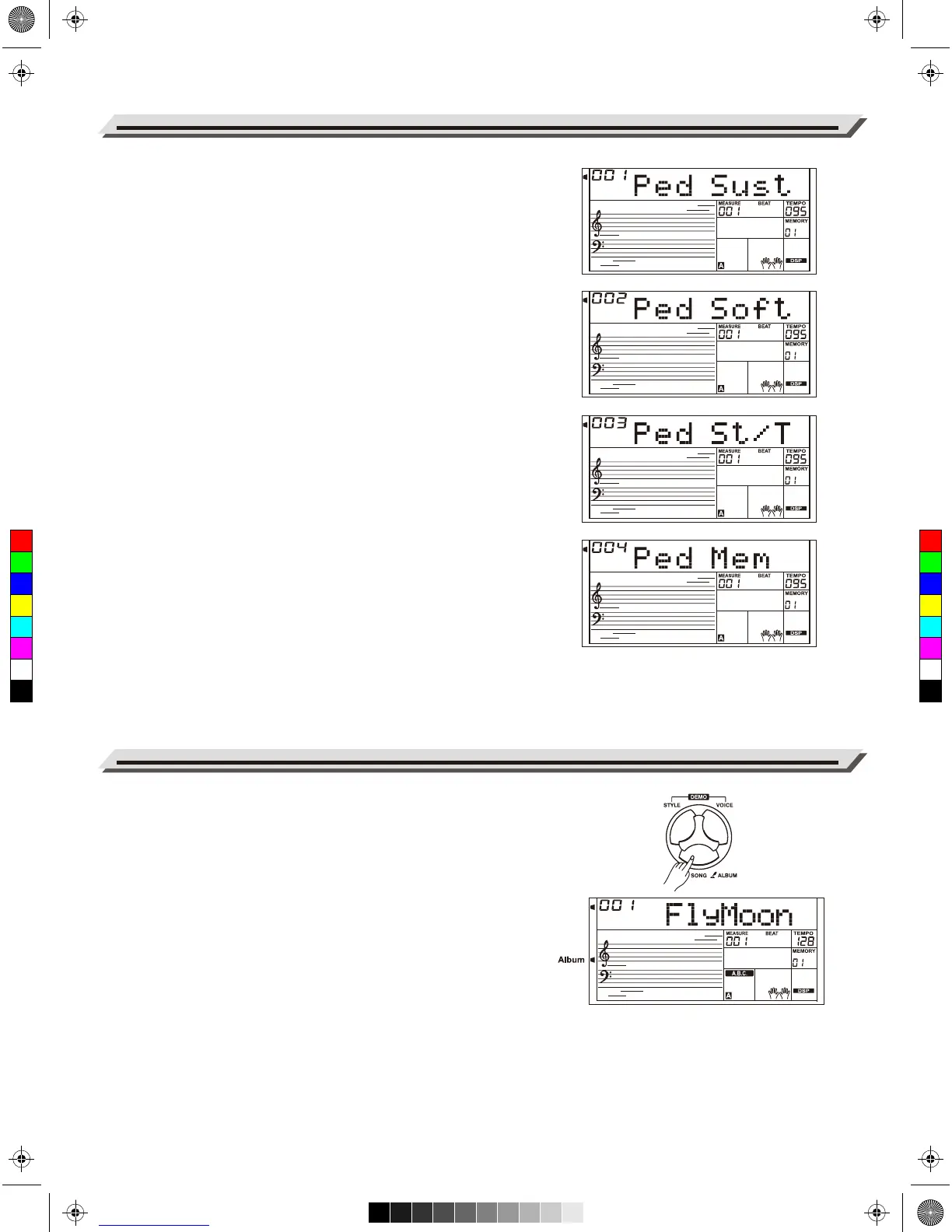
1. Pedal Sustain
If the pedal is assigned as “Ped Sust”, step on the sustain pedal, all
notes played on the keyboard have a longer sustain.
2. Pedal Soft
If the pedal is assigned as “Ped Soft”, step on the soft pedal, all
notes played on the keyboard have a softer effect.
3. Pedal Start/Stop
If the pedal is assigned as “Ped St/T”, step on the pedal to
start/stop accompaniment.
4. Pedal Memory
If the pedal assigned as “Ped Mem”, pressing the pedal at the first
time will call up registered memory: M1, and then M2, M3…by
pressing this pedal step by step.
The album function allows you to practice a song with a preset style,
tempo and voice. The instrument features a variety of song albums.
Please refer to the Album List.
1. Hold down the [SONG/ALBUM] button for 2 seconds to turn on the
function. LCD shows the current album name.
2. Use the data dial or [+/YES] or [-/NO] button to select a desired
album song. The instrument will instantly recall the preset settings
such as style, tempo and voice for the song.
3. Press again the [SONG/ALBUM] button or one of the VOICE /
STYLE select buttons to turn off the function.
Pedal Function
24
Album
C
M
Y
CM
MY
CY
CMY
K
AW_A810_Manual_G01_170809.pdf 24 17/8/9 16:21



 To Next Page