Panel Description
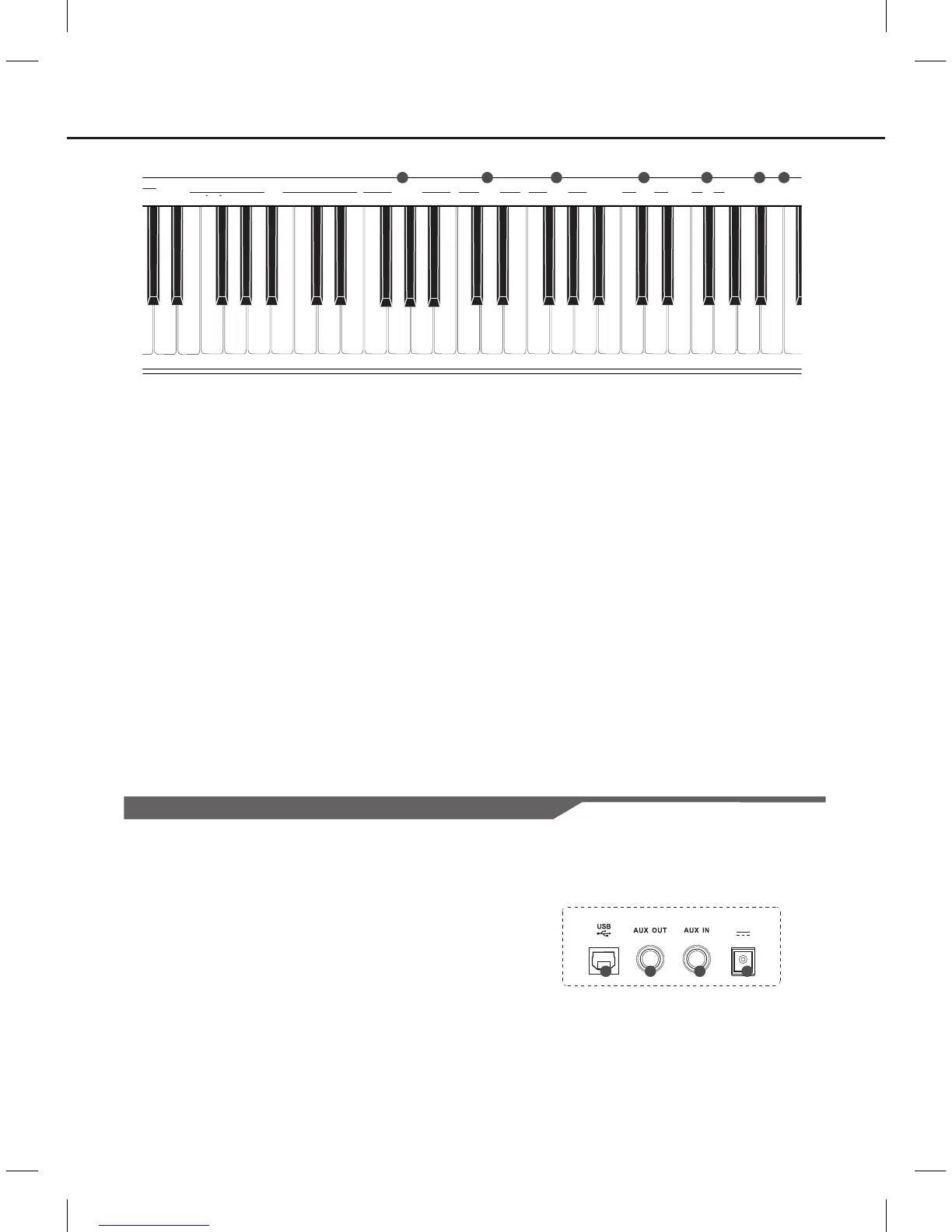
Rear Panel
5
17.
Connect to a computer.
18. AUX OUT Jack
Connect the audio equipment.
19. AUX IN Jack
Connect an external sound source, such as an MP3 or
CD player.
20. DC IN Jack
Connect the DC 12V power adaptor.
USB Jack
10. METRONOME Key
Hold down the [ FUNCTION ] button and press the
[ ON/OFF ] key to turn the metronome ON or OFF.
Hold down the [ FUNCTION ] button and press the
other key to select the time signature.
11. REVERB Key
Hold down the [ FUNCTION ] button and press the
[ ON/OFF ] key to turn reverb effect ON or OFF.
Hold down the [ FUNCTION ] button and press the
other key to select the reverb type.
12. CHORUS Key
Hold down the [ FUNCTION ] button and press the
[ON/OFF] key to turn chorus effect ON or OFF.
Hold down the [ FUNCTION ] button and press the
other key to select the chorus type.
13. TOUCH Key
Hold down the [ FUNCTION ] button and press the
key to select different touch response level.
15. DEMO Key
Hold down the [ FUNCTION ] button and press the
key to start or stop playing the demo song.
16. BEEP Key
Hold down the [ FUNCTION ] button and press the
key to turn the prompt tone ON or OFF.
14. EQ Key
Hold down the [ FUNCTION ] button and press
the key to select the EQ type.
DC IN
19
18
17
20



 To Next Page