The Mixer function allows you to separately adjust the volume of each
track, so as to keep an appropriate volume balance.
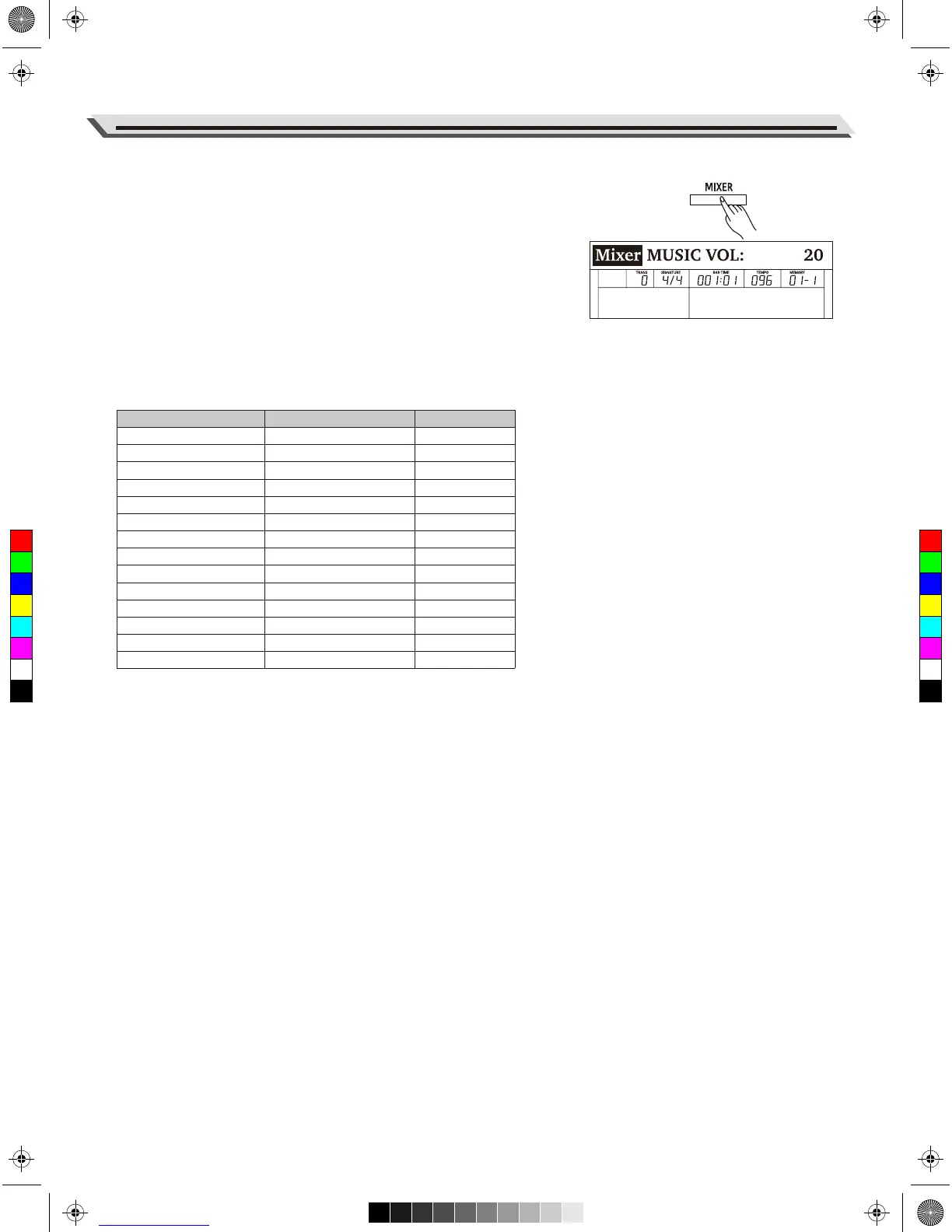
1. Enter the Mixer menu.
Press the [MIXER] button to enter the Mixer menu. The LCD shows
the current parameter.
2. Select a parameter.
Use the data dial to select a parameter.
3. Adjust the volume level.
Use the [+/YES]/ [-/NO] buttons to adjust the volume of the current
item. Press [+/YES] and [-/NO] at the same time to switch between
the default volume and muting the volume.
Detailed parameters and their volume ranges:
19
Mixer
Parameter
Music volume
Voice R1 volume
Voice R2 volume
Voice L volume
Metronome volume
Mic volume
Rhythm sub. volume
Rhythm master volume
Bass volume
Chord 1 volume
Chord 2 volume
Chord 3 volume
Phrase 1 volume
Phrase 2 volume
LCD Display
MUSIC VOL:
R1 VOL:
R2 VOL:
L VOL:
METRO VOL:
MIC VOL:
RHYTHM_S VOL:
RHYTHM_M VOL:
BASS VOL:
CHORD1 VOL:
CHORD2 VOL:
CHORD3 VOL:
PHRASE1 VOL:
PHRASE2 VOL:
xxx
xxx
xxx
xxx
xxx
xxx
xxx
xxx
xxx
xxx
xxx
xxx
xxx
xxx
Volume Range
0 - 32
0 - 32
0 - 32
0 - 32
0 - 32
0 - 32
0 - 32
0 - 32
0 - 32
0 - 32
0 - 32
0 - 32
0 - 32
0 - 32
C
M
Y
CM
MY
CY
CMY
K
aw_DP720_Manual_G03_170523.pdf 19 17/5/24 09:15


 To Next Page