The cameras support RTSP protocol, if select “on” of “RTSP
authority verication”, you need to enter user name and
password when invoke video by RTSP protocol�
WIFI setting
Please refer to chapter “View video by WiFi connection in
LAN”�
WAN access setting
In chapter “View video by WiFi connection in LAN”, you
have known how to do port forwarding� After the success
of the port forwarding, you can also visit camera by DDNS�
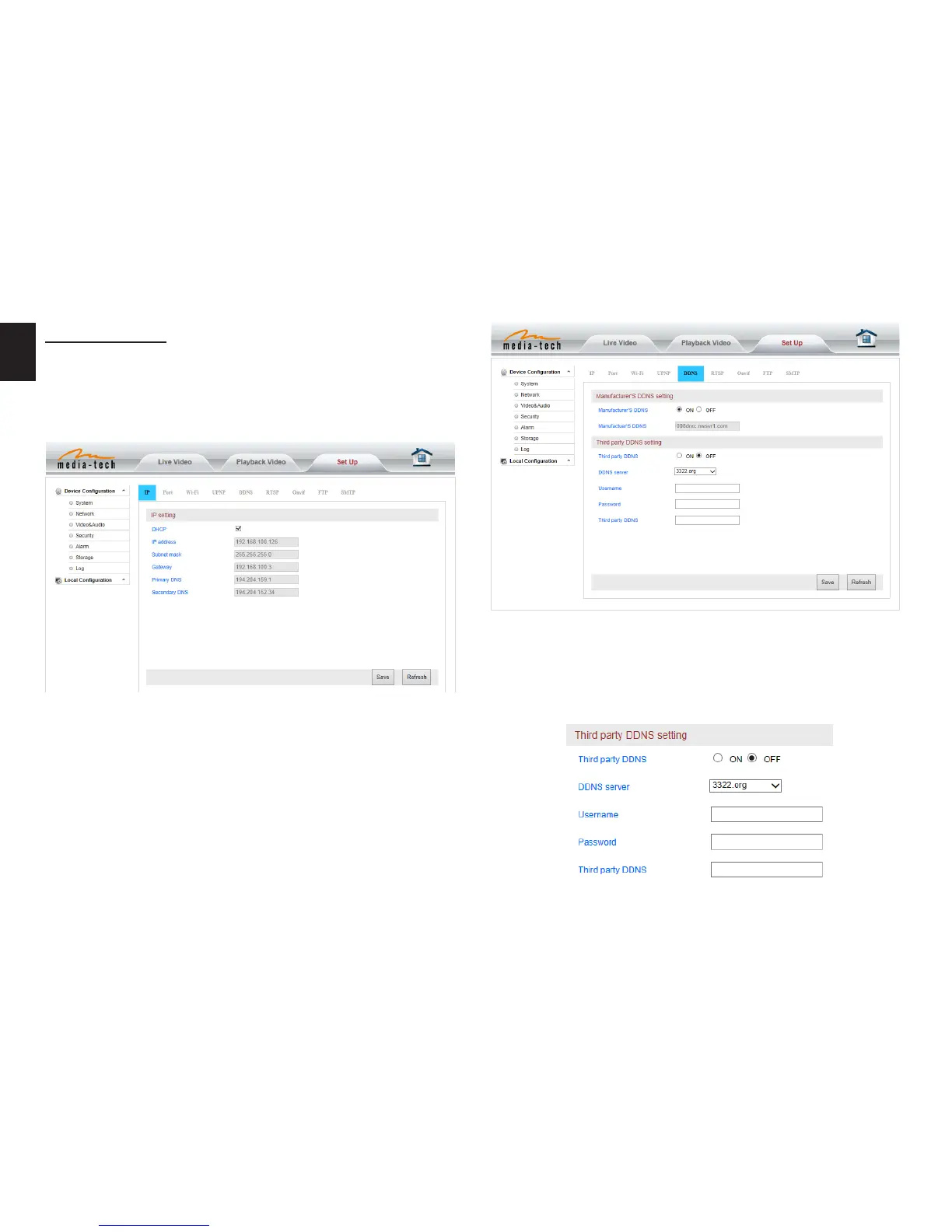
The manufacturer has established a DDNS system, and al-
lotted a DDNS to every device, the user can view it from
remote PC�
User can also use third party DDNS, such as www�dyndns�
com� User applies a free domain name from this website
and lls the info into below blanks and saves the settings�
Then the domain name can be used�
Web setting
Basic web setting


 To Next Page