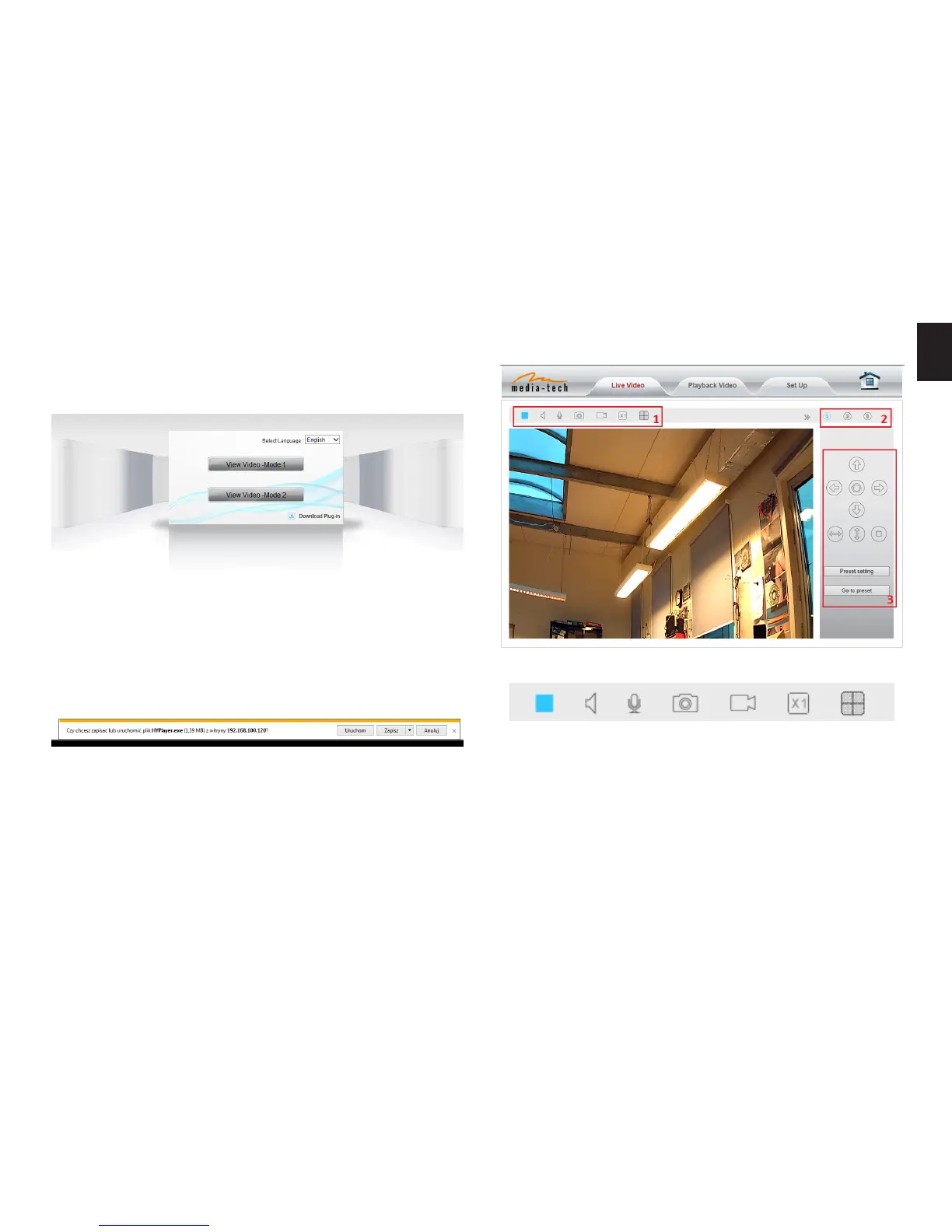
Notice: Need to download ActiveX when rst use, click
“download ActiveX (when rst use)”, will display prompt,
click ‘Download Plug-in’ will download and install the” HY-
Player” plug-in automatically�
Tips: You can hold on reset button on the camera for 10
seconds to restore factory default if you forget user name
and password, or not sure the device parameters�
Click “View Video – Mode 1” to access video interface as
below�
1. Status bar
1) Enable/disable on-line view;
2) Enable/disable sound capturing;
3) Enable/disable voice transfer (you must have active
microphone in your system to transfer voice to camera,
and camera need to have plugged-in speakers);
4) Save snapshot to local disk;
5) Manually start/stop recording onto local disk;
6) Enable digital zoom;
7) Enable/disable multi-view mode�


 To Next Page